
My Crop Manager - Farming app PC
Bivatec Ltd
Download My Crop Manager - Farming app on PC With GameLoop Emulator
My Crop Manager - Farming app on PC
My Crop Manager - Farming app, coming from the developer Bivatec Ltd, is running on Android systerm in the past.
Now, You can play My Crop Manager - Farming app on PC with GameLoop smoothly.
Download it in the GameLoop library or search results. No more eyeing the battery or frustrating calls at the wrong time any more.
Just enjoy My Crop Manager - Farming app PC on the large screen for free!
My Crop Manager - Farming app Introduction
Take Control of Your Fields. Grow Smarter, Harvest More, and Boost Farm Profits!
Managing your crops shouldn't be a guessing game. My Crop Manager is the all-in-one crop management app built for real farmers—helping you track everything from planting to harvest and from income to expenses.
Whether you're growing maize, rice, beans, tomatoes, or cotton—this app puts your entire farm in your pocket.
🌾 Key Features:
1. Smart Field & Crop Tracking
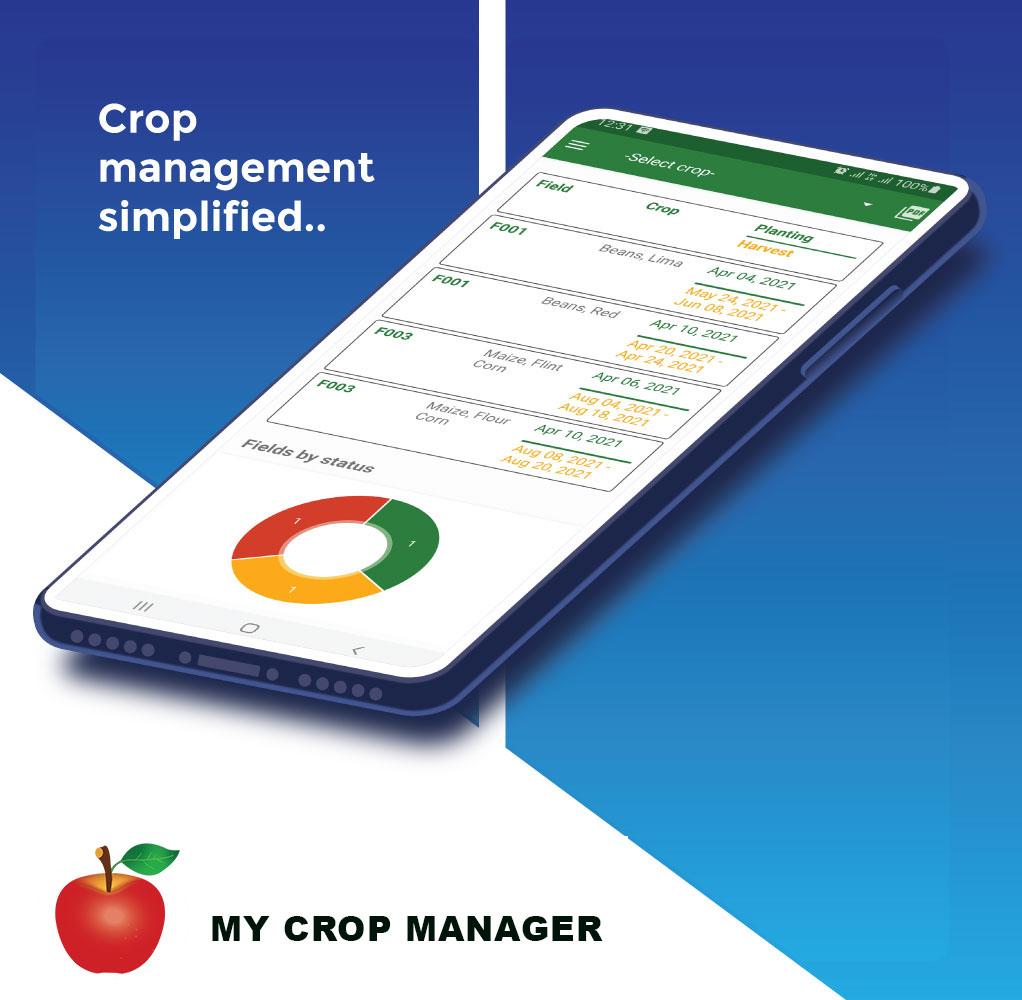
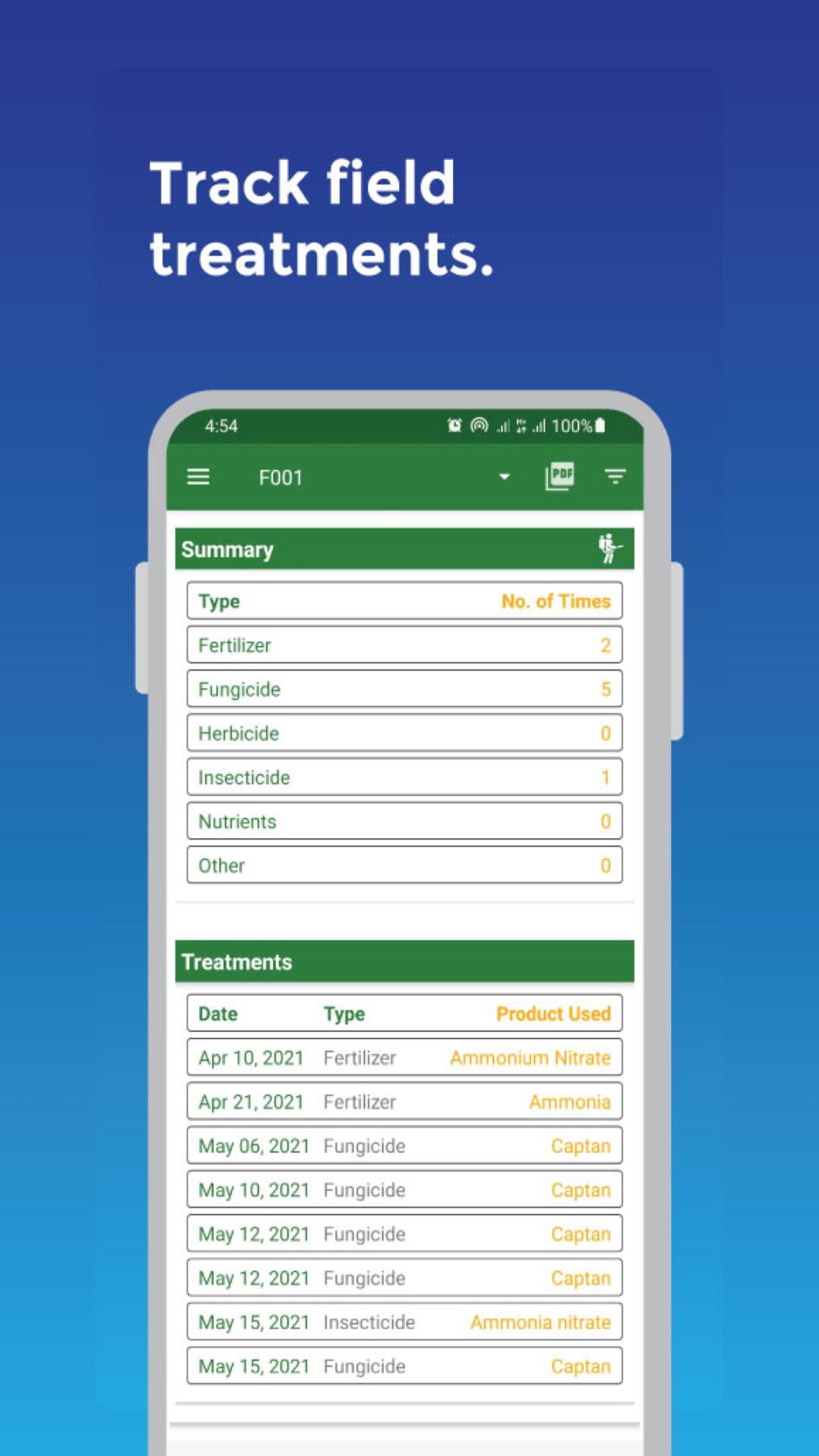
Plan and record your plantings, field treatments, harvests, and yields. Keep a full history of every field, crop variety, and farming season.
2. Powerful Farm Record Keeping
Log your farm income and expenses effortlessly. Monitor cash flow and get insights that help you make better, faster decisions.
3. Simple, Farmer-Friendly Interface
Built with farmers in mind—easy to use, no tech skills required. Quickly enter data and stay focused on the farm, not the screen.
4. Detailed Farm Reports
Generate and export professional reports—field activity, crop performance, harvest income, expenses, treatments, and more. Export to PDF, Excel, or CSV.
5. Works Offline
No internet? No problem. Access all features even in remote areas with poor connectivity.
6. Multi-Device & Team Access
Share farm records securely with your team or family across multiple devices. Set permissions and roles for full control.
7. Smart Alerts & Reminders
Never miss a task. Get custom reminders for fieldwork, data entry, and treatments.
8. Secure & Backed Up
Set a passcode, back up your data, and restore it any time. Your farm info stays safe and private.
9. Web App Included
Prefer a bigger screen? Access your farm from our web dashboard anytime, anywhere.
10. Supports All Crops
Perfect for managing:
Maize (corn), rice, wheat, beans, cassava, potatoes, tomatoes, cotton, tobacco, fruits, vegetables, and more.
Download My Crop Manager today and farm like a pro.
Start making data-driven decisions, increase your yields, and watch your farm thrive season after season.
🌍 Built for farmers. Backed by innovation. Powered by your passion.
We’re here to digitize agriculture, and we value your feedback. Help us build the future of farming—together.
Preview
Tags
ProductivityInformation
Developer
Bivatec Ltd
Latest Version
1.7.3
Last Updated
2025-09-13
Category
Productivity
Available on
Google Play
Show More
How to play My Crop Manager - Farming app with GameLoop on PC
1. Download GameLoop from the official website, then run the exe file to install GameLoop
2. Open GameLoop and search for “My Crop Manager - Farming app” , find My Crop Manager - Farming app in the search results and click “Install”
3. Enjoy playing My Crop Manager - Farming app on GameLoop
Minimum requirements
OS
Windows 8.1 64-bit or Windows 10 64-bit
GPU
GTX 1050
CPU
i3-8300
Memory
8GB RAM
Storage
1GB available space
Recommended requirements
OS
Windows 8.1 64-bit or Windows 10 64-bit
GPU
GTX 1050
CPU
i3-9320
Memory
16GB RAM
Storage
1GB available space