
My CenturyLink PC
CenturyLink, Inc
Download My CenturyLink on PC With GameLoop Emulator
My CenturyLink on PC
My CenturyLink, coming from the developer CenturyLink, Inc, is running on Android systerm in the past.
Now, You can play My CenturyLink on PC with GameLoop smoothly.
Download it in the GameLoop library or search results. No more eyeing the battery or frustrating calls at the wrong time any more.
Just enjoy My CenturyLink PC on the large screen for free!
My CenturyLink Introduction
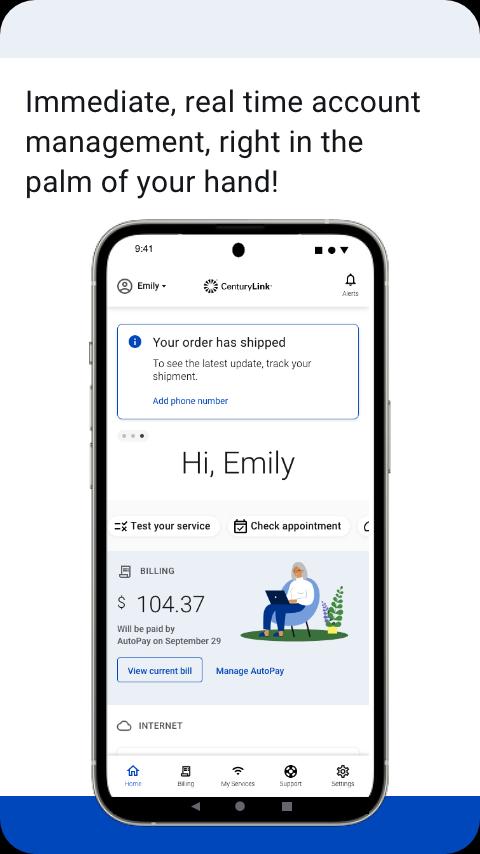
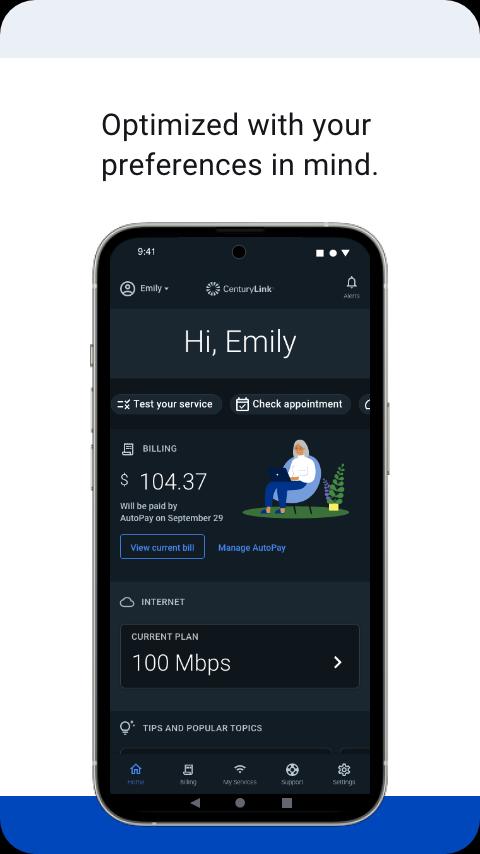
The My CenturyLink app brings management of your account and services into one easy place.
You can use the app to:
• Connect your new service quickly with modem self-install.
• View and manage your bill payment with convenience and ease.
• Check your services, upgrade your Internet speed (if available in your area).
• Manage your settings.
• Visit Support to troubleshoot or optimize your service through self-help tools and videos.
• Get personalized alerts, so you can see the status of your order, or find out if there is an interruption to your Internet service.
• Plus, so much more.
Additional features for our Secure WiFi customers (Secure WiFi is available on compatible modems leased from CenturyLink):
• Parental controls to guard against inappropriate web content.
• Pause and resume internet access of devices on our WiFi.
• Schedule online and offline times for devices and users.
Learn more about Secure WiFi by visiting https://centurylink.com/home/help/internet/secure-wifi
We're here to help! You can get in touch via http://www.centurylink.com/contact
Preview
Tags
ProductivityInformation
Developer
CenturyLink, Inc
Latest Version
5.4.5
Last Updated
2025-09-25
Category
Productivity
Available on
Google Play
Show More
How to play My CenturyLink with GameLoop on PC
1. Download GameLoop from the official website, then run the exe file to install GameLoop
2. Open GameLoop and search for “My CenturyLink” , find My CenturyLink in the search results and click “Install”
3. Enjoy playing My CenturyLink on GameLoop
Minimum requirements
OS
Windows 8.1 64-bit or Windows 10 64-bit
GPU
GTX 1050
CPU
i3-8300
Memory
8GB RAM
Storage
1GB available space
Recommended requirements
OS
Windows 8.1 64-bit or Windows 10 64-bit
GPU
GTX 1050
CPU
i3-9320
Memory
16GB RAM
Storage
1GB available space