
LernSax PC
DigiOnline GmbH
Download LernSax on PC With GameLoop Emulator
LernSax on PC
LernSax, coming from the developer DigiOnline GmbH, is running on Android systerm in the past.
Now, You can play LernSax on PC with GameLoop smoothly.
Download it in the GameLoop library or search results. No more eyeing the battery or frustrating calls at the wrong time any more.
Just enjoy LernSax PC on the large screen for free!
LernSax Introduction
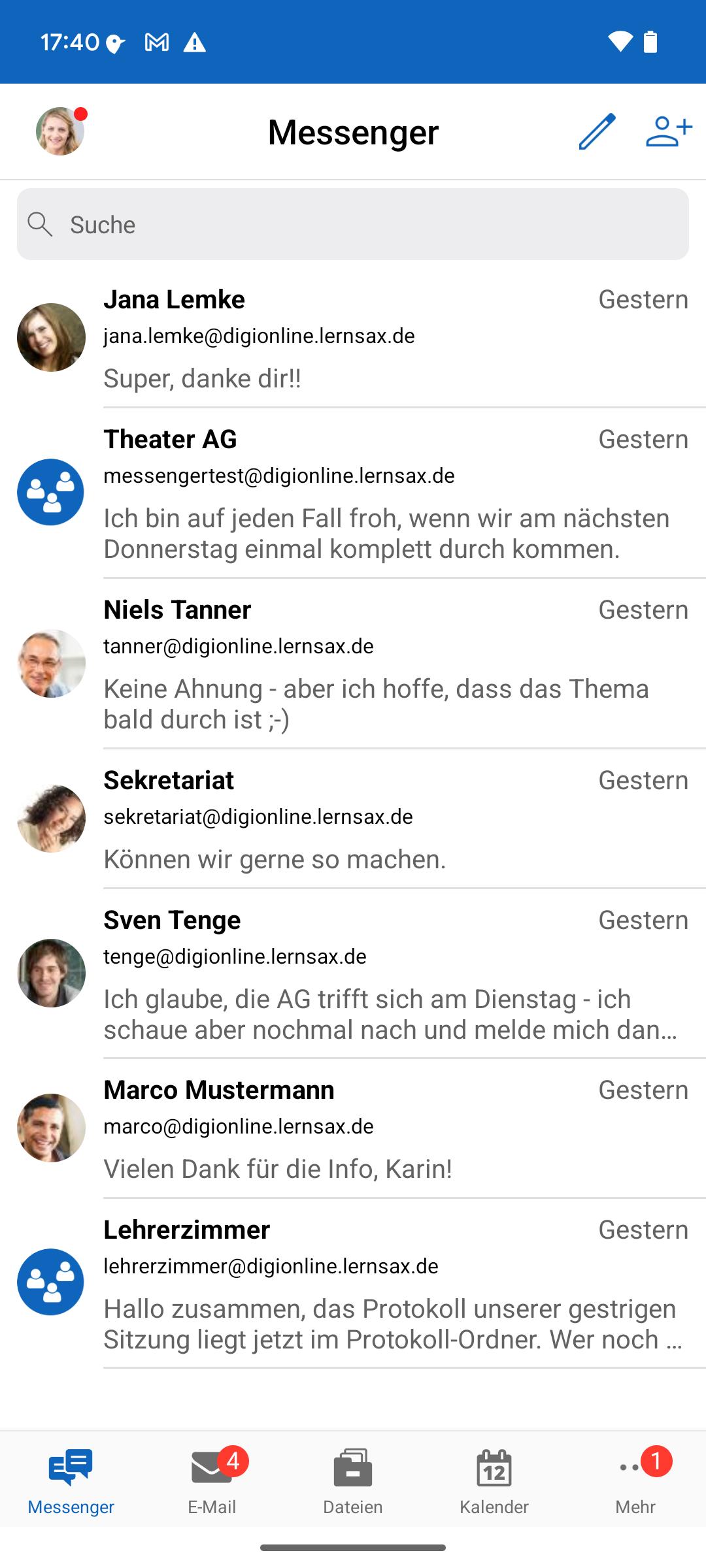
The LernSax app allows LernSax members to use LernSax tools on smartphones and tablets running Android 10 or higher. Logging in to the app requires your familiar login credentials (username and password).
Messenger:
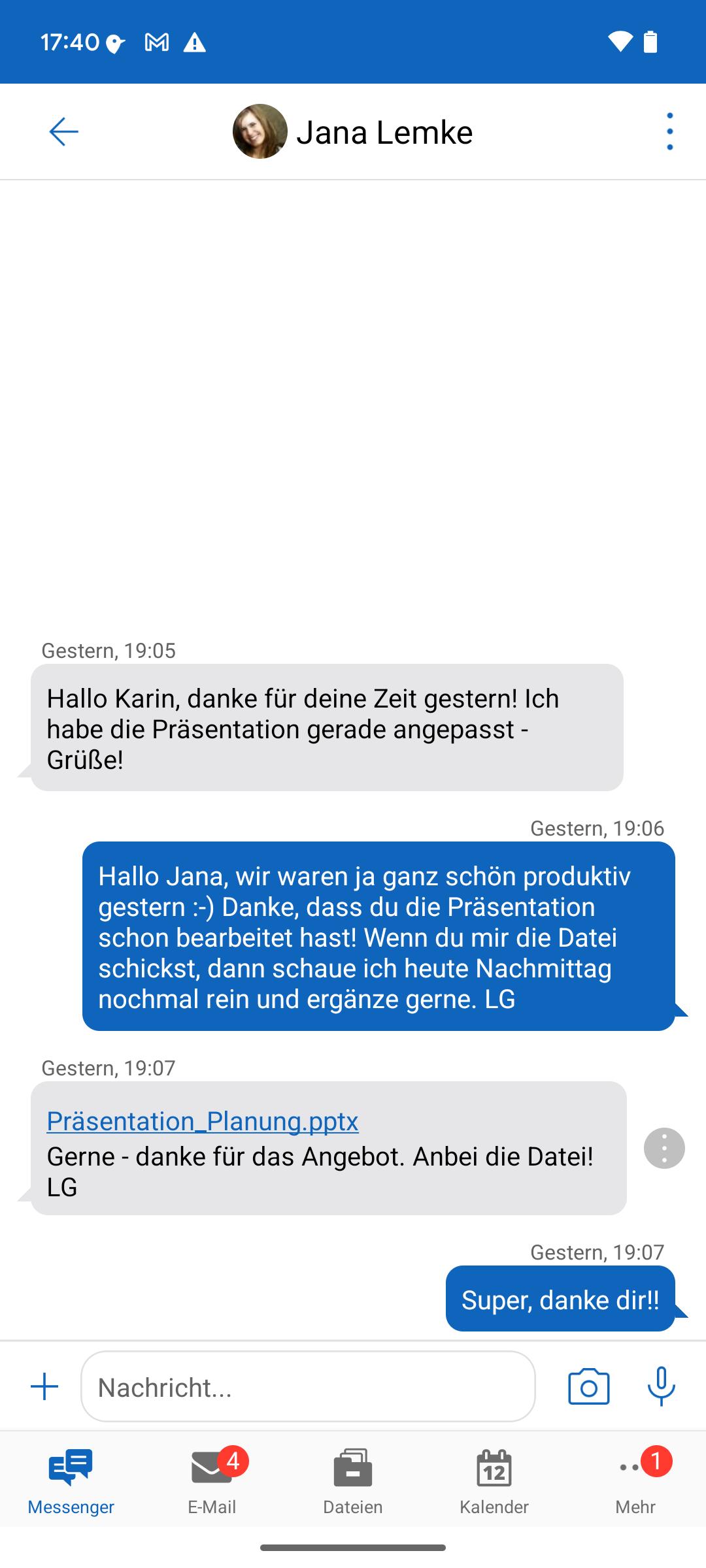
- Send, receive, and forward text messages, photos, videos, any files, and voice messages to contacts, classes, courses, or groups. Save received files to the LernSax file folders. Share files from other apps with others via Messenger.
- Add and remove LernSax members to your personal Messenger.
Email:
- Read emails in your personal inbox, write emails, address emails to other members via personal Messenger contacts, member lists, and address books, manage emails, and create and manage folders in your inbox.
File Management:
- Upload and download files to and from LernSax, save files to the device or open them in other apps, move and copy files, view file versions, save files from other apps to LernSax (Share menu), send files directly in the app's messenger or via email, create and manage folders and files, add folders to the "Favorites" view, view and edit folder access rights (upload/download), view and copy links to folders and files.
- Choose between a single-column and multi-column folder view. Also: Direct access to LernSax in the browser (in-app), optional dark mode, optional access protection via facial recognition or fingerprint (device-dependent), and push notifications. In the "Private" section of LernSax under "System Notifications," you can specify for which events the app should display push notifications.
Calendar:
- Access appointments in all calendars available for the logged-in account in various calendar views (day, week, month, list), edit existing appointments, and create new appointments.
Notifications:
- Chronological overview of all notifications available for the currently logged-in account from the various workspaces of the platform.
- Create new notifications (including color and optional deletion time), as well as edit and delete existing notifications depending on permissions.
- All existing notifications and all notifications per workspace can be filtered via a search.
Learning Modules:
- Learn with learning modules and always keep track of your progress.
Quick Links:
Create and manage direct links to LernSax tools.
Also available: Direct access to LernSax in the standard browser, direct access to the personal pinboard, optional dark mode, optional access protection via fingerprint or facial recognition (device-dependent), push notifications for all accounts saved in the app, selection of events for push notifications, direct switching between multiple saved accounts (on personal devices).
Further information about the app's functionality is available in the app under "App Information" after logging in.
LernSax website & legal notice: https://www.lernsax.de
Terms of Use: https://www.lernsax.de/nutzungsbedingungen.php
Privacy Policy: https://www.lernsax.de/app-dse-messenger
Accessibility Statement: https://www.lernsax.de/wws/app-barrierefreiheitserklaerung
Preview
Tags
ProductivityInformation
Developer
DigiOnline GmbH
Latest Version
4.2.0
Last Updated
2025-08-29
Category
Productivity
Available on
Google Play
Show More
How to play LernSax with GameLoop on PC
1. Download GameLoop from the official website, then run the exe file to install GameLoop
2. Open GameLoop and search for “LernSax” , find LernSax in the search results and click “Install”
3. Enjoy playing LernSax on GameLoop
Minimum requirements
OS
Windows 8.1 64-bit or Windows 10 64-bit
GPU
GTX 1050
CPU
i3-8300
Memory
8GB RAM
Storage
1GB available space
Recommended requirements
OS
Windows 8.1 64-bit or Windows 10 64-bit
GPU
GTX 1050
CPU
i3-9320
Memory
16GB RAM
Storage
1GB available space