
Floatee - Floating All In One PC
MA I KA
Download Floatee - Floating All In One on PC With GameLoop Emulator
Floatee - Floating All In One on PC
Floatee - Floating All In One, coming from the developer MA I KA, is running on Android systerm in the past.
Now, You can play Floatee - Floating All In One on PC with GameLoop smoothly.
Download it in the GameLoop library or search results. No more eyeing the battery or frustrating calls at the wrong time any more.
Just enjoy Floatee - Floating All In One PC on the large screen for free!
Floatee - Floating All In One Introduction
Make multitasking easier and faster with Floatee, your all-in-one floating app that combines the best tools in one place. Whether you need to ask ChatGPT quickly, screen translation, browsing in a floating window, or even use Google Lens without screenshot. Floatee has everything you need!
[Why use Floatee?]
Floatee simplifies your mobile experience with an innovative floating design. No more switching between apps—access everything you need instantly with just one tap!
[Top Features]
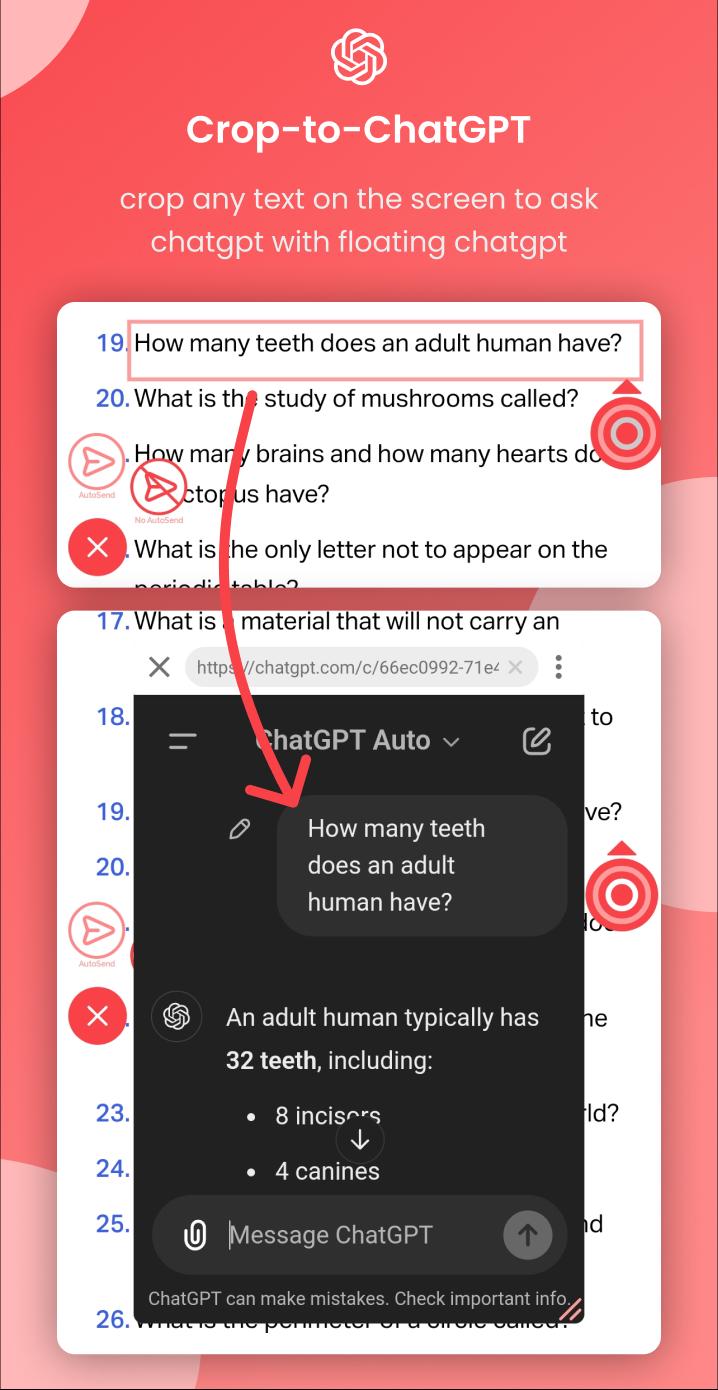
• Crop to ChatGPT: Easily crop any text on your screen and send it to ChatGPT for instant responses in a floating window.
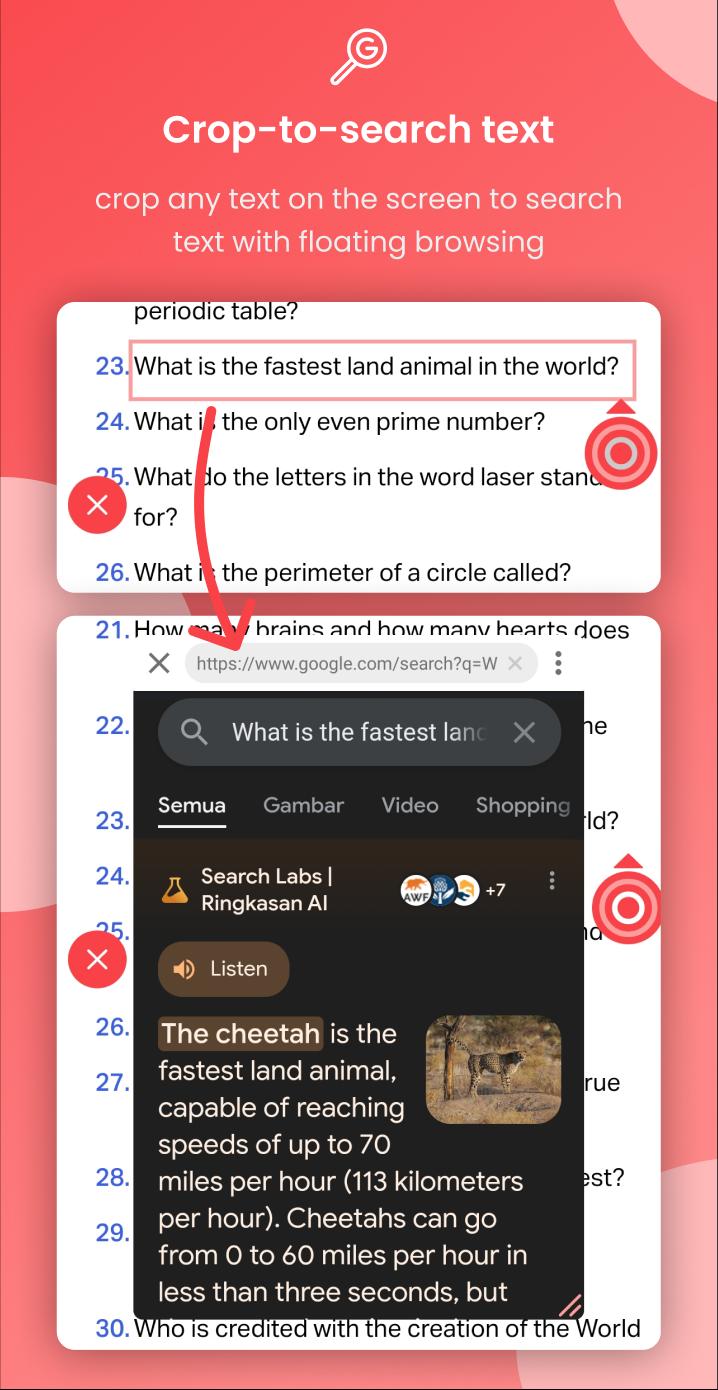
• Crop to Search: Crop any text on your screen and send it to Google using a floating browser, right from your screen.
• Screen Translate: Real-time translation of any text on your screen.
• Search Image: Use Google Lens to search for images without taking a screenshot.
• Open Music Shortcuts : Quickly access your favorite music from internal storage with 13 slots menu
• Custom Floating Apps : You can use floating apps based on the application of your choice
[More Features]
• Tap text to dictionary (definitions, examples, synonyms, antonyms)
• Another Crop Feature (copy, translate, subtitle, search image, text to speech, save/share image, screen record)
• Another Open Shortcuts (app, link, file, system settings)
• Assistive touch (back, recent, home, lock screen, open notification, open quick setting, screenshot(save, share, search image), screen recorder, rotate screen, open power dialog, change volume, change brightness, split screen)
• Floating Apps (calculator, dictionary, translate, browser, custom apps)
• Auto Clicker (tap, long press, swipe)
Our application may use the Accessibility Service API to help users perform some assistive touch features(go back, recent, open notification, split screen, etc) and auto clicker. This application neither captures your personal data nor violates your privacy.
Preview
Tags
ProductivityToolsInformation
Developer
MA I KA
Latest Version
3.0.6
Last Updated
2025-11-17
Category
Productivity
Available on
Google Play
Show More
How to play Floatee - Floating All In One with GameLoop on PC
1. Download GameLoop from the official website, then run the exe file to install GameLoop
2. Open GameLoop and search for “Floatee - Floating All In One” , find Floatee - Floating All In One in the search results and click “Install”
3. Enjoy playing Floatee - Floating All In One on GameLoop
Minimum requirements
OS
Windows 8.1 64-bit or Windows 10 64-bit
GPU
GTX 1050
CPU
i3-8300
Memory
8GB RAM
Storage
1GB available space
Recommended requirements
OS
Windows 8.1 64-bit or Windows 10 64-bit
GPU
GTX 1050
CPU
i3-9320
Memory
16GB RAM
Storage
1GB available space