Doc-Scan :Document Scanner PDF PC
Creative Technolabs Inc.
Download Doc-Scan :Document Scanner PDF on PC With GameLoop Emulator
Doc-Scan :Document Scanner PDF on PC
Doc-Scan :Document Scanner PDF, coming from the developer Creative Technolabs Inc., is running on Android systerm in the past.
Now, You can play Doc-Scan :Document Scanner PDF on PC with GameLoop smoothly.
Download it in the GameLoop library or search results. No more eyeing the battery or frustrating calls at the wrong time any more.
Just enjoy Doc-Scan :Document Scanner PDF PC on the large screen for free!
Doc-Scan :Document Scanner PDF Introduction
Doc-Scan is a free scanner app which is made in India and ensures safety of your scanned pdf and documents. At Doc-Scan which was earlier “paper scanner” we take extra efforts to keep your scanned data safe and secure in your devices. .
- Scan single/multiple page documents & download/share them as JPG, PDF, or PNG
- Read & edit all types of PDF using various tools like Add Signature, PDF Merge, PDF Compress, PDF Split, etc.
Why Choose a Doc-Scan app for free?
• Scan to PDF or any document.
• Set any document scale to portable and landscape.
• Scan to PDF single or multi-page documents.
• Any size document scan with Document Scan - PDF Scanner App Free.
• Automatic document size recognition and selection.
• Save each scan Documents to Cloud for instant access and sharing.
• Doc scanner can scan any image and change color.
• The upgrade includes smart trimming and many more.
• Organize your document and photo in the same PDF.
• Convert scanned images to the best quality PDF file.
• Beautiful design and easy-to-use scanner app free for documents.
Scan to PDF
• Scan any document and convert to PDF with your mobile device.
• TapScanner has got you covered with our pdf maker and pdf reader. Receipts, documents, business cards, whiteboards, ID’s, books and photos - From image to pdf immediately
With Scanner Go or PDF Doc-Scan - turns your phone camera to a PDF Scanner or PDF Maker or PDF Converter. You can easily share scanned files as PDF or JPG. Easy to use PDF converter app with Scan to pdf app.
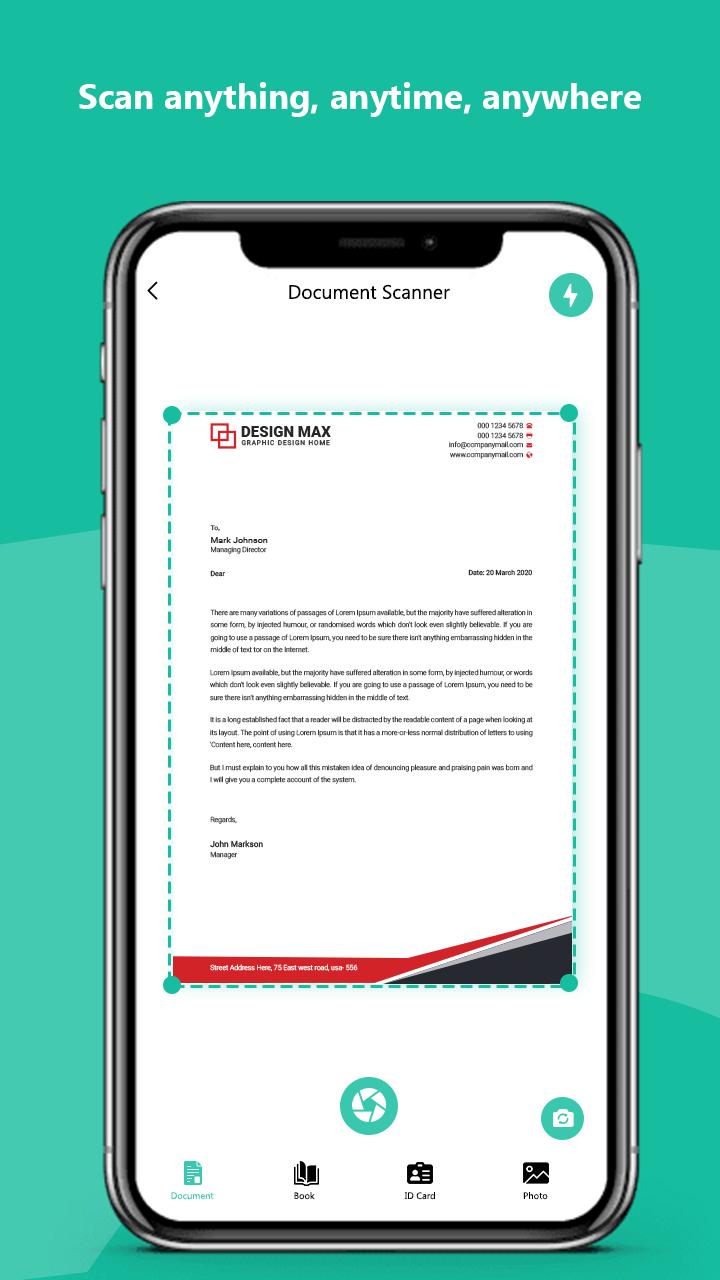
1. Just click on the create new pdf tab and start scanning your document.
2. You can also select image or a document from your gallery to scan.
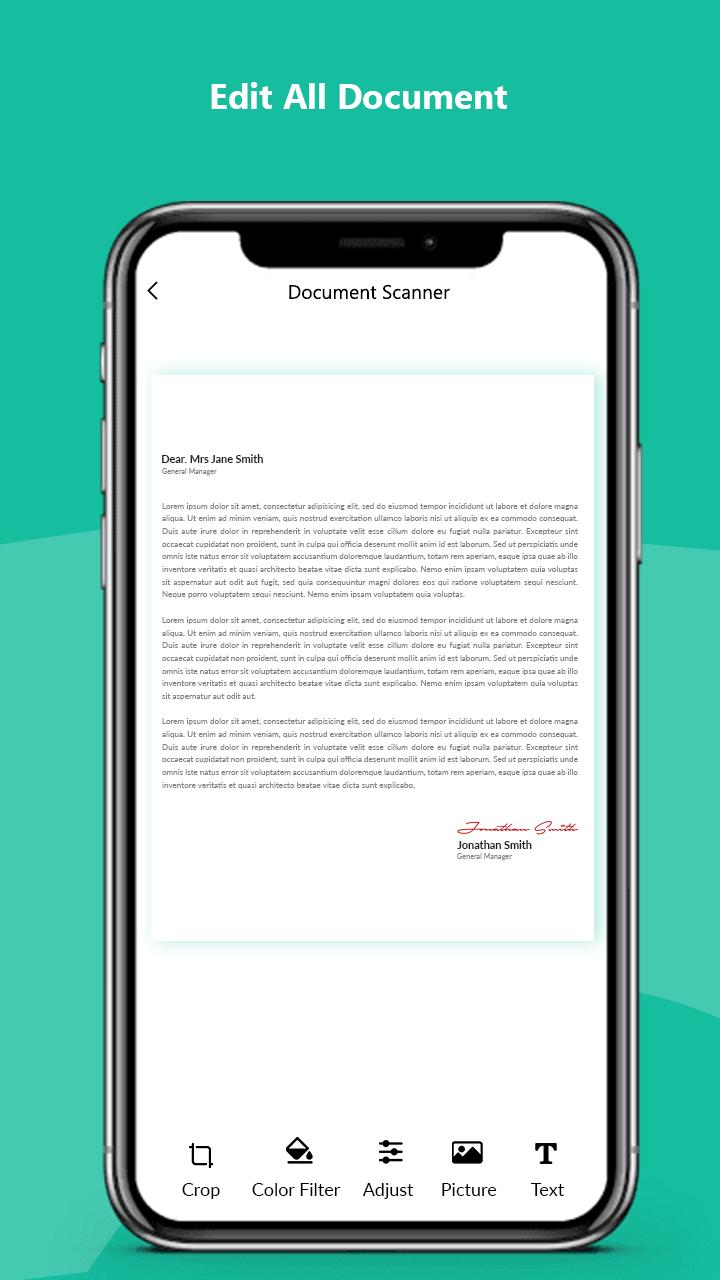
3. Crop the edges according to your requirement.
4. Free filters for your documents and also you can use brush to add your own colors.
5. You can compress your file according to the size you need
6. You can choose the page type e.g A4, Legal, Ledger etc
7. You can add your own watermark into the document you are scanning.
8. After you have scanned your document, you can send and share it via email, whatsapp etc
*High-quality scanner
Automatic cropping helps increase productivity, filters ensure that the text and graphics in the scanned document are clear and crisp. You can even apply the filter effect to all pages with one click
*Share PDF/JPEG Files
Easily share documents in PDF or JPG format with friends in a variety of ways. You can use email to quickly post to social networks, or save pictures in albums.
*Quick search
When you have a large number of documents, you can easily find them using keywords.
FEATURE HIGHLIGHTS
-Scan your document.
-Page edges are detected automatically.
-Set page sizes for PDF (Letter, Legal, A4, and more)
-Share PDF/JPEG files.
-Print and fax the scanned doc directly from the app
Doc Scanner is the Best Indian Camera scanner app. It turns your phone camera to a PDF Scanner. You can easily share scanned files as PDF or JPG.
📃 Scan Docx:
The PDF scan photo scanner is so easy and powerful to use, you’ll say, This is the best free PDF scanner for documents. By having this document scanner PDF scanning app on your phone, you can save your time and efforts by quickly scanning at any time by using the free document scanner HD 2020. Scans are saved to your device in image or PDF format by using a free pdf scanner and a camera scanner HD PDF scan.
💳 Scan ID Card:
An ID scanner scans ID cards, passports, driving licenses, visas, and other identity documents in just a few seconds and saves them into the device by using an ID scanner & Doc scanner.
📚 Scan Book:
Free scanner app for documents that can be used to scan books, novels, magazines, and scan to PDF by using a page scanner, saved to your device in image or PDF format by using a Doc scanner app for android.
🖼️ Scan ID Photo:
Photo scan that lets you scan and save your favorite photos by using a photo scanner app and PDF scanner document scan OCR.
Preview
Tags
ProductivityInformation
Developer
Creative Technolabs Inc.
Latest Version
1.2
Last Updated
2023-02-02
Category
Productivity
Available on
Google Play
Show More
How to play Doc-Scan :Document Scanner PDF with GameLoop on PC
1. Download GameLoop from the official website, then run the exe file to install GameLoop
2. Open GameLoop and search for “Doc-Scan :Document Scanner PDF” , find Doc-Scan :Document Scanner PDF in the search results and click “Install”
3. Enjoy playing Doc-Scan :Document Scanner PDF on GameLoop
Minimum requirements
OS
Windows 8.1 64-bit or Windows 10 64-bit
GPU
GTX 1050
CPU
i3-8300
Memory
8GB RAM
Storage
1GB available space
Recommended requirements
OS
Windows 8.1 64-bit or Windows 10 64-bit
GPU
GTX 1050
CPU
i3-9320
Memory
16GB RAM
Storage
1GB available space