
developer console PC
22Hours
Download developer console on PC With GameLoop Emulator
developer console on PC
developer console, coming from the developer 22Hours, is running on Android systerm in the past.
Now, You can play developer console on PC with GameLoop smoothly.
Download it in the GameLoop library or search results. No more eyeing the battery or frustrating calls at the wrong time any more.
Just enjoy developer console PC on the large screen for free!
developer console Introduction
Access all developer consoles from one app
✅ If you don't have a console that I visit often, add it!
If there is no Developer console that I visit often,
You can access the Search tab through the menu bar at the bottom of the app and add it yourself!
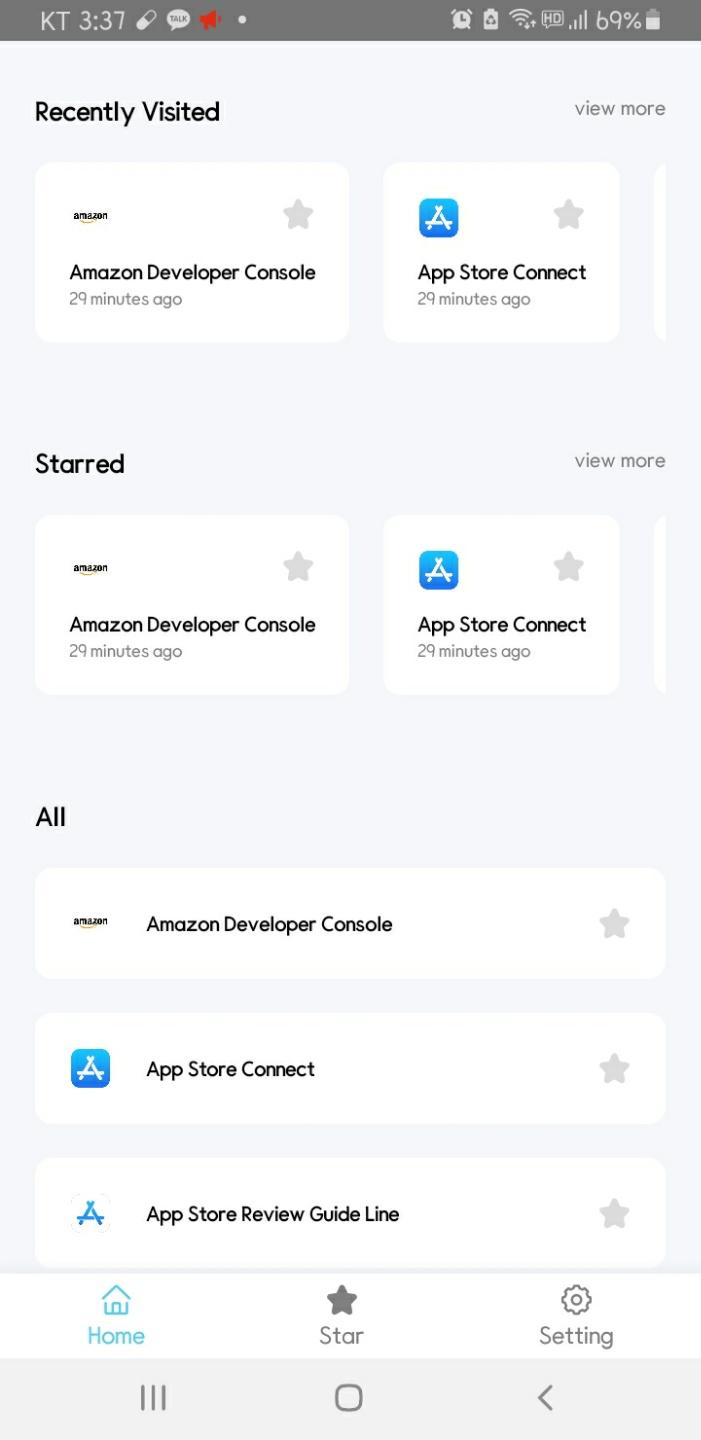
✅ Access the developer console you recently visited with a single touch!
Developer console is the most accessible home screen.
Here's your latest developer console access history.
(Of course, we don't send data to the server, we only store all data on the user's phone)
✅ Now Registered Console
------------------------------------------
Amazon Developer Console,
App Store Connect,
App Store Review Guide Line,
Epic Games Store,
GitHub,
GitKraken,
GitLab,
Bitbucket,
Slack,
Trello,
Jira,
npm,
Facebook Developers,
Gmail,
Google Play,
Google Developers,
Google Cloud Platform Console,
Google Play Policy,
Google Firebase Console,
Google Adsense,
Google AdMob,
Google Ads,
Google Analytics,
Paypal Developers,
Samsung Galaxy Sellers,
StackoverFlow,
Quora,
Unity Docs,
Kakao Developers,
Naver Developers,
Kaggle,
Devstu,
OKKY
✅ For consoles not included
If you have any additional consoles you would like to register, please leave them in the comments plz.
Preview
Tags
ProductivityInformation
Developer
22Hours
Latest Version
8.0
Last Updated
2021-09-29
Category
Productivity
Available on
Google Play
Show More
How to play developer console with GameLoop on PC
1. Download GameLoop from the official website, then run the exe file to install GameLoop
2. Open GameLoop and search for “developer console” , find developer console in the search results and click “Install”
3. Enjoy playing developer console on GameLoop
Minimum requirements
OS
Windows 8.1 64-bit or Windows 10 64-bit
GPU
GTX 1050
CPU
i3-8300
Memory
8GB RAM
Storage
1GB available space
Recommended requirements
OS
Windows 8.1 64-bit or Windows 10 64-bit
GPU
GTX 1050
CPU
i3-9320
Memory
16GB RAM
Storage
1GB available space