
Cloud Admin - Panel for Vultr PC
NotionBit Mobile
Download Cloud Admin - Panel for Vultr on PC With GameLoop Emulator
Cloud Admin - Panel for Vultr on PC
Cloud Admin - Panel for Vultr, coming from the developer NotionBit Mobile, is running on Android systerm in the past.
Now, You can play Cloud Admin - Panel for Vultr on PC with GameLoop smoothly.
Download it in the GameLoop library or search results. No more eyeing the battery or frustrating calls at the wrong time any more.
Just enjoy Cloud Admin - Panel for Vultr PC on the large screen for free!
Cloud Admin - Panel for Vultr Introduction
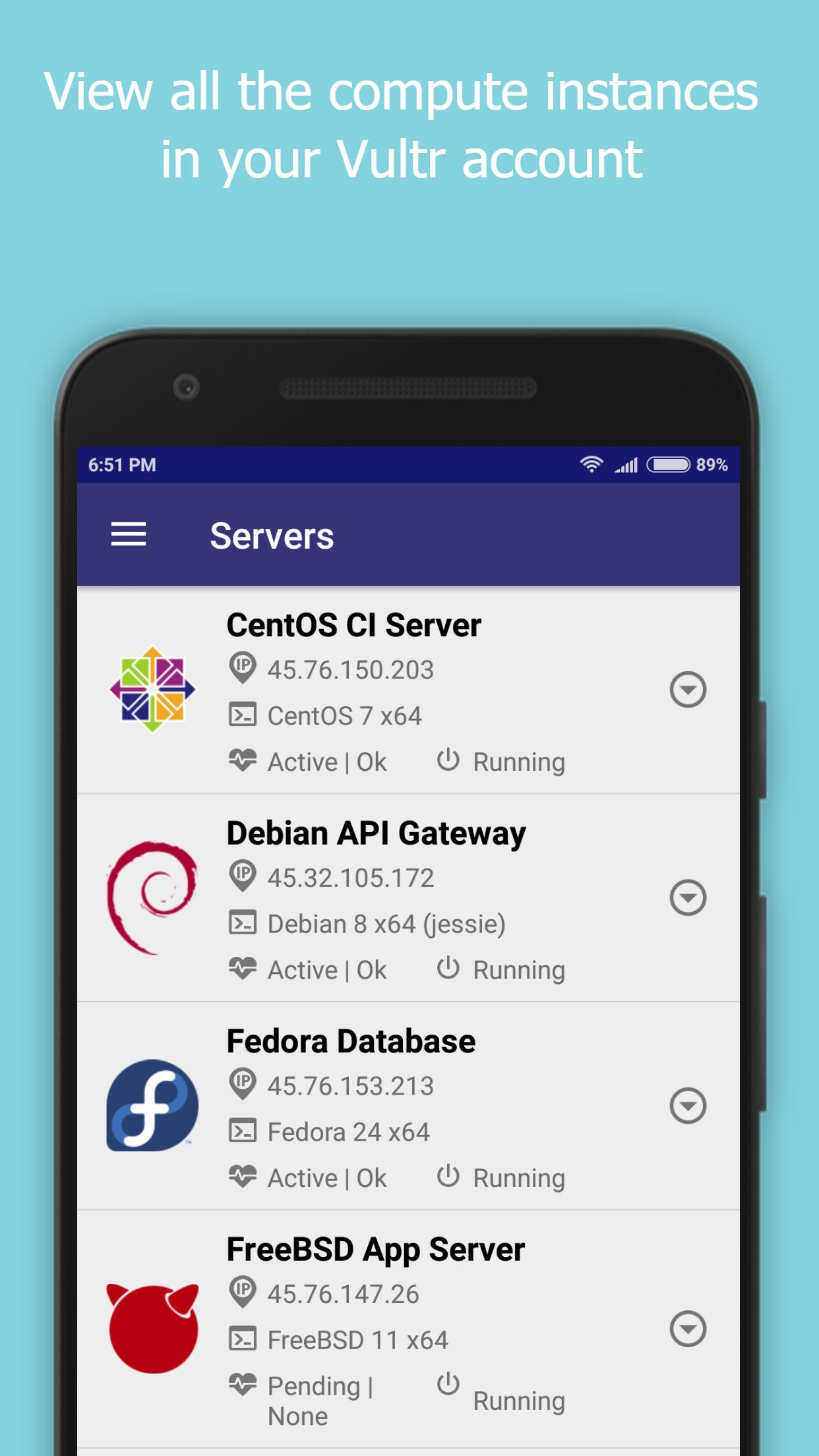
Cloud Admin for Vultr provides a control panel to manage your Vultr Cloud Account, instances and snapshots.
Vultr Cloud functionality currently supported are -
- Create/View servers
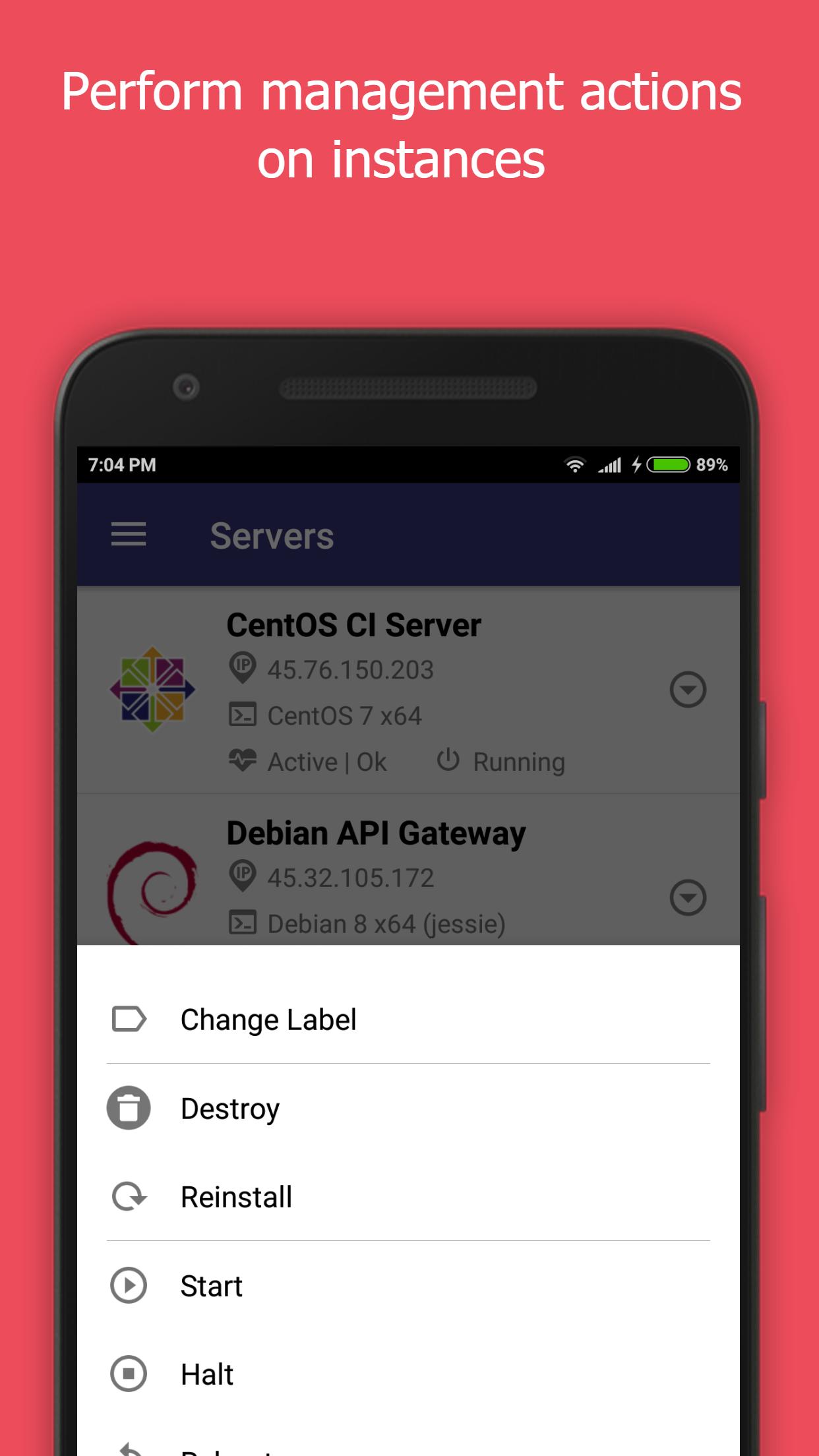
- Start/Stop/Restart/Reinstall/Destroy servers
- Enable/Disable Server backups
- Create/Delete/View snapshots
- Create/Edit/View users
- Experimental support for viewing bandwidth usage.
Notes -
- The IP Address of your mobile device will have to be white listed in the Vultr Admin Console for this application to function. This can be set at the following location.
https://my.vultr.com/settings/#settingsapi
- You can also allow access to all IP Addresses at the above link.
We would really appreciate it if you could provide us with your feedback, criticisms and problems encountered for us to be able to make this app better.
Also, please let us know the features that you would like the see the most in the app.
What is Vultr? - https://www.vultr.com/features/
New Vultr accounts can be created by registering here - http://www.vultr.com/?ref=7042741-3B
Disclaimer -
This is an unofficial app, we are not associated with Vultr.
We do not own any rights to the Vultr name or the logo.
Preview
Tags
ProductivityInformation
Developer
NotionBit Mobile
Latest Version
0.9.8.2
Last Updated
2018-12-19
Category
Productivity
Available on
Google Play
Show More
How to play Cloud Admin - Panel for Vultr with GameLoop on PC
1. Download GameLoop from the official website, then run the exe file to install GameLoop
2. Open GameLoop and search for “Cloud Admin - Panel for Vultr” , find Cloud Admin - Panel for Vultr in the search results and click “Install”
3. Enjoy playing Cloud Admin - Panel for Vultr on GameLoop
Minimum requirements
OS
Windows 8.1 64-bit or Windows 10 64-bit
GPU
GTX 1050
CPU
i3-8300
Memory
8GB RAM
Storage
1GB available space
Recommended requirements
OS
Windows 8.1 64-bit or Windows 10 64-bit
GPU
GTX 1050
CPU
i3-9320
Memory
16GB RAM
Storage
1GB available space