
IOB Abordo PC
ao³ Tech
Download IOB Abordo on PC With GameLoop Emulator
IOB Abordo on PC
IOB Abordo, coming from the developer ao³ Tech, is running on Android systerm in the past.
Now, You can play IOB Abordo on PC with GameLoop smoothly.
Download it in the GameLoop library or search results. No more eyeing the battery or frustrating calls at the wrong time any more.
Just enjoy IOB Abordo PC on the large screen for free!
IOB Abordo Introduction
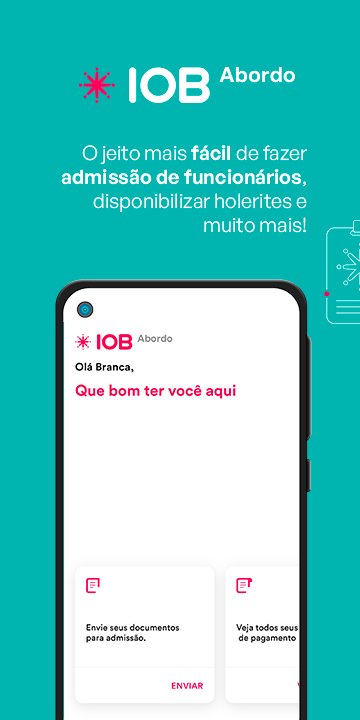
IOB Abordo makes it easier to exchange information between HR and the worker, making it possible to send documents digitally to carry out the admission process and also to consult payment receipts online.
** To use IOB Abordo, the contracting company must send an invitation to you via email, requesting to use the application. If you have not yet received the invitation email, contact your company's HR department.
New hire? As a worker, you don't need to worry, as you will be guided throughout the process of collecting information and documents that need to be delivered to the company, and with one detail: you will be able to do this without leaving home. Just take photos of your documents and fill in the data requested by the hiring company directly in the application. Your documents will be safe, stored in the cloud and without the risk of being lost or missing any information ;)
If you have already been hired, IOB Abordo is also for you. Access your payment receipts via your smartphone, without paper and without bureaucracy. With each payment the company makes, you will be notified and you can check all the amounts.
Preview

Tags
ProductivityInformation
Developer
ao³ Tech
Latest Version
2.0.24
Last Updated
2025-11-05
Category
Productivity
Available on
Google Play
Show More
How to play IOB Abordo with GameLoop on PC
1. Download GameLoop from the official website, then run the exe file to install GameLoop
2. Open GameLoop and search for “IOB Abordo” , find IOB Abordo in the search results and click “Install”
3. Enjoy playing IOB Abordo on GameLoop
Minimum requirements
OS
Windows 8.1 64-bit or Windows 10 64-bit
GPU
GTX 1050
CPU
i3-8300
Memory
8GB RAM
Storage
1GB available space
Recommended requirements
OS
Windows 8.1 64-bit or Windows 10 64-bit
GPU
GTX 1050
CPU
i3-9320
Memory
16GB RAM
Storage
1GB available space