Prewedding Photo Editor : Phot PC
Stylish Photo Apps
Download Prewedding Photo Editor : Phot on PC With GameLoop Emulator
Prewedding Photo Editor : Phot on PC
Prewedding Photo Editor : Phot, coming from the developer Stylish Photo Apps, is running on Android systerm in the past.
Now, You can play Prewedding Photo Editor : Phot on PC with GameLoop smoothly.
Download it in the GameLoop library or search results. No more eyeing the battery or frustrating calls at the wrong time any more.
Just enjoy Prewedding Photo Editor : Phot PC on the large screen for free!
Prewedding Photo Editor : Phot Introduction
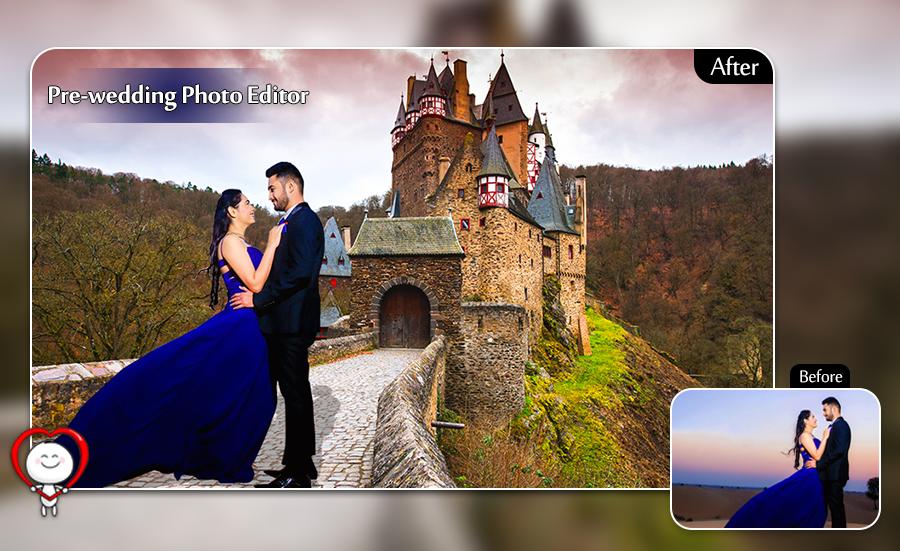
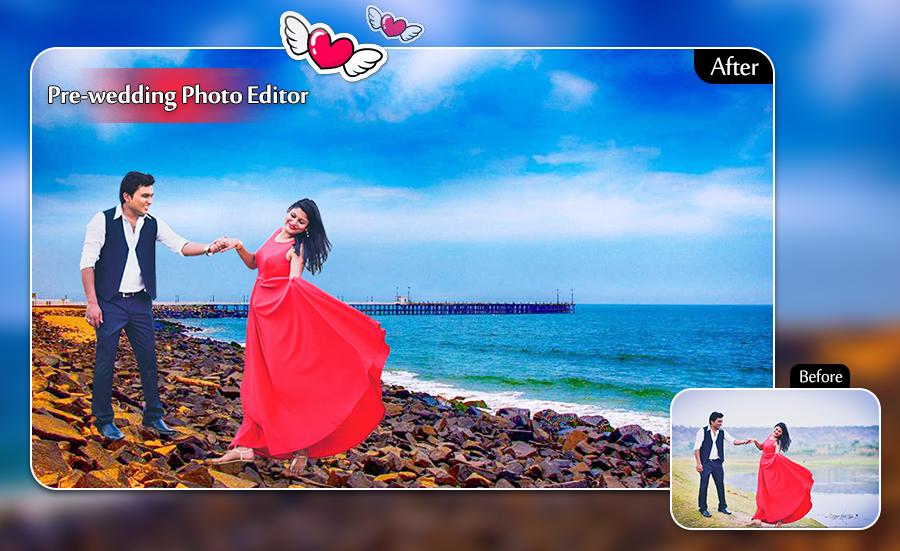
Now a days pre wedding photoshoot is a trend in youth.Because wedding is a special moment for every once's life & every one make it special & remembering for us.But pre wedding photo shoot is costly, so every one has not afford it.so we invented application named pre wedding photo frame which provide free pre wedding photo frame,user just go on play store and download & install application from bride/groom can make her/his pre wedding album. design your photo and surprise your beloved and set couple goals for everyone else.
Pre wedding photo frame is a superb application through which you can try on different bridal dresses or groom dresses along with awesome background.
Also user can make photo so special with feature of application like love sticker and colorful & stylish text writing on image.
Features:
- Many frame of Pre Wedding Photography Idea
- Diffrent style of photo effect.
- Apply diffrent sytle of sticker on photo.
- Apply diffrent style of text view with diffrent colour.
- You can share all images to others.
- You can save all image to your device.
- You can set all pictures as wallpaper.
- Online update new designs every day.
- Easy to use.
Desclaimer :
- User can write us on our email if any loophole in application, we try our best efforts as soon as possible.
Preview
Tags
PhotographyInformation
Developer
Stylish Photo Apps
Latest Version
3.3
Last Updated
2023-06-29
Category
Photography
Available on
Google Play
Show More
How to play Prewedding Photo Editor : Phot with GameLoop on PC
1. Download GameLoop from the official website, then run the exe file to install GameLoop
2. Open GameLoop and search for “Prewedding Photo Editor : Phot” , find Prewedding Photo Editor : Phot in the search results and click “Install”
3. Enjoy playing Prewedding Photo Editor : Phot on GameLoop
Minimum requirements
OS
Windows 8.1 64-bit or Windows 10 64-bit
GPU
GTX 1050
CPU
i3-8300
Memory
8GB RAM
Storage
1GB available space
Recommended requirements
OS
Windows 8.1 64-bit or Windows 10 64-bit
GPU
GTX 1050
CPU
i3-9320
Memory
16GB RAM
Storage
1GB available space