
LikeStar: Face like a celeb PC
xyCore
Download LikeStar: Face like a celeb on PC With GameLoop Emulator
LikeStar: Face like a celeb on PC
LikeStar: Face like a celeb, coming from the developer xyCore, is running on Android systerm in the past.
Now, You can play LikeStar: Face like a celeb on PC with GameLoop smoothly.
Download it in the GameLoop library or search results. No more eyeing the battery or frustrating calls at the wrong time any more.
Just enjoy LikeStar: Face like a celeb PC on the large screen for free!
LikeStar: Face like a celeb Introduction
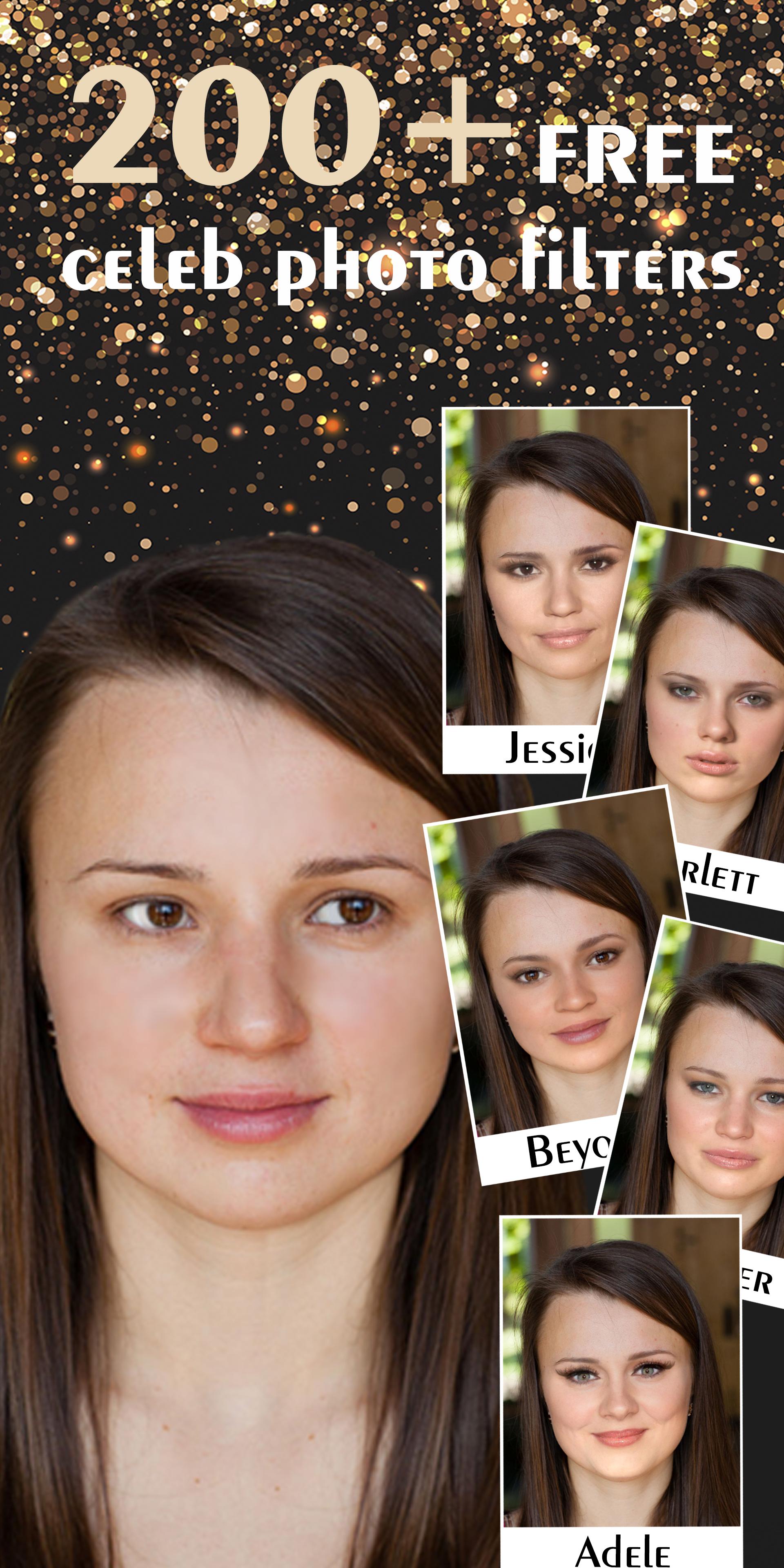
Do you wish to look alike a Hollywood Star, a famous sportsman, a politician or a celebrity?
Wanna have a celebrity face features?
Your wish come true with LikeStar with more than 200+ of free celebrity photo filters!
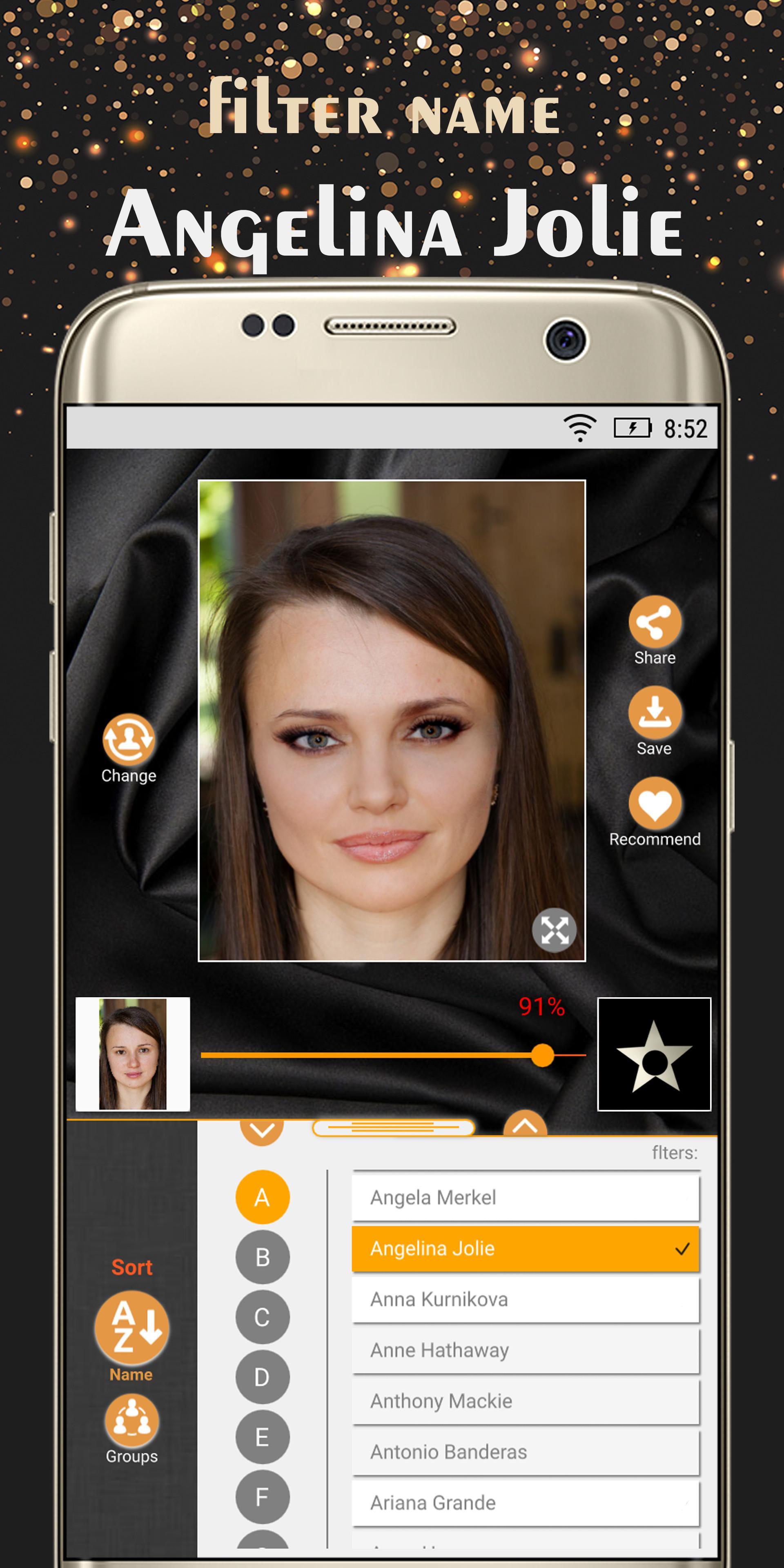
Follow easy steps to have a famous celebrity face:
- Add your photo
- Choose a name of celebrity photo filter
- Adjust level of alikeness from 0% to 100%
In a moment you'll see an awesome result on your face!
Wanna surprise your friends with your new "celeb" look and have fun with them?
There's an option of sending the photo result via any application, as well as saving to gallery.
Also there's a zoom option for your convenience, so you'd distinguish a photo filter effect.
Enjoy LikeStar and shine Like a Star!
*Additions:
- You have got more or less similarity changing a scale of alikeness percentage from 0% to 100%
- A high quality picture is preferable. The better a picture of you the better result you've got
- For better result look as straight as possible at the camera
Preview
Tags
PhotographyInformation
Developer
xyCore
Latest Version
1.0.14
Last Updated
2019-07-19
Category
Photography
Available on
Google Play
Show More
How to play LikeStar: Face like a celeb with GameLoop on PC
1. Download GameLoop from the official website, then run the exe file to install GameLoop
2. Open GameLoop and search for “LikeStar: Face like a celeb” , find LikeStar: Face like a celeb in the search results and click “Install”
3. Enjoy playing LikeStar: Face like a celeb on GameLoop
Minimum requirements
OS
Windows 8.1 64-bit or Windows 10 64-bit
GPU
GTX 1050
CPU
i3-8300
Memory
8GB RAM
Storage
1GB available space
Recommended requirements
OS
Windows 8.1 64-bit or Windows 10 64-bit
GPU
GTX 1050
CPU
i3-9320
Memory
16GB RAM
Storage
1GB available space