Cute Kids & Baby Frames PC
RamkumarApps
Download Cute Kids & Baby Frames on PC With GameLoop Emulator
Cute Kids & Baby Frames on PC
Cute Kids & Baby Frames, coming from the developer RamkumarApps, is running on Android systerm in the past.
Now, You can play Cute Kids & Baby Frames on PC with GameLoop smoothly.
Download it in the GameLoop library or search results. No more eyeing the battery or frustrating calls at the wrong time any more.
Just enjoy Cute Kids & Baby Frames PC on the large screen for free!
Cute Kids & Baby Frames Introduction
Kids Photo Frames: Capture Precious Moments with Fun and Creativity!
Looking for the perfect way to cherish your little one's memories? Our Kids Photo Frames app is designed to bring joy and creativity to your baby’s and children’s photos! Whether you want to add cute kids photo frames or create fun cartoon photo frames, this app has everything you need. With our baby photo editor, you can make your children's photos extra special and share them with friends and family.
Key Features:
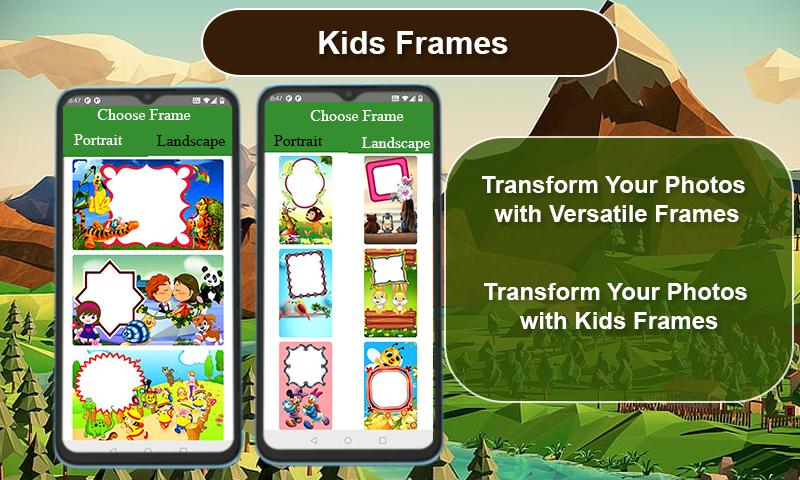
✔ Select a photo from your gallery or capture it in real-time with your camera.
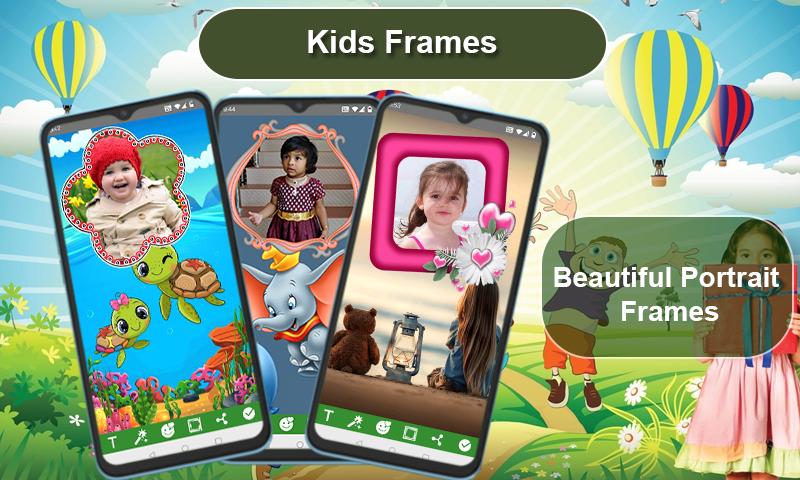
✔ Add text to the frame with customizable fonts, sizes, and colors!
✔ Rotate, zoom in/out, or drag your photo to fit the frame perfectly.
✔ Over 100 HD quality photo frames in Portrait and Landscape, designed for babies and kids.
✔ Choose from a variety of kids birthday photo frames, cute kids photo frames, and fun cartoon photo frames.
✔ Customize photos with kids photo backgrounds and beautiful baby wallpapers.
✔ Create a kids photo album filled with joy and colorful frames!
✔ Use the baby photo montage feature to bring life to your baby’s pictures.
✔ Supports all screen resolutions on mobile and tablet devices.
✔ Save and share your edited photos instantly on social media!
✔ The kids photo frames app is simple, easy to use, and completely free to download.
Make every moment with your child memorable with our Kids Photo Frames app. From birthdays to everyday smiles, we have the perfect baby photo frames to match any occasion. Download now and start creating your beautiful photo collection! 🌟📸
Preview
Tags
PhotographyInformation
Developer
RamkumarApps
Latest Version
3.5
Last Updated
2025-02-05
Category
Photography
Available on
Google Play
Show More
How to play Cute Kids & Baby Frames with GameLoop on PC
1. Download GameLoop from the official website, then run the exe file to install GameLoop
2. Open GameLoop and search for “Cute Kids & Baby Frames” , find Cute Kids & Baby Frames in the search results and click “Install”
3. Enjoy playing Cute Kids & Baby Frames on GameLoop
Minimum requirements
OS
Windows 8.1 64-bit or Windows 10 64-bit
GPU
GTX 1050
CPU
i3-8300
Memory
8GB RAM
Storage
1GB available space
Recommended requirements
OS
Windows 8.1 64-bit or Windows 10 64-bit
GPU
GTX 1050
CPU
i3-9320
Memory
16GB RAM
Storage
1GB available space