Hd Camera Professional PC
Samtex
Download Hd Camera Professional on PC With GameLoop Emulator
Hd Camera Professional on PC
Hd Camera Professional, coming from the developer Samtex, is running on Android systerm in the past.
Now, You can play Hd Camera Professional on PC with GameLoop smoothly.
Download it in the GameLoop library or search results. No more eyeing the battery or frustrating calls at the wrong time any more.
Just enjoy Hd Camera Professional PC on the large screen for free!
Hd Camera Professional Introduction
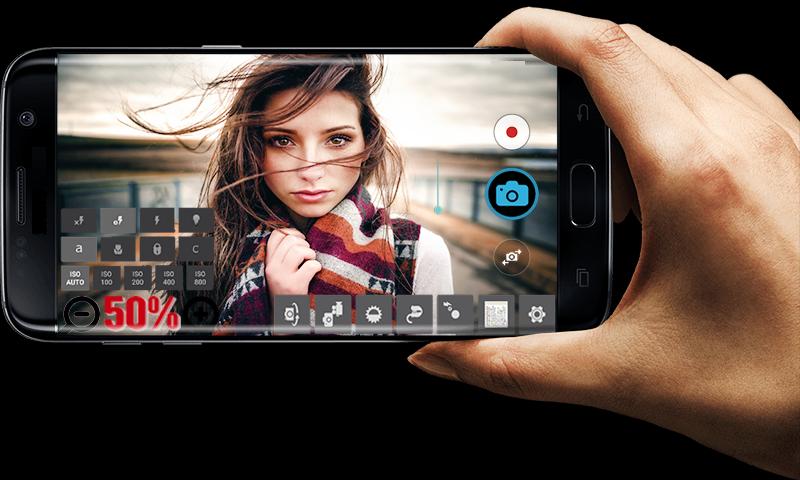
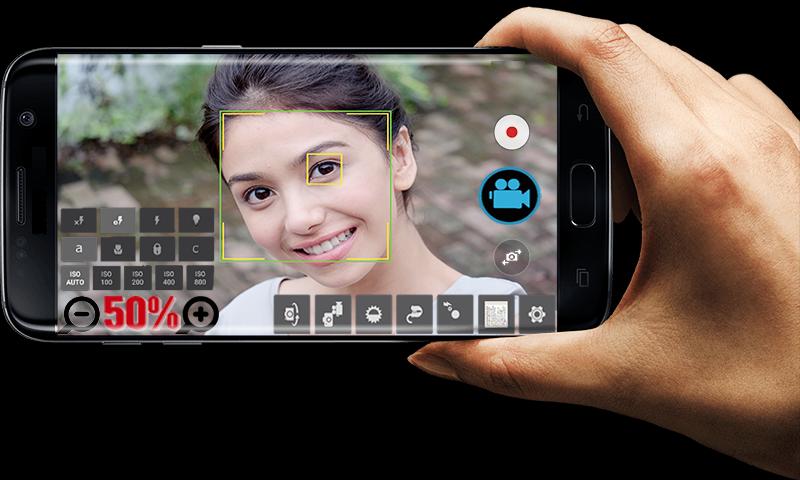
Take great pictures and videos with HD Camera Professional.
FEATURES:
* Video recording (supports all resolutions including HD).
* Convenient remote control: timer (optional audio countdown timer), automatic repeat mode (with configurable delay).
* Multi-touch gesture and one-touch remote control.
* To lock the portrait or landscape orientation for the desired photo or video.
* Disabilities shutter sound.
* Optional GPS location tagging (geotagging) photos and videos; For photos, this compass direction (GPSImgDirection, GPSImgDirectionRef) contains.
* Apply a date and time stamp, location coordinates, and custom text to photos.
* Also known as front camera (selfie shooting)
* (Some) external microphone support.
* Widget to take pictures automatically after the launch.
* Manual focusing distance; manual ISO; manual exposure time; RAW (DNG) files.
* Your comments will be answered as soon as possible. Please contact us for your satisfaction and your expectations.
*** You can reach us at samtex01app@gmail.com ***
Preview
Information
Developer
Samtex
Latest Version
17.4
Last Updated
2020-03-05
Category
Photography
Available on
Google Play
Show More
How to play Hd Camera Professional with GameLoop on PC
1. Download GameLoop from the official website, then run the exe file to install GameLoop
2. Open GameLoop and search for “Hd Camera Professional” , find Hd Camera Professional in the search results and click “Install”
3. Enjoy playing Hd Camera Professional on GameLoop
Minimum requirements
OS
Windows 8.1 64-bit or Windows 10 64-bit
GPU
GTX 1050
CPU
i3-8300
Memory
8GB RAM
Storage
1GB available space
Recommended requirements
OS
Windows 8.1 64-bit or Windows 10 64-bit
GPU
GTX 1050
CPU
i3-9320
Memory
16GB RAM
Storage
1GB available space