Wallpapers and Keyboard Themes PC
APPStanding
Download Wallpapers and Keyboard Themes on PC With GameLoop Emulator
Wallpapers and Keyboard Themes on PC
Wallpapers and Keyboard Themes, coming from the developer APPStanding, is running on Android systerm in the past.
Now, You can play Wallpapers and Keyboard Themes on PC with GameLoop smoothly.
Download it in the GameLoop library or search results. No more eyeing the battery or frustrating calls at the wrong time any more.
Just enjoy Wallpapers and Keyboard Themes PC on the large screen for free!
Wallpapers and Keyboard Themes Introduction
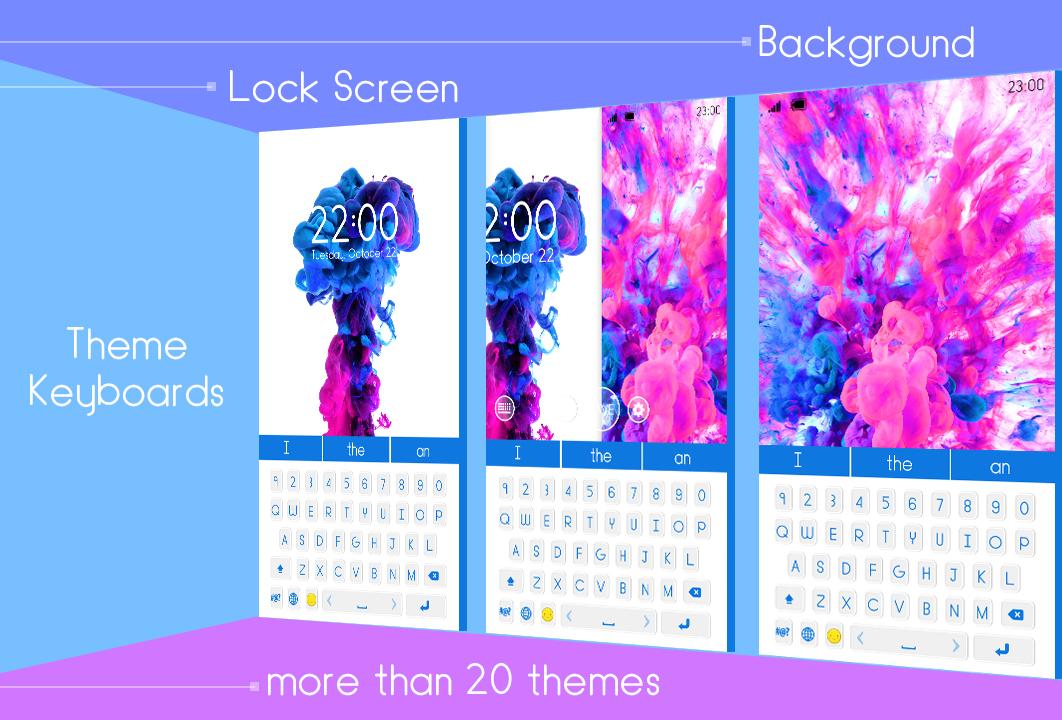
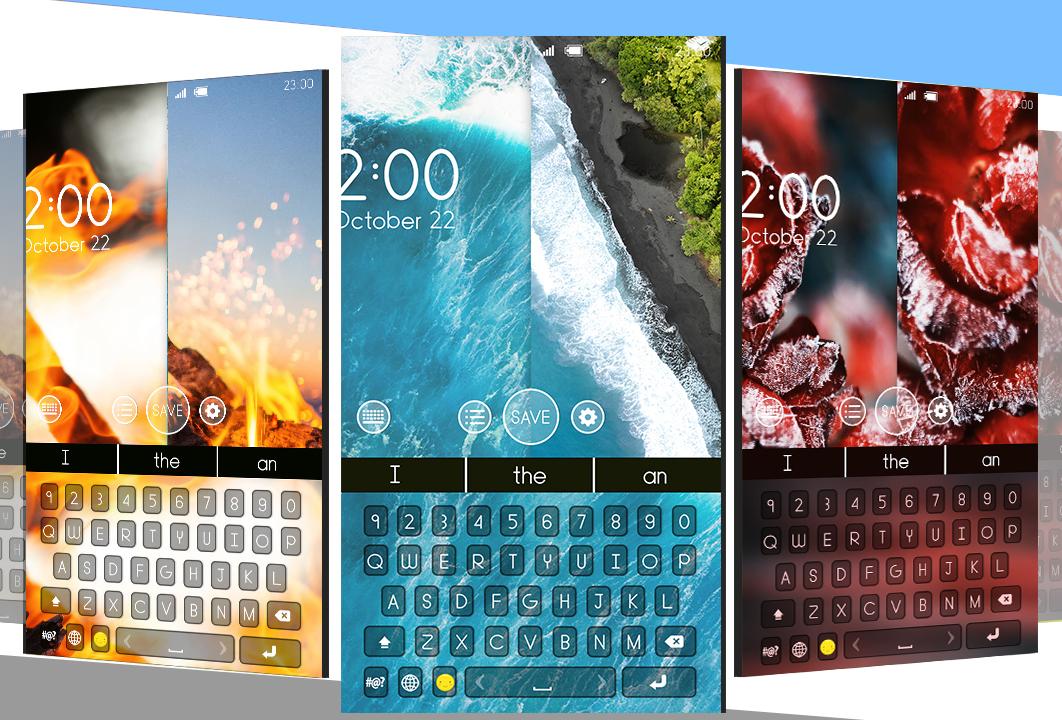
Themes for phones and “free wallpapers and backgrounds” with a variety of phone keyboards is what you can find in Wallpapers and Keyboard Themes Changer! If you want to make your texting even more fun, set some amazing colorful “keyboard themes and wallpapers” on your phone! Background changer has never been easier to use with amazing wallpapers and backgrounds! Get this amazing free wallpaper editor that can easily change phone themes and set free keyboard themes that you like! Creative theme design in combination with wallpapers and keyboards will literally blow your mind with style and beauty! Awesome “free keyboards and backgrounds” for all generations and beautiful themes are now at your disposal! Download this keyboard changer and get ready for having lots of fun with free wallpapers app that you will simply love to use!
Would you like to replace your old "keyboard themes" and "keyboard pictures" with your favorite pics? Get Wallpapers and Keyboard Themes Changer even today and explore a brand new “photo keyboard” app for an amazing adventure of typing and texting on your phones and tablets! Discover plenty of keypad themes in our new custom keyboard app and get trendy keyboard skins and layouts to suit every taste! Find the ideal “free wallpapers and themes” for your phone that fits your taste and customize wallpapers and backgrounds the way you want! Decorate your screen in a beautiful way! Enter the world of entertainment and fun! Make your phone look awesome in a few seconds! All you have to do is to download Wallpapers and Keyboard Themes Changer and browse through the best collection of “free themes and wallpapers” ever!
Wondering why you should install Wallpapers and Keyboard Themes Changer?
~ You get awesome backgrounds and themes for phones!
~ You get amazing wallpapers for phone!
~ Changing wallpapers and themes is super easy and fun!
~ There's an instant effect taking place at the moment of change!
~ You can give your phone a new trendy look!
~ It's never been easier to use interface design!
~ Tons of colorful keyboards and font styles can be yours in the blink of an eye!
This themes change app has been created just for you! Our awesome keyboard editor will completely change the way you type your text messages! Choose from a variety of “keyboard patterns” and find your favorite keypad backgrounds! Grab everyone's attention wherever you go via your new trendy phone look! Since we like to check our smartphones and tablets more than dozens of times a day, “phone backgrounds” and home screen have an important meaning to all of us. Now you can change background in a few simple steps and all that with our Wallpapers and Keyboard Themes Changer that you can have for free! Download wallpapers in a click & set home screen wallpaper! Change phone theme with amazing design and fantastic colors! Personalize your home screen background with our beautiful wallpapers and backgrounds themes! Once you have selected all the features we guarantee you will get a fully functional color keypad that will look amazing! Quickly change your wallpaper with one single click, change background or set a new theme that everybody will like!
Preview
Tags
PersonalizationInformation
Developer
APPStanding
Latest Version
1.0
Last Updated
2020-12-30
Category
Personalization
Available on
Google Play
Show More
How to play Wallpapers and Keyboard Themes with GameLoop on PC
1. Download GameLoop from the official website, then run the exe file to install GameLoop
2. Open GameLoop and search for “Wallpapers and Keyboard Themes” , find Wallpapers and Keyboard Themes in the search results and click “Install”
3. Enjoy playing Wallpapers and Keyboard Themes on GameLoop
Minimum requirements
OS
Windows 8.1 64-bit or Windows 10 64-bit
GPU
GTX 1050
CPU
i3-8300
Memory
8GB RAM
Storage
1GB available space
Recommended requirements
OS
Windows 8.1 64-bit or Windows 10 64-bit
GPU
GTX 1050
CPU
i3-9320
Memory
16GB RAM
Storage
1GB available space