
Sesame Search & Shortcuts PC
Sesame crew
Download Sesame Search & Shortcuts on PC With GameLoop Emulator
Sesame Search & Shortcuts on PC
Sesame Search & Shortcuts, coming from the developer Sesame crew, is running on Android systerm in the past.
Now, You can play Sesame Search & Shortcuts on PC with GameLoop smoothly.
Download it in the GameLoop library or search results. No more eyeing the battery or frustrating calls at the wrong time any more.
Just enjoy Sesame Search & Shortcuts PC on the large screen for free!
Sesame Search & Shortcuts Introduction
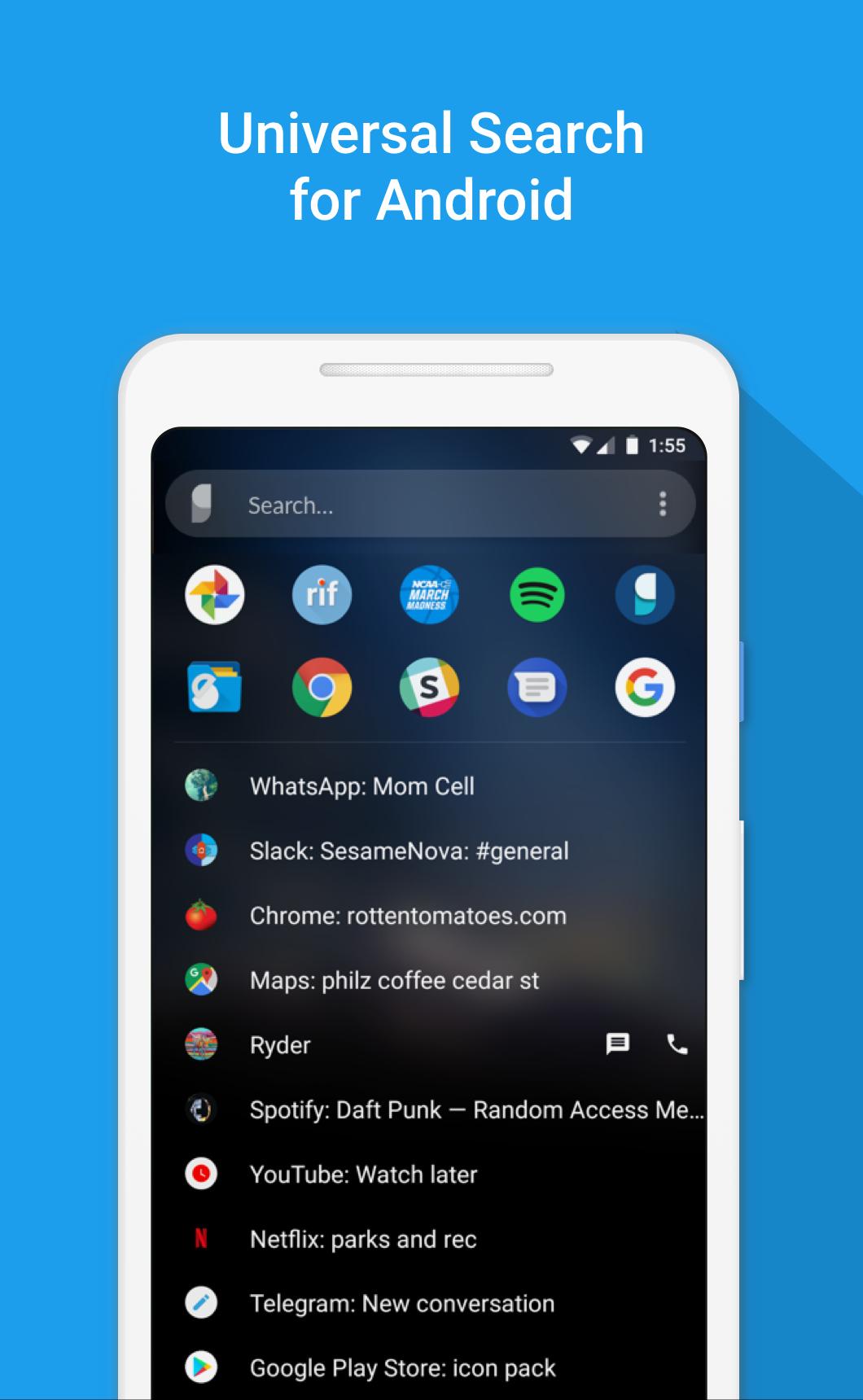
Sesame is a powerful universal search on Android. It integrates with your launcher, learns from you, and makes hundreds of personal shortcuts. With Sesame universal search, everything is 1 or 2 taps away!
"Sesame will change how you use your phone" - Android Unfiltered
"A must have app" - TechRadar
See our Nova Launcher partnership: https://help.teslacoilapps.com/sesame
Features
• 100+ shortcuts added to your device
• Fully customizable search UI
• Learns from you
• Search with dozens of apps using Google Autosuggestions
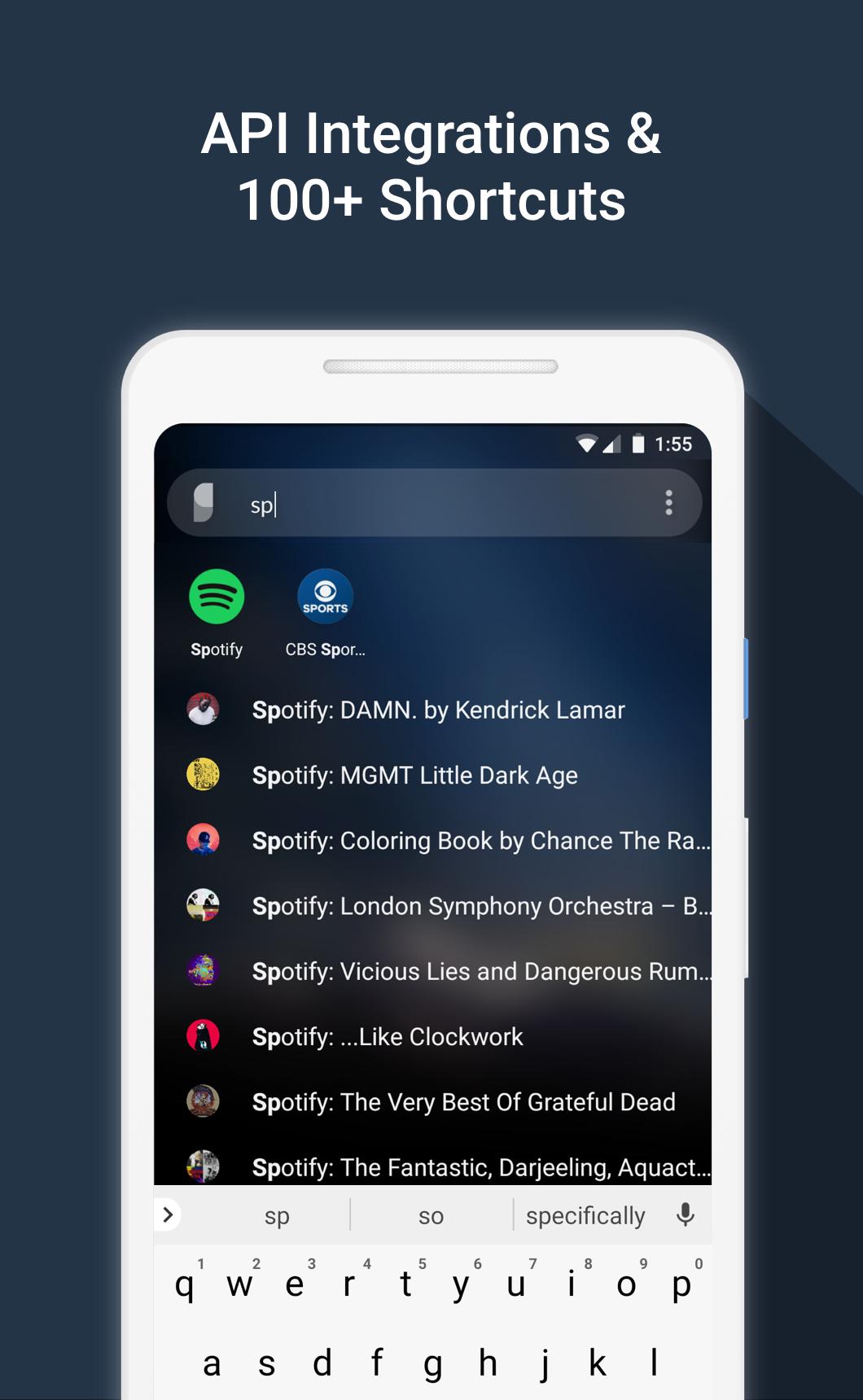
• Fast Search that's designed to work in 1 or 2 taps. It matches the first letters of words. Typing “S” “B” will bring “Spotify: The Beatles” to the top. Since it learns from you, next time just “S” will do
• API integrations to Spotify, YouTube, Calendar, Maps, Slack, Reddit, Telegram and more
• Detects wallpaper colors and styles itself
• Search device files
• Powerful tools to make your own shortcuts
• Works with all launchers and has a special partnership with Nova & Hyperion Launchers
• We don't store or sell your data
• Unlimited free trial. Only pay if you decide it's worth it!
We Believe...
• Swiping, tapping, and waiting for screens to load is slow
• A universal search UI can fix this problem
• Android was always meant to be an open system
• The raw data to build the most powerful universal search is there, but no one has stitched it together into a smooth experience
• Respecting user data = long term success. Your data stays on your device. We don’t store it. We don't sell it. (see exceptions for bug fixing below)
• We make money by making a good product. Sesame is a 100% voluntary purchase
• In user centered development: www.reddit.com/r/sesame
List of Shortcuts
Preloaded shortcuts
• Contacts with one touch to call, text, or email
• Device files
• WhatsApp conversations (not group ones though)
• Settings (19 useful ones)
• Google Shortcuts (My flights, etc.)
• Yelp (42 common searches)
• Quick Search options for apps (control this in Preferences)
Android 7.1 app shortcuts
• Backported all the way to 5.0 devices
• NOTE: we can only access the "Dynamic" 7.1 shortcuts if you have Nova Launcher
Create your own shortcuts for hundreds of apps
Supports widget/launcher shortcuts
API integrations:
• Spotify: All albums, artists, and playlists in your Library
• Slack: your teams and channels
• Tasker: all your tasks. This let’s you build complex actions in Tasker and quick launch them easily.
• Reddit: your subreddits. Works for all Reddit apps.
• Telegram: you conversations
• YouTube: subscriptions, channels, watch later
• Calendar: upcoming events
• Maps: your places and saved maps
Access dozens of search engines!
• Search options and Google Autosuggestions appear as you type
• Tap an icon to launch your search
• This works for dozens of apps like Maps, Spotify, Netflix, Evernote, Chrome, DuckDuckGo and more
• Recent searches are saved as shortcuts for 21 days
• You can control all of this in Sesame Settings
Unlimited Trial + Reminder Message
• Sesame has a full featured unlimited trial
• After 14 days, if you are using the app but haven’t paid, you’ll see a brief message each time you use a shortcut
Data Usage
• Sesame needs data to make it's shortcuts, but none of this data leaves your device. We do not collect or sell your data
• Crash Reporting (Beta only): If you are a Beta tester, Sesame will collect crash data when an error occurs. We only use this to fix bugs. You can opt out of crash reporting in Sesame Settings > Debug data
Sesame Universal Search is made by Steve Blackwell and Phil Wall. We hope you like it. Let us know if there’s anything we can do to improve it :)
Email phil@sesame.ninja
Preview
Tags
PersonalizationInformation
Developer
Sesame crew
Latest Version
3.7.0
Last Updated
2022-06-03
Category
Personalization
Available on
Google Play
Show More
How to play Sesame Search & Shortcuts with GameLoop on PC
1. Download GameLoop from the official website, then run the exe file to install GameLoop
2. Open GameLoop and search for “Sesame Search & Shortcuts” , find Sesame Search & Shortcuts in the search results and click “Install”
3. Enjoy playing Sesame Search & Shortcuts on GameLoop
Minimum requirements
OS
Windows 8.1 64-bit or Windows 10 64-bit
GPU
GTX 1050
CPU
i3-8300
Memory
8GB RAM
Storage
1GB available space
Recommended requirements
OS
Windows 8.1 64-bit or Windows 10 64-bit
GPU
GTX 1050
CPU
i3-9320
Memory
16GB RAM
Storage
1GB available space