Sasuke Keyboard Theme PC
kopi_ketjil
Download Sasuke Keyboard Theme on PC With GameLoop Emulator
Sasuke Keyboard Theme on PC
Sasuke Keyboard Theme, coming from the developer kopi_ketjil, is running on Android systerm in the past.
Now, You can play Sasuke Keyboard Theme on PC with GameLoop smoothly.
Download it in the GameLoop library or search results. No more eyeing the battery or frustrating calls at the wrong time any more.
Just enjoy Sasuke Keyboard Theme PC on the large screen for free!
Sasuke Keyboard Theme Introduction
sasuke keyboard theme
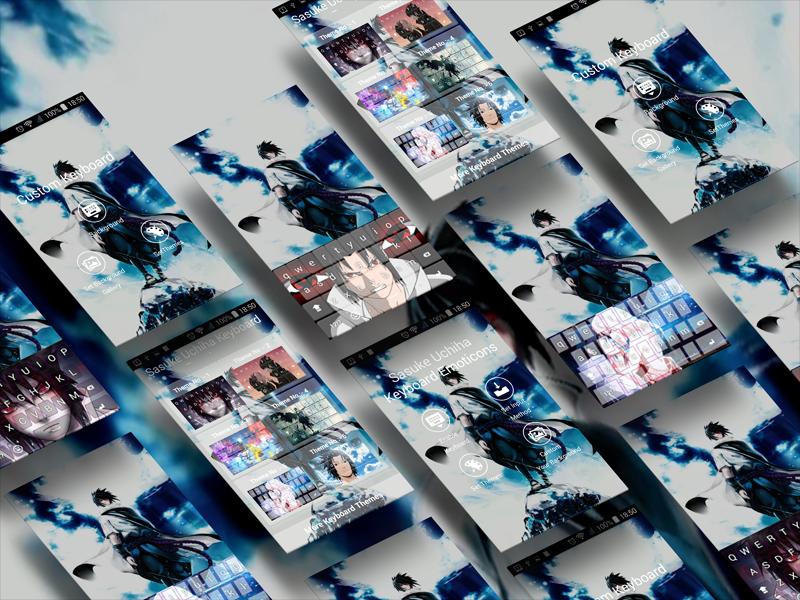
Want something interesting while chatting? This cute emoji keyboard can satisfy you! Sasuke Uchiha Keyboard HD Free supports more than 1000 cute emojis, fun emoticons, funny stickers and much more! Wipe and input smart, fast response. Sasuke Uchiha HD Free Keyboard with a completely new look and feel. More fun! Sasuke Uchiha HD Free Keyboard
You can set your own photos as a keyboard background.
Change background photos for keyboards from:
- available themes
- gallery
- camera
Sasuke Uchiha Keyboard HD Free - Keyboard Emoticon helps you to quickly enter more than 3000 emojis, emoticons, smileys, stickers, symbols, icons, free GIFs and face text anywhere like Facebook, Twitter, Snapchat, Instagram, WhatsApp and etc. Sasuke Uchiha HD Free Keyboard
Guide
1. Make sure you have installed Sasuke Uchiha HD Keyboard Free from Google Play.
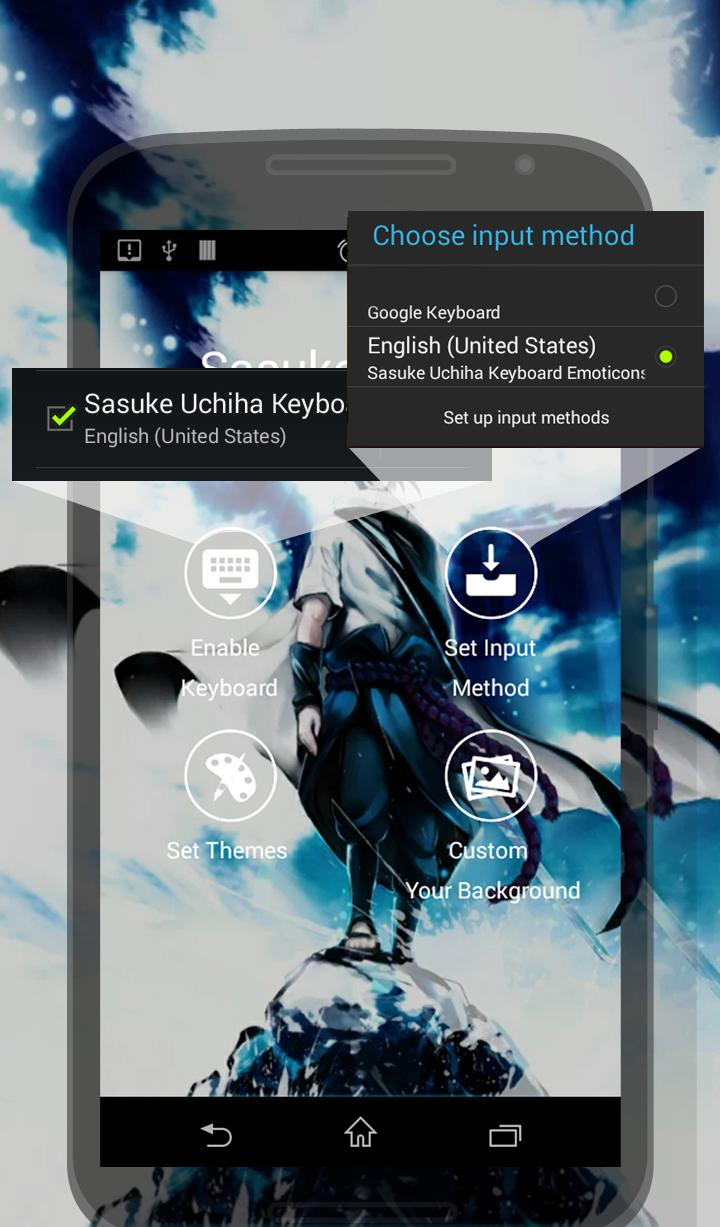
2. Activate the Sasuke Uchiha HD Free Keyboard by clicking on the Enable Keyboard icon then selecting the input method of Sasuke Uchiha Keyboard HD Free. Follow the instructions (sceenshoot)
4. Ready! Free using this funny emoji package! Sasuke Uchiha HD Free Keyboard
MULTILINGUAL TYPING
English-EN
Arabic-AR
Bulgarian-BG
Catalan-CA
Chinese-CN(Pinyin, Wubi, Handwriting)
Croatian-HR
Czech-CS
Danish-DA
Dutch-NL
Farsi-FA
Finnish-FT
French-FR
Georgian-KA
German-DE
Greek-EL
Hebrew-HE
Hindi-HI
Hungarian-HU
Indonesian-ID
Italian-IT
Japanese-JA
Korean- KO
Lithuanian-LT
Malay- MS
Norwegian-NO
Philippines(Tagalog)- TL
Polish-PL
Portuguese-PT
Romanian-RO
Russian-RU
Slovak-SK
Slovenian- SL
Spanish-ES
Swedish-SV
Thai- TH
Turkish-TR
Taiwanese (Cangjie, Zhuyin, Simplified Cangjie)
Ukrainian –UG
Urdu-UR
Preview
Tags
PersonalizationInformation
Developer
kopi_ketjil
Latest Version
6.1
Last Updated
2023-01-06
Category
Personalization
Available on
Google Play
Show More
How to play Sasuke Keyboard Theme with GameLoop on PC
1. Download GameLoop from the official website, then run the exe file to install GameLoop
2. Open GameLoop and search for “Sasuke Keyboard Theme” , find Sasuke Keyboard Theme in the search results and click “Install”
3. Enjoy playing Sasuke Keyboard Theme on GameLoop
Minimum requirements
OS
Windows 8.1 64-bit or Windows 10 64-bit
GPU
GTX 1050
CPU
i3-8300
Memory
8GB RAM
Storage
1GB available space
Recommended requirements
OS
Windows 8.1 64-bit or Windows 10 64-bit
GPU
GTX 1050
CPU
i3-9320
Memory
16GB RAM
Storage
1GB available space