
Rose Petals Launcher Theme PC
Baihu Okio
Download Rose Petals Launcher Theme on PC With GameLoop Emulator
Rose Petals Launcher Theme on PC
Rose Petals Launcher Theme, coming from the developer Baihu Okio, is running on Android systerm in the past.
Now, You can play Rose Petals Launcher Theme on PC with GameLoop smoothly.
Download it in the GameLoop library or search results. No more eyeing the battery or frustrating calls at the wrong time any more.
Just enjoy Rose Petals Launcher Theme PC on the large screen for free!
Rose Petals Launcher Theme Introduction
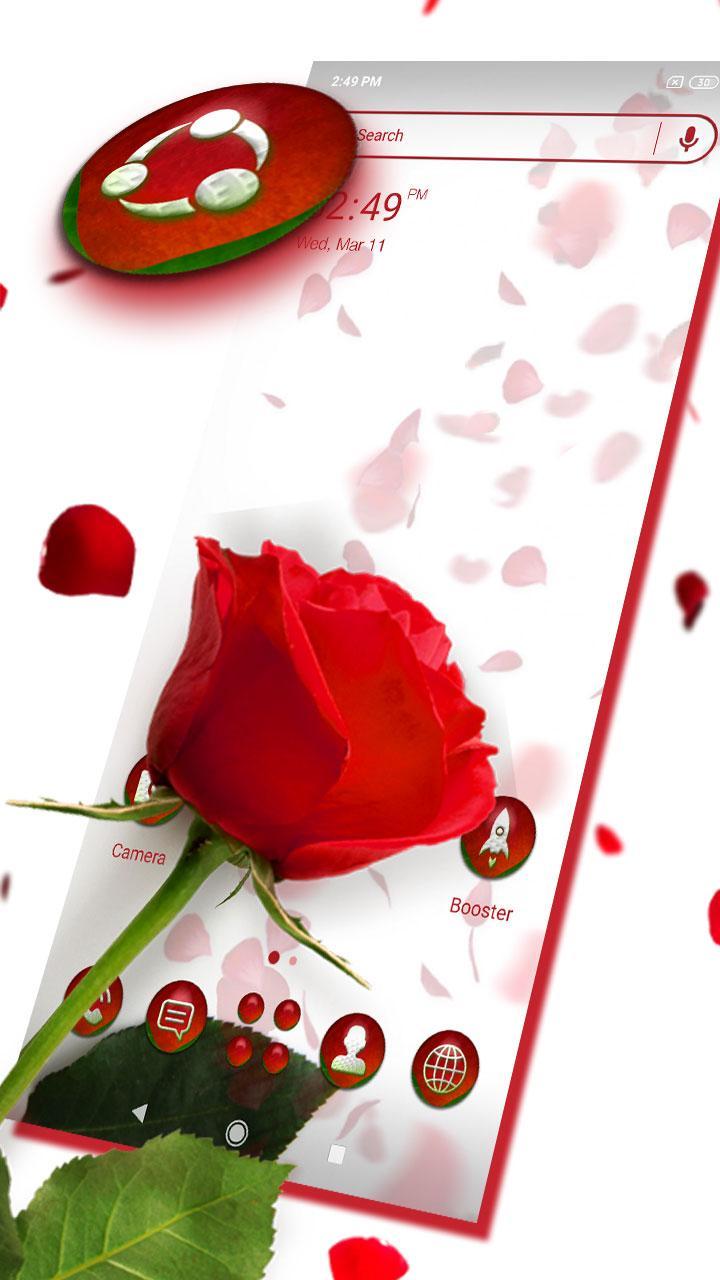
Rose Petals Launcher Theme provides delicate app icons, wallpapers, folder and app drawer interface. Get it right now and have a completely new makeover of your Android smartphone.
With clean and simple lines, our brand new Launcher theme app, Rose Petals Theme Launcher is the perfect design for those that prefer elegance and simplicity. Download Rose Petals Launcher Theme today and get the wonderful combination of Theme, wallpapers and icons
Brand new Petals FREE theme for Launcher
Try this new Rose Petals Theme Launcher today and change the way you use your phone. Rose Petals Theme gives you a new unique style with new icon themes, Petals wallpaper, and an amazing overall theme !
Download Petals Theme or Rose Wallpaper. more surprises are waiting for you!
HD wallpapers and exquisite app icons bring you extreme visual pleasure. You can own the Rose Theme, 3D themes and Cool Petals Theme wallpapers. Rose Petals Launcher with 3D special effects, 3D weather widget, beautifully theme app icons and Rose Theme wallpapers. Petals Theme is suitable for most Android phones, including Samsung S9.s10, Huawei Mate8 and so on. Install the Rose Petals Launcher Theme to enable your wild experience and make your phone look cool.
❤ How to Apply the Theme:
- Directly open the theme after successful installation.
Preview

Tags
PersonalizationInformation
Developer
Baihu Okio
Latest Version
1.0.6
Last Updated
2022-10-22
Category
Personalization
Available on
Google Play
Show More
How to play Rose Petals Launcher Theme with GameLoop on PC
1. Download GameLoop from the official website, then run the exe file to install GameLoop
2. Open GameLoop and search for “Rose Petals Launcher Theme” , find Rose Petals Launcher Theme in the search results and click “Install”
3. Enjoy playing Rose Petals Launcher Theme on GameLoop
Minimum requirements
OS
Windows 8.1 64-bit or Windows 10 64-bit
GPU
GTX 1050
CPU
i3-8300
Memory
8GB RAM
Storage
1GB available space
Recommended requirements
OS
Windows 8.1 64-bit or Windows 10 64-bit
GPU
GTX 1050
CPU
i3-9320
Memory
16GB RAM
Storage
1GB available space