Puss in Boots Skins for MCPE PC
Buky Dev
Download Puss in Boots Skins for MCPE on PC With GameLoop Emulator
Puss in Boots Skins for MCPE on PC
Puss in Boots Skins for MCPE, coming from the developer Buky Dev, is running on Android systerm in the past.
Now, You can play Puss in Boots Skins for MCPE on PC with GameLoop smoothly.
Download it in the GameLoop library or search results. No more eyeing the battery or frustrating calls at the wrong time any more.
Just enjoy Puss in Boots Skins for MCPE PC on the large screen for free!
Puss in Boots Skins for MCPE Introduction
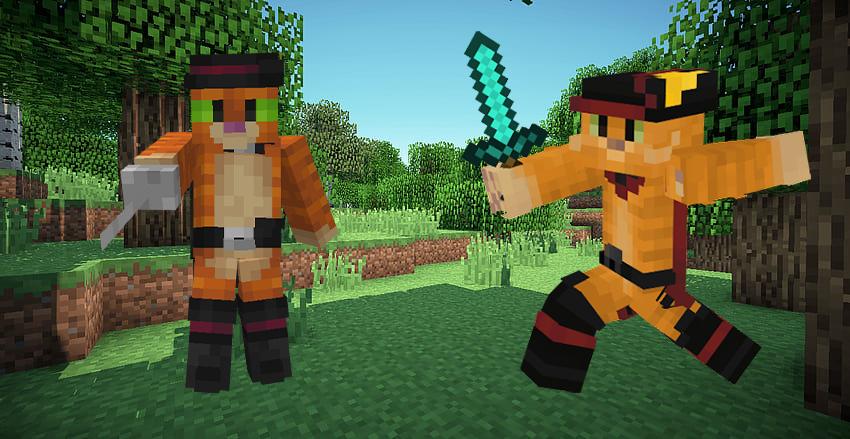
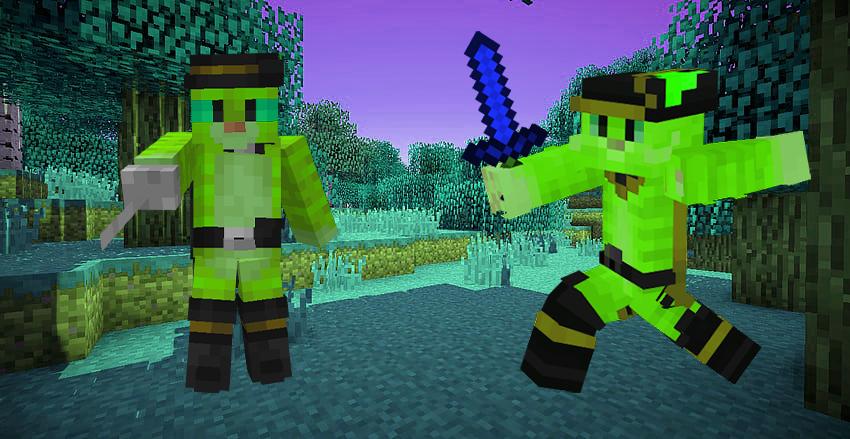
Puss in Boots Skins Mod For MCPE :
Puss in Boots Skins Mod For MCPE is an app that offers various rbx parkour map alternatives for Minecraft PE, very clean to apply and one click download mods! All mcpe variants are supported and do not use a launcher required to put the mod. You can participate in tournaments by playing on online servers or you can play offline with rbx mods.
Puss in Boots Skins Mod Best Collection easy to use for (MCPE) high quality is an app to make your game more fun with Puss in Boots Skins and use them in cool ways, enjoy playing your favorite Chucky skins, don't hesitate and download this skin app for fun and play with your friends.
Change international minecraft with unique Puss in Boots mod skins the futuristic lego parkour sport and stop the arena from crawling with steve and your crew on online servers! Enjoy this epic parkour mod.
Features Puss in Boots Skins Mod for Minecraft:
* Real-time 3D preview before applying to game.
* Save skin to gallery
* 2D preview in main menu.
* Just one click to download.
* See most downloaded and viewed skins
* Regular update
DISCLAIMER:
This is an unofficial fan made Puss in Boots minecraft skin app. The content in this app is not affiliated with, endorsed, sponsored, or specifically approved by any company. All copyrights and trademarks belong to their respective owners. The images in this application are collected from the Internet. If we are in breach of copyright, please contact us and they will be removed as soon as possible.
Preview
Tags
PersonalizationInformation
Developer
Buky Dev
Latest Version
1.0
Last Updated
2023-01-31
Category
Personalization
Available on
Google Play
Show More
How to play Puss in Boots Skins for MCPE with GameLoop on PC
1. Download GameLoop from the official website, then run the exe file to install GameLoop
2. Open GameLoop and search for “Puss in Boots Skins for MCPE” , find Puss in Boots Skins for MCPE in the search results and click “Install”
3. Enjoy playing Puss in Boots Skins for MCPE on GameLoop
Minimum requirements
OS
Windows 8.1 64-bit or Windows 10 64-bit
GPU
GTX 1050
CPU
i3-8300
Memory
8GB RAM
Storage
1GB available space
Recommended requirements
OS
Windows 8.1 64-bit or Windows 10 64-bit
GPU
GTX 1050
CPU
i3-9320
Memory
16GB RAM
Storage
1GB available space