
Photo Video Lock App PC
Tomato Games MK
Download Photo Video Lock App on PC With GameLoop Emulator
Photo Video Lock App on PC
Photo Video Lock App, coming from the developer Tomato Games MK, is running on Android systerm in the past.
Now, You can play Photo Video Lock App on PC with GameLoop smoothly.
Download it in the GameLoop library or search results. No more eyeing the battery or frustrating calls at the wrong time any more.
Just enjoy Photo Video Lock App PC on the large screen for free!
Photo Video Lock App Introduction
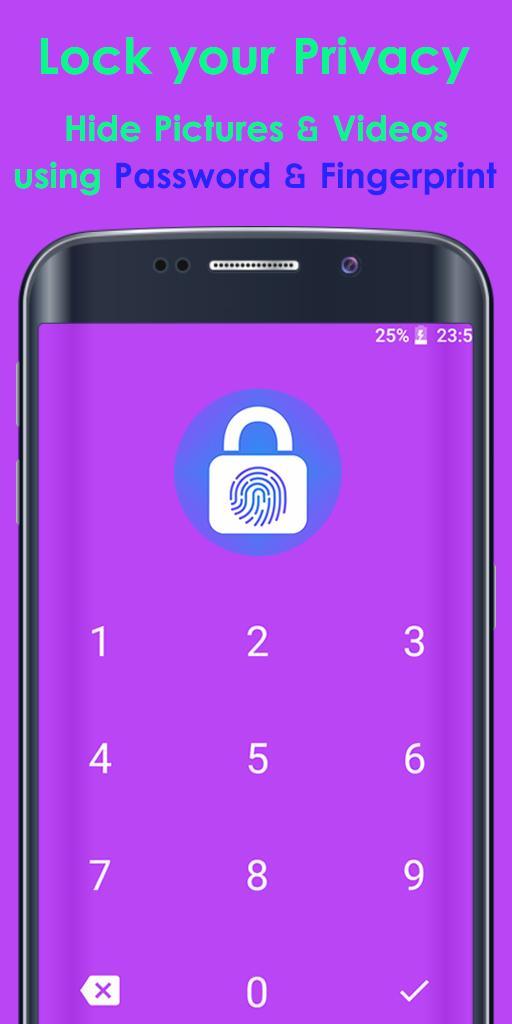
Looking for a secure and easy-to-use app to protect your private photos and videos? Look no further than Photo Video Lock! This top-rated app allows you to password protect your entire app as well as individual photo albums, keeping your most sensitive files safe and hidden from potential intruders.
With Photo Video Lock, you can enjoy military-grade AES encryption, login with a pin or fingerprint, and hide and encrypt unlimited images and videos. The app also features full SD-card support and is incredibly fast and easy to use.
But that's not all - Photo Video Lock also respects your privacy, and doesn't collect any private data for the highest level of protection. And if you ever need to uninstall the app, just remember to unhide all files before doing so, as all hidden files will be erased forever after uninstalling.
So if you're looking for a powerful and secure app to protect your private photos and videos, give Photo Video Lock a try today and experience the best in gallery lock, image lock, hide gallery, hide pictures and videos, and video lock technology. With the app, you can easily protect your files from prying eyes and feel secure knowing that your files are safe and private.
★ The best app to keep photos and videos truly private:
* AES encryption
* Login with pin, fingerprint
* Hide + encrypt unlimited images
* Hide + encrypt unlimited videos
* Full SD-Card support
* Easy to use & blazing fast
INSTRUCTION:
Your files are locked and stored inside application internal memory.
Before uninstall application unhide all files, becouse after uninstall,
application will erase all hide files and will lost forever.
Find more information about privacy at: http://privacy.tomatogames.top
Preview

Tags
PersonalizationInformation
Developer
Tomato Games MK
Latest Version
13.1
Last Updated
2023-07-10
Category
Personalization
Available on
Google Play
Show More
How to play Photo Video Lock App with GameLoop on PC
1. Download GameLoop from the official website, then run the exe file to install GameLoop
2. Open GameLoop and search for “Photo Video Lock App” , find Photo Video Lock App in the search results and click “Install”
3. Enjoy playing Photo Video Lock App on GameLoop
Minimum requirements
OS
Windows 8.1 64-bit or Windows 10 64-bit
GPU
GTX 1050
CPU
i3-8300
Memory
8GB RAM
Storage
1GB available space
Recommended requirements
OS
Windows 8.1 64-bit or Windows 10 64-bit
GPU
GTX 1050
CPU
i3-9320
Memory
16GB RAM
Storage
1GB available space