
One S25 Launcher - S25 One Ui PC
Model X Apps
Download One S25 Launcher - S25 One Ui on PC With GameLoop Emulator
One S25 Launcher - S25 One Ui on PC
One S25 Launcher - S25 One Ui, coming from the developer Model X Apps, is running on Android systerm in the past.
Now, You can play One S25 Launcher - S25 One Ui on PC with GameLoop smoothly.
Download it in the GameLoop library or search results. No more eyeing the battery or frustrating calls at the wrong time any more.
Just enjoy One S25 Launcher - S25 One Ui PC on the large screen for free!
One S25 Launcher - S25 One Ui Introduction
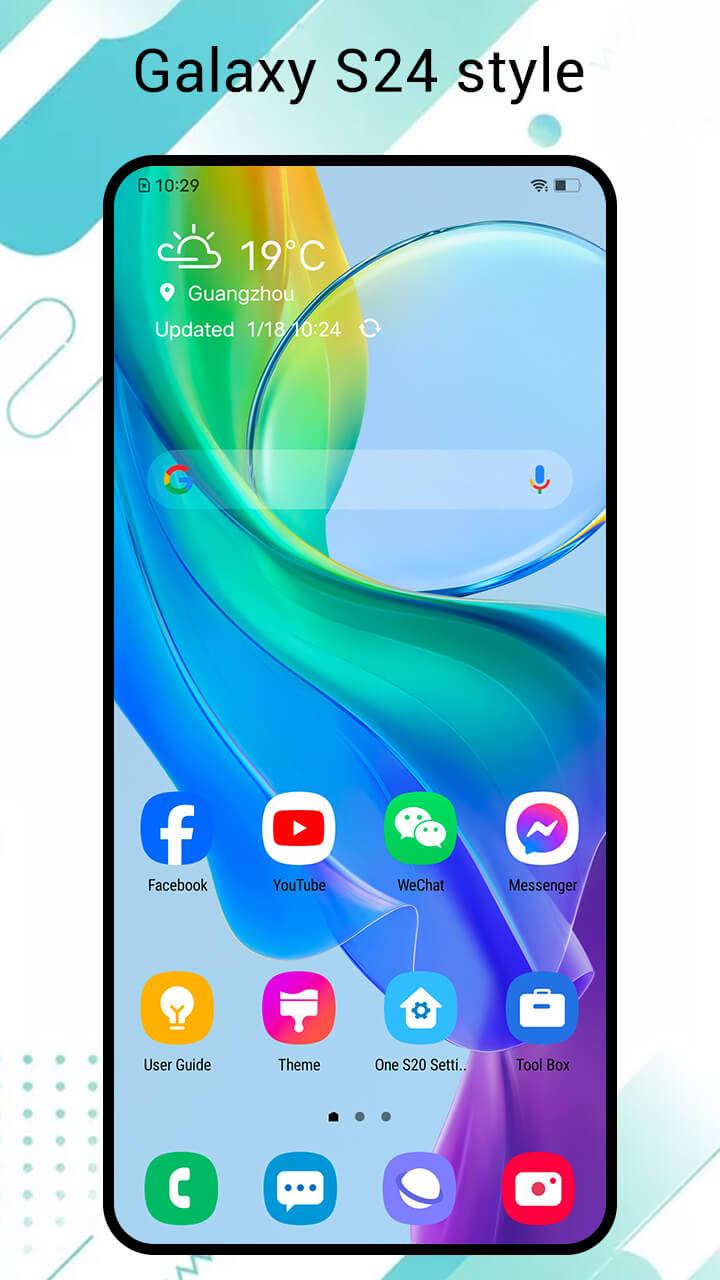
One S25 Launcher is a launcher to let your experience Galaxy S25 , Galaxy S24, Galaxy S23 launcher features for all Android™ 4.2+ phones, it make your phone look like brand new Galaxy S25/S24/S23 phone, get One UI 6.0 experience; what is more, One S25 Launcher provide almost all the features you want to get from a launcher, just get and try it!
💡 Note about brand and permission:
1. Android™ is a registered trademark of Google, Inc.
2. One S25 Launcher is inspired by Galaxy S25 S25 One UI launcher's user experience, it is developed by independent "Model X Apps" team, it is NOT official Samsung™ Galaxy S23/S24/S25 Ultra launcher, the team have NO official relationship with Samsung™.
3. Permission READ_CALENDAR is needed by calendar widget in launcher side screen
⭐⭐⭐⭐⭐ One S25 Launcher features:
+ One S25 Launcher can run on ALL Android 4.2+ devices, make these phones look like brand new Galaxy S25 S24 phone
+ One S25 Launcher has many beautiful themes and wallpapers, include Galaxy S25/S24 parallax wallpapers, you may find the entry at the top of the second screen
+ One S25 Launcher support most of the icon packs in Play Store, include Galaxy S25 S24 S23 icon pack
+ Hide app, App lock feature
+ Eyes protector feature
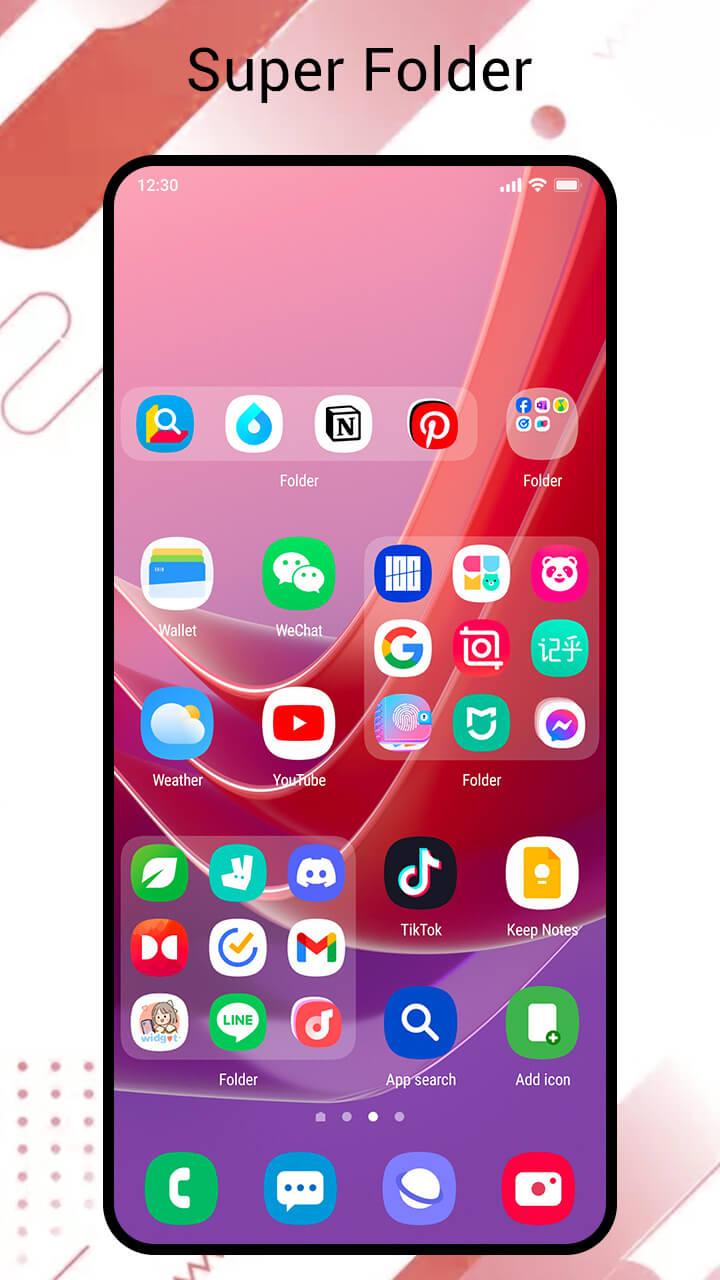
+ Super folder with cool background, you may change it to what you want
+ Unread counter and notifier
+ Various handy gestures, and icon gestures
+ Easy to align icons in desktop edit mode
+ Galaxy S25 style folder, drawer, desktop
+ One S25 Launcher has 15+ desktop transition animation
+ One S25 Launcher support 5 Drawer color: Light, dark, transparent, blur wallpaper and custom
+ One S25 Launcher support 5 sorting app: by A-Z, by installed time, by mostly used, by icon color, or by custom
+ One S25 Launcher support 4 drawer style: horizontal, vertical, vertical with category, list
+ Support dual app, such as dual WhatsApp
+ Galaxy S25/S24/S23 desktop layout
+ One UI 3.0, One UI 6.0 icon shape
+ T9 Search, quick search
+ Privacy folder to protect your privacy app(unique feature)
+ Lock desktop layout to avoid being messed
+ Storage info
+ Galaxy S25 weather widget style in S25 desktop
+ Desktop grid size, Drawer grid size, icon size, label size, label color options
+ Multi dock page, and dock background customization
+ Support edit drawer, change app order in drawer
+ Support swipe up to app drawer
+ Support app auto classify
+ One S25 Launcher support creating folder in app drawer
+ One S25 Launcher support 3 color mode: Light, Dark, Auto Adaptation
⭐⭐⭐⭐⭐ Thank you for using One S25 Launcher, if you like One S25 Launcher, welcome to rate One S25 Launcher or leave a comment, we are always listening to make One S25 Launcher better and better, thanks a lot!
Preview
Tags
PersonalizationInformation
Developer
Model X Apps
Latest Version
4.6
Last Updated
2025-08-19
Category
Personalization
Available on
Google Play
Show More
How to play One S25 Launcher - S25 One Ui with GameLoop on PC
1. Download GameLoop from the official website, then run the exe file to install GameLoop
2. Open GameLoop and search for “One S25 Launcher - S25 One Ui” , find One S25 Launcher - S25 One Ui in the search results and click “Install”
3. Enjoy playing One S25 Launcher - S25 One Ui on GameLoop
Minimum requirements
OS
Windows 8.1 64-bit or Windows 10 64-bit
GPU
GTX 1050
CPU
i3-8300
Memory
8GB RAM
Storage
1GB available space
Recommended requirements
OS
Windows 8.1 64-bit or Windows 10 64-bit
GPU
GTX 1050
CPU
i3-9320
Memory
16GB RAM
Storage
1GB available space