
LaunchTime (Homescreen) PC
Quaap, my free-time FOSS apps
Download LaunchTime (Homescreen) on PC With GameLoop Emulator
LaunchTime (Homescreen) on PC
LaunchTime (Homescreen), coming from the developer Quaap, my free-time FOSS apps, is running on Android systerm in the past.
Now, You can play LaunchTime (Homescreen) on PC with GameLoop smoothly.
Download it in the GameLoop library or search results. No more eyeing the battery or frustrating calls at the wrong time any more.
Just enjoy LaunchTime (Homescreen) PC on the large screen for free!
LaunchTime (Homescreen) Introduction
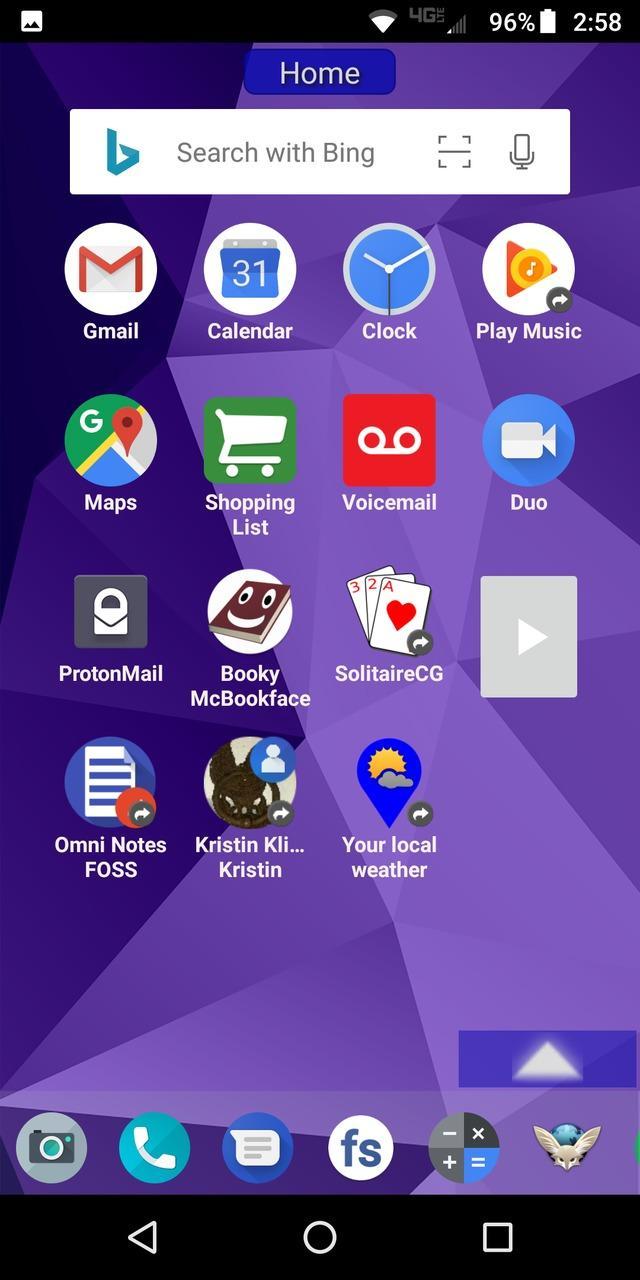
Highly configurable alternative homescreen/launcher which features a side menu to automatically and/or manually organize your apps into common-sense and customizable categories.
Latest features: Resizable widgets, hideable side menu, action menus, appinfo, better appearance, animated transitions, and an experimental "dumbphone" mode.
More features:
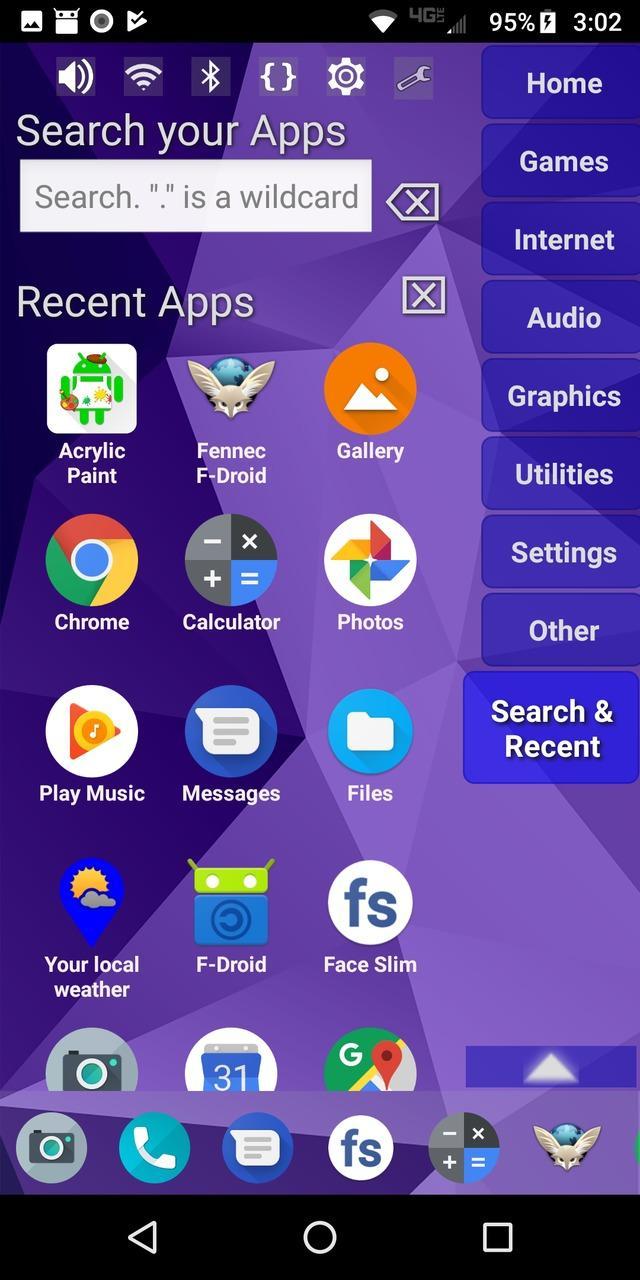
* Configurable app categories in a scrollable/hideable side menu.
* Scrolling QuickBar on the bottom for easy access to your favorite apps.
* Text search to find apps.
* List of recent apps.
* Quick access to settings.
* Multiple widget support.
* Rearrange/sort icons and menu items.
* Toddler/child mode
* Shortcut/link and Oreo Pinned shortcut support.
* Android 7.1+ shortcut actions / menus.
* Unread badges.
* Adw/nova/apex icon-packs.
* Supports both portrait and landscape mode.
* Can hide apps you don't want but can't uninstall.
* Back up and restore your settings.
* Configurable colors.
* Customize icons and labels.
* Built-in themes.
Preview
Tags
PersonalizationInformation
Developer
Quaap, my free-time FOSS apps
Latest Version
0.8.5
Last Updated
2019-08-26
Category
Personalization
Available on
Google Play
Show More
How to play LaunchTime (Homescreen) with GameLoop on PC
1. Download GameLoop from the official website, then run the exe file to install GameLoop
2. Open GameLoop and search for “LaunchTime (Homescreen)” , find LaunchTime (Homescreen) in the search results and click “Install”
3. Enjoy playing LaunchTime (Homescreen) on GameLoop
Minimum requirements
OS
Windows 8.1 64-bit or Windows 10 64-bit
GPU
GTX 1050
CPU
i3-8300
Memory
8GB RAM
Storage
1GB available space
Recommended requirements
OS
Windows 8.1 64-bit or Windows 10 64-bit
GPU
GTX 1050
CPU
i3-9320
Memory
16GB RAM
Storage
1GB available space