
Greeting Card Maker - GreetArt PC
justapps
Download Greeting Card Maker - GreetArt on PC With GameLoop Emulator
Greeting Card Maker - GreetArt on PC
Greeting Card Maker - GreetArt, coming from the developer justapps, is running on Android systerm in the past.
Now, You can play Greeting Card Maker - GreetArt on PC with GameLoop smoothly.
Download it in the GameLoop library or search results. No more eyeing the battery or frustrating calls at the wrong time any more.
Just enjoy Greeting Card Maker - GreetArt PC on the large screen for free!
Greeting Card Maker - GreetArt Introduction
GreetArt: The Ultimate Invitation Maker and Graphic Design Tool for Every Occasion! 🎨✨
Why send boring SMS or some random monotonous wishes copied from open sources? Why wish your loved ones with ordinary stuff or images downloaded from the internet when you can create inimitable, eye-catching greetings and heart-pleasing e-cards easily on your own using GreetArt. Whether it’s your friend’s birthday 🎂 or your dear one is blessed with a baby boy 👶, we have all the occasions covered for you.
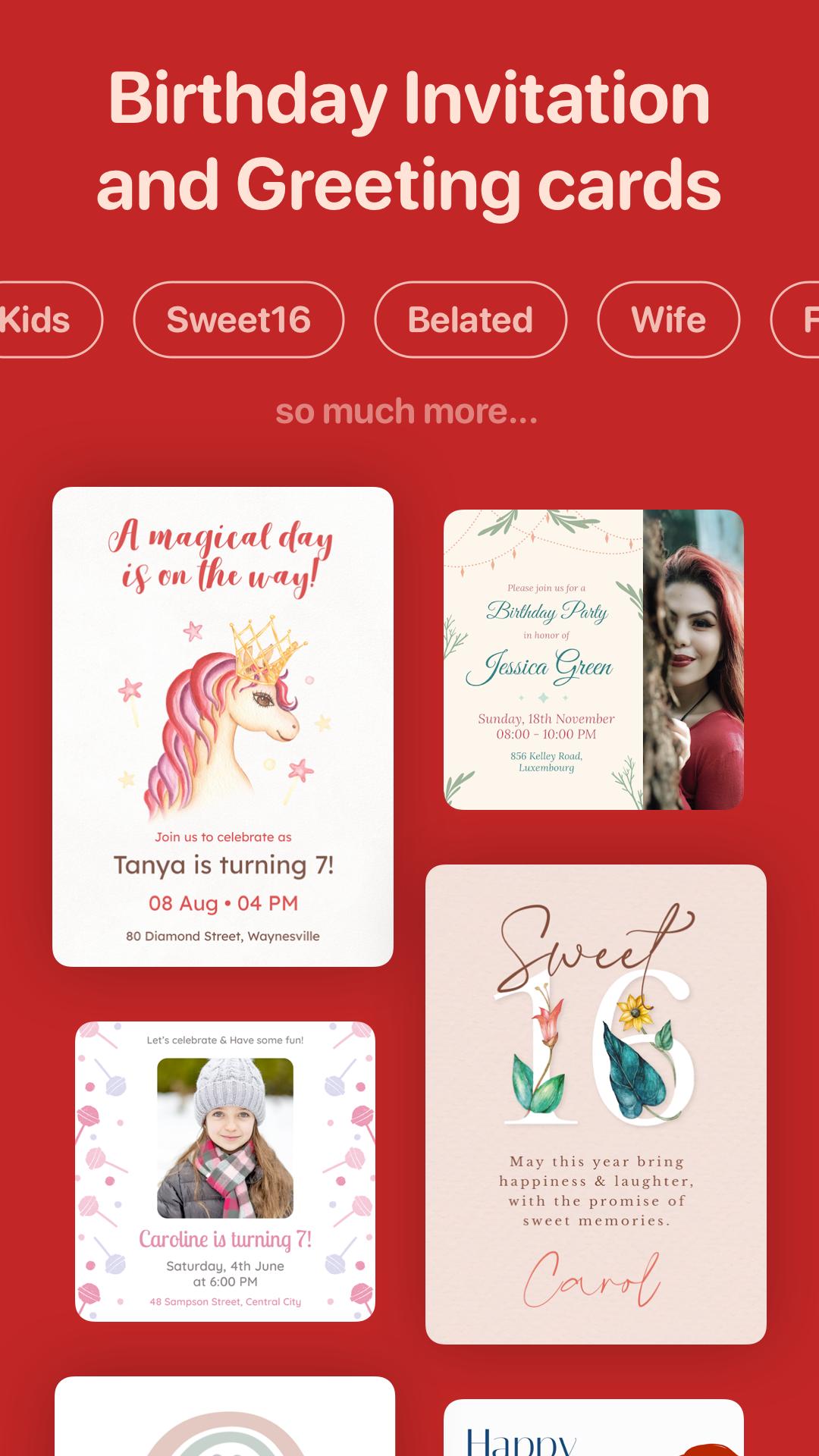
Create stunning, personalized invitations and greeting cards with ease using our versatile templates and design tools. 🖌️ Design invitations for any event, from birthdays 🎂 to weddings 💍, baby showers 👶 to graduations 🎓, using our professionally crafted templates. GreetArt offers a user-friendly interface that requires no design skills, allowing you to craft beautiful cards effortlessly. Personalize every detail with our extensive customization options, including fonts, colors, images, and text. Add your photos to make each card truly unique. 📸✨
Send your invites digitally via text 📱, email 📧, or social media 🌐, saving time and reducing your carbon footprint with our eco-friendly paperless approach. 🌿 Our extensive template library covers a wide range of events, including Birthday Invitations 🎉, Wedding Invitations 💒, Party Invitations 🎈, Baby Shower Invitations 🍼, Save the Date Cards 📅, Holiday Invitations 🎄, and many more!
Explore categories like Divorce Party 💔, Gender Reveal 🎀, 1st Birthday 🎁, Divorce Announcement 📝, Sport Invitation 🏆, Virtual Events & Party 💻, Picnic Invitation 🍉, Surprise Party 🎊, Retirement and Farewell 🎓, Pool Party 🏊, Dinner Party 🍽️, Housewarming Party 🏡, Cocktail Party 🍸, Bridal Shower 👰, Engagement 💍, RSVP & Response 📨, Winner Announcement 🏅, Memorial Announcement 🕊️, Moving 🚚, Engagement Announcement 💑, Birth Announcement 👶, Graduation Announcement 🎓, Wedding Announcement 💌, General Announcement 📢, Professional Events 🏢, Pregnancy Announcement 🤰, Bachelorette Party 👯, and more. 🌟
Key Features:
🎨 Easy to Customize: All DIY Greeting Card design templates are easy to customize. Edit the message, name, image, and font styles to personalize the card according to your needs.
📅 For Every Occasion: No matter the occasion, we have you covered! With GreetArt, you can make e-cards for all categories like Birthday Cards 🎂, Wedding Cards 💍, Wishes Cards 🎉, Thank You Cards 🙏🏻, Sorry Cards 😔, Sympathy Cards 🙁, Engagement Cards 🤵🏼♂️, Anniversary Cards 👩❤️👨, Congratulations Cards 🙌🏻, Holiday Cards 🎃, and Get Well Soon Cards ❤️🩹.
📸 Print or Share Online: Save your greeting cards or invitations and print them, or share the digital copy with your friends via online media.
💾 Save for Later: Save your templates as favorites so you can make edits later and use them in the future.
🌟 Get More with Pro: Love the app? Explore more features by subscribing to our Pro version. The Pro subscription comes with zero ads and exclusive access to all wishes and greeting card templates.
Send personalized wishes or professional invites that make every moment special. Download GreetArt now and start creating beautiful, personalized invitations for your special occasions. Celebrate in style and make every moment memorable with GreetArt. 🎉✨
Download now and let your creativity shine! 🌟💌
Preview

Tags
PersonalizationEventsArt-&Information
Developer
justapps
Latest Version
1.13.0
Last Updated
2024-07-22
Category
Personalization
Available on
Google Play
Show More
How to play Greeting Card Maker - GreetArt with GameLoop on PC
1. Download GameLoop from the official website, then run the exe file to install GameLoop
2. Open GameLoop and search for “Greeting Card Maker - GreetArt” , find Greeting Card Maker - GreetArt in the search results and click “Install”
3. Enjoy playing Greeting Card Maker - GreetArt on GameLoop
Minimum requirements
OS
Windows 8.1 64-bit or Windows 10 64-bit
GPU
GTX 1050
CPU
i3-8300
Memory
8GB RAM
Storage
1GB available space
Recommended requirements
OS
Windows 8.1 64-bit or Windows 10 64-bit
GPU
GTX 1050
CPU
i3-9320
Memory
16GB RAM
Storage
1GB available space