Everyday Digital Watch Face PC
Marcel Dopita
Download Everyday Digital Watch Face on PC With GameLoop Emulator
Everyday Digital Watch Face on PC
Everyday Digital Watch Face, coming from the developer Marcel Dopita, is running on Android systerm in the past.
Now, You can play Everyday Digital Watch Face on PC with GameLoop smoothly.
Download it in the GameLoop library or search results. No more eyeing the battery or frustrating calls at the wrong time any more.
Just enjoy Everyday Digital Watch Face PC on the large screen for free!
Everyday Digital Watch Face Introduction
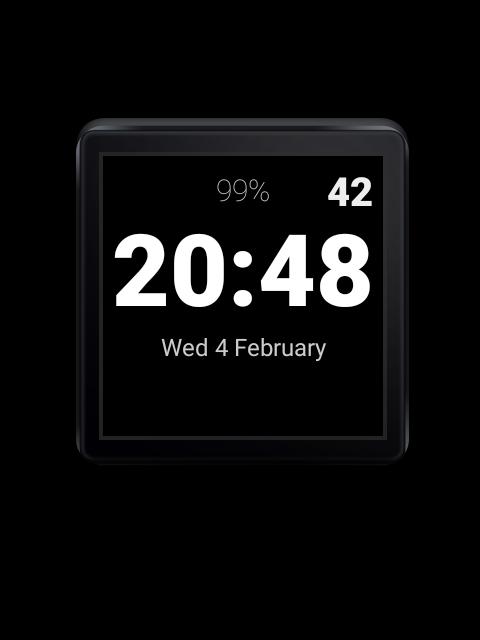
Everyday for Android Wear is digital watch face with big digits and second indicator.
*** This watch face was designed for Android Wear 1.x so the time is off center to allow for display of peeking notification cards. Please see the successor "Just Time" watch face that is clean, yet powerful (complications support), designed for Android Wear 2: https://play.google.com/store/apps/details?id=com.brouken.wear.face.justtime ***
Its main purpose is to quickly read time in a glance with higher than minute resolution - so this watch updates time every 20 seconds instead of only once a minute.
The extra screen updates doesn't result in any noticeable battery drain (no more than 5%). It also works and looks great on Sony SmartWatch 3 thanks to transflective lcd. It is not suitable (burn-in protection may not be enough) for OLED.
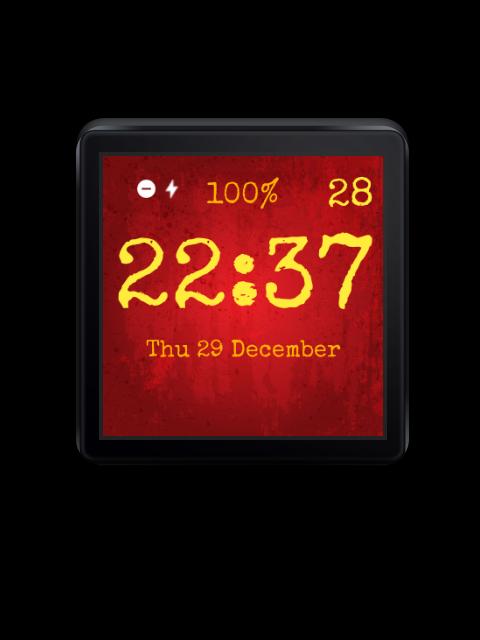
There are some configurable options: 12/24 hour modes, white on black or inverted, font size and typeface, font outline (because of background support), and few other things to toggle (date, seconds, top ambient battery line).
Everyday Watch Face also allows you to have custom clock background. Just share any image on your phone with "Everyday Watch Face" and it will be set as the background.
Preview
Information
Developer
Marcel Dopita
Latest Version
0.7.4
Last Updated
2017-01-24
Category
Personalization
Available on
Google Play
Show More
How to play Everyday Digital Watch Face with GameLoop on PC
1. Download GameLoop from the official website, then run the exe file to install GameLoop
2. Open GameLoop and search for “Everyday Digital Watch Face” , find Everyday Digital Watch Face in the search results and click “Install”
3. Enjoy playing Everyday Digital Watch Face on GameLoop
Minimum requirements
OS
Windows 8.1 64-bit or Windows 10 64-bit
GPU
GTX 1050
CPU
i3-8300
Memory
8GB RAM
Storage
1GB available space
Recommended requirements
OS
Windows 8.1 64-bit or Windows 10 64-bit
GPU
GTX 1050
CPU
i3-9320
Memory
16GB RAM
Storage
1GB available space