
ASUS Easy Mode (ZenFone & Pad) PC
Mobile, ASUSTek Computer Inc.
Download ASUS Easy Mode (ZenFone & Pad) on PC With GameLoop Emulator
ASUS Easy Mode (ZenFone & Pad) on PC
ASUS Easy Mode (ZenFone & Pad), coming from the developer Mobile, ASUSTek Computer Inc., is running on Android systerm in the past.
Now, You can play ASUS Easy Mode (ZenFone & Pad) on PC with GameLoop smoothly.
Download it in the GameLoop library or search results. No more eyeing the battery or frustrating calls at the wrong time any more.
Just enjoy ASUS Easy Mode (ZenFone & Pad) PC on the large screen for free!
ASUS Easy Mode (ZenFone & Pad) Introduction
ASUS ZenUI is beautifully easy to use from the moment you switch it on — but ASUS Easy Mode makes it even easier!
We know that you won’t need every ZenUI feature every day, and we know that not everyone has the desire or ability to manage their user experience, so ASUS Easy Mode removes the frills to keep the interface as simple as possible.
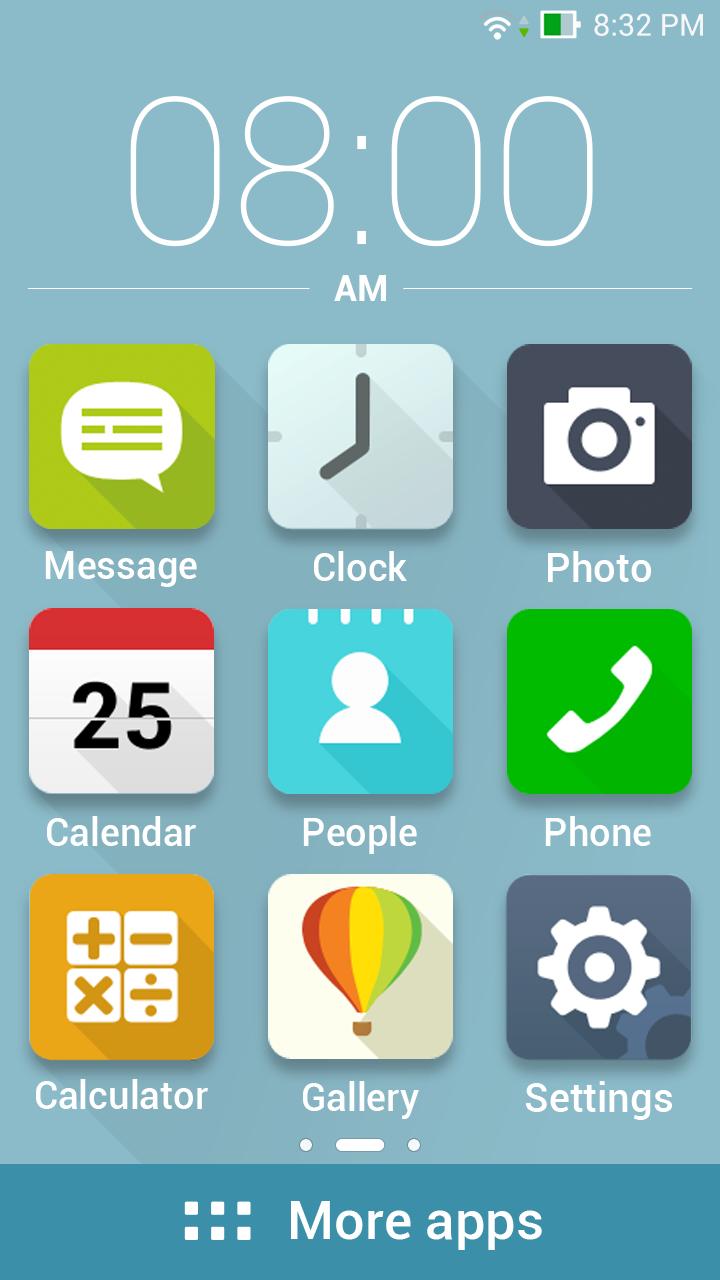
You won’t lose any data and you don’t need to spend any time setting things up: just enable ASUS Easy Mode to enjoy a home screen with larger, easier-to-read icons and a simplified lock screen with rationalized notifications.
[Key features]
- Enable large home-screen icons by flipping the ASUS Easy Mode switch in Settings.
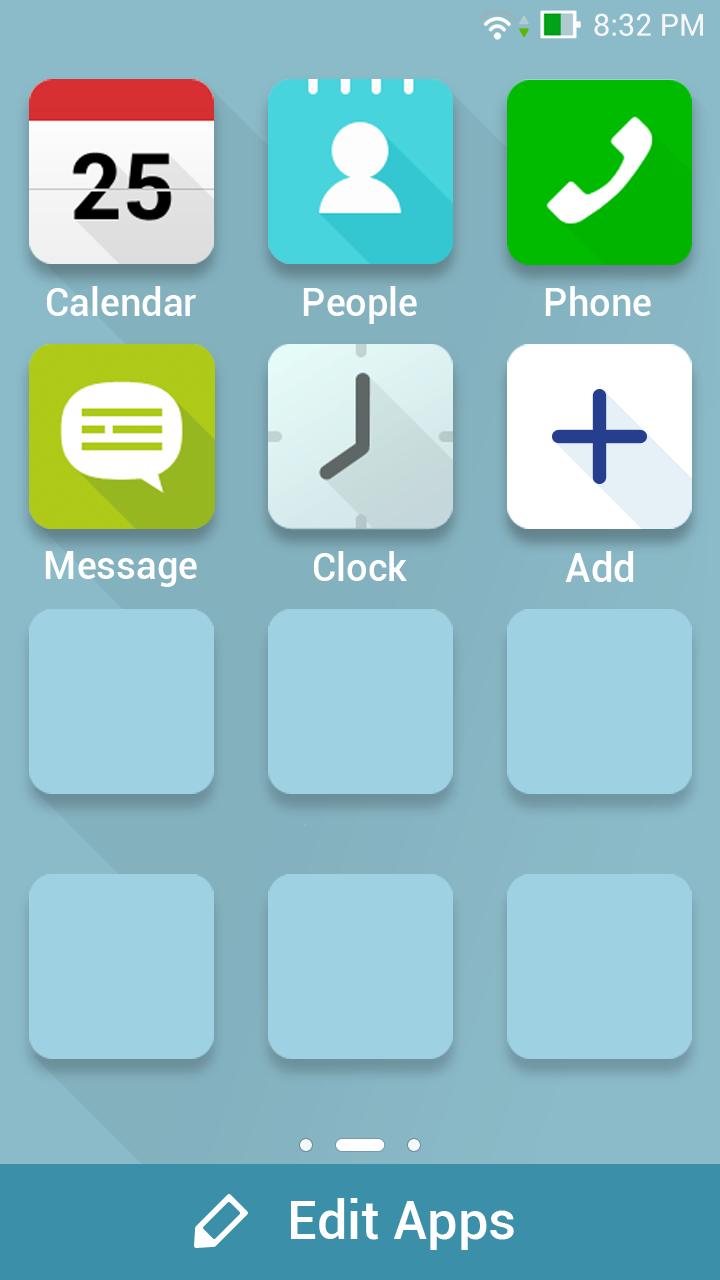
- Personalize your home screens simply by tapping the large plus (‘+’) symbol.
- Access all other apps with a tap of the bold More Apps banner.
- Restore the full ZenUI experience instantly by disabling ASUS Easy Mode in Settings.
Preview
Tags
PersonalizationInformation
Developer
Mobile, ASUSTek Computer Inc.
Latest Version
1.5.0.23_160222
Last Updated
2016-03-03
Category
Personalization
Available on
Google Play
Show More
How to play ASUS Easy Mode (ZenFone & Pad) with GameLoop on PC
1. Download GameLoop from the official website, then run the exe file to install GameLoop
2. Open GameLoop and search for “ASUS Easy Mode (ZenFone & Pad)” , find ASUS Easy Mode (ZenFone & Pad) in the search results and click “Install”
3. Enjoy playing ASUS Easy Mode (ZenFone & Pad) on GameLoop
Minimum requirements
OS
Windows 8.1 64-bit or Windows 10 64-bit
GPU
GTX 1050
CPU
i3-8300
Memory
8GB RAM
Storage
1GB available space
Recommended requirements
OS
Windows 8.1 64-bit or Windows 10 64-bit
GPU
GTX 1050
CPU
i3-9320
Memory
16GB RAM
Storage
1GB available space