
Volume Booster - Sound Booster PC
FrackStudio
Download Volume Booster - Sound Booster on PC With GameLoop Emulator
Volume Booster - Sound Booster on PC
Volume Booster - Sound Booster, coming from the developer FrackStudio, is running on Android systerm in the past.
Now, You can play Volume Booster - Sound Booster on PC with GameLoop smoothly.
Download it in the GameLoop library or search results. No more eyeing the battery or frustrating calls at the wrong time any more.
Just enjoy Volume Booster - Sound Booster PC on the large screen for free!
Volume Booster - Sound Booster Introduction
Blast your music with the ultimate Volume Booster & Sound Amplifier for Android! 🚀
Can't hear your phone in noisy environments? Want deeper Bass and louder audio for your movies and games?
This app is a simple yet powerful Sound Booster that amplifies your phone's volume instantly. It’s not just a volume controller; it’s a complete sound system upgrade for your mobile device!
🎧 KEY FEATURES:
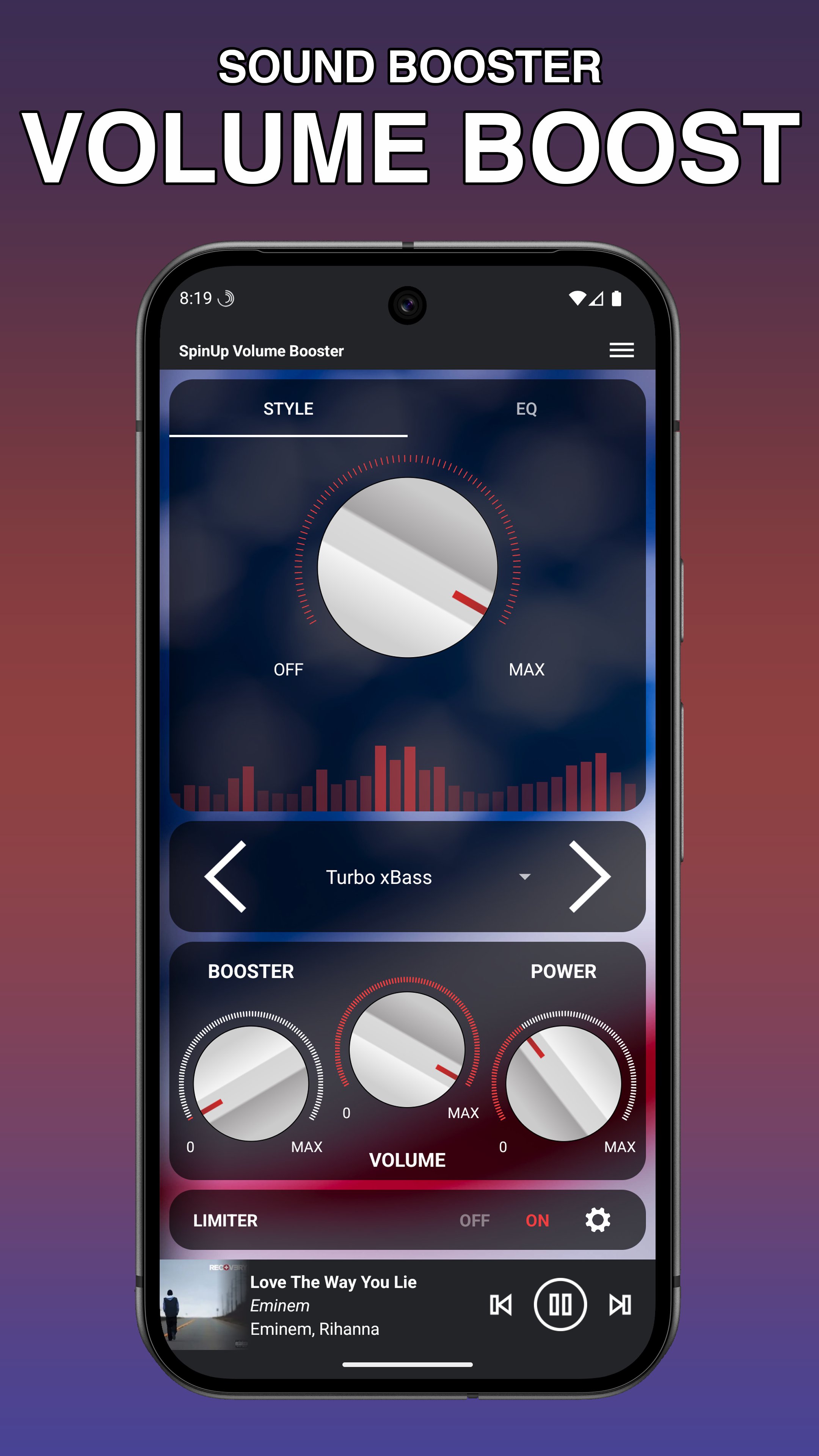
🔊 Max Volume Booster: Safely boost volume for videos, audiobooks, music, and games beyond system limits.
🎸 Deep Bass Booster: Feel the rhythm. Enhance the low-end frequencies for a rich, immersive music experience.
📣 Loud Speaker Booster: Breathe new life into your external speakers and headphones.
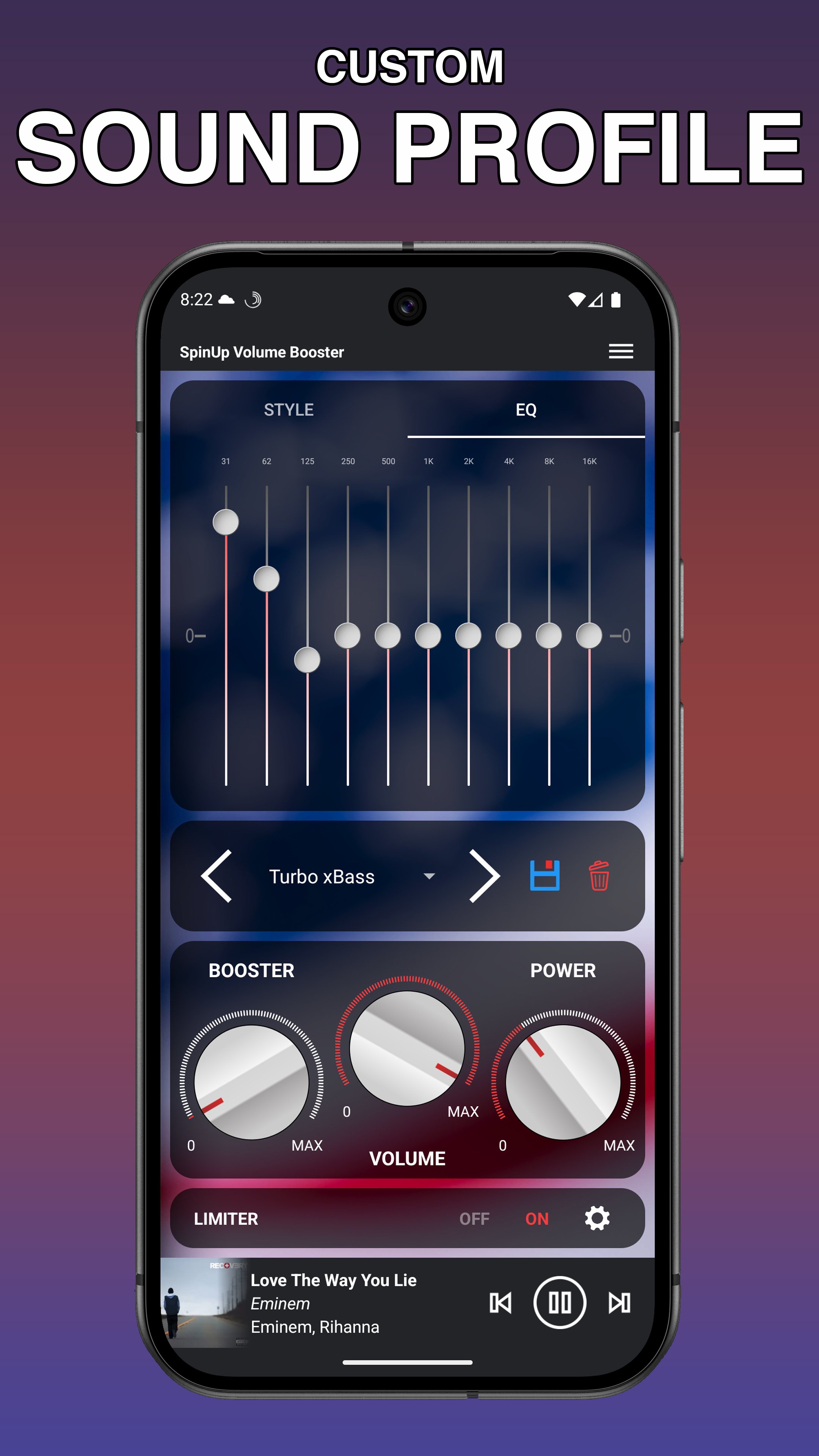
🎚️ Music Equalizer (EQ): Customize your audio profile with a professional built-in equalizer.
✨ One-Tap Boost: Clean interface to crank up the volume in a single touch.
🛡️ No Root Required: Works safely on all Android devices without special permissions.
WHY CHOOSE THIS APP?
Unlike other apps that distort your audio, our advanced compressor technology ensures Extra Loud Sound while keeping the quality crystal clear. Whether you are using Bluetooth speakers, headphones, or the phone's built-in speaker, get the best audio experience possible.
HOW TO USE:
1. Open the Volume Booster app.
2. Launch your favorite music player directly inside the app.
3. Use the knob to adjust the sound level and bass frequency.
4. Let it run in the background and enjoy your media!
Download now and turn your Android device into a portable sound system! 🎵
WARNING: Playing audio at high volumes for a long time may damage your hearing or speakers. We advise you to boost the volume step by step.
Preview
Tags
Music-&Information
Developer
FrackStudio
Latest Version
12.5.0
Last Updated
2026-02-14
Category
Music-audio
Available on
Google Play
Show More
How to play Volume Booster - Sound Booster with GameLoop on PC
1. Download GameLoop from the official website, then run the exe file to install GameLoop
2. Open GameLoop and search for “Volume Booster - Sound Booster” , find Volume Booster - Sound Booster in the search results and click “Install”
3. Enjoy playing Volume Booster - Sound Booster on GameLoop
Minimum requirements
OS
Windows 8.1 64-bit or Windows 10 64-bit
GPU
GTX 1050
CPU
i3-8300
Memory
8GB RAM
Storage
1GB available space
Recommended requirements
OS
Windows 8.1 64-bit or Windows 10 64-bit
GPU
GTX 1050
CPU
i3-9320
Memory
16GB RAM
Storage
1GB available space