
Volume Ace PC
BrainCrash Soft
Download Volume Ace on PC With GameLoop Emulator
Volume Ace on PC
Volume Ace, coming from the developer BrainCrash Soft, is running on Android systerm in the past.
Now, You can play Volume Ace on PC with GameLoop smoothly.
Download it in the GameLoop library or search results. No more eyeing the battery or frustrating calls at the wrong time any more.
Just enjoy Volume Ace PC on the large screen for free!
Volume Ace Introduction
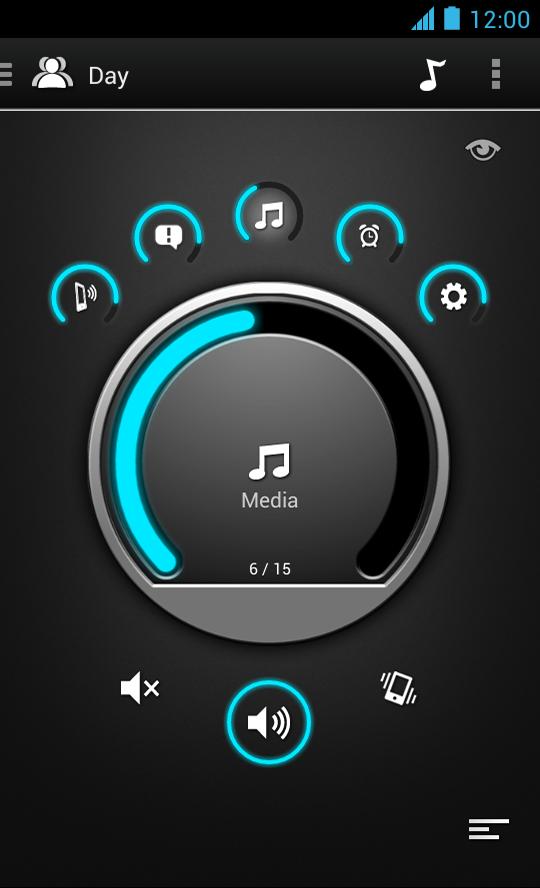
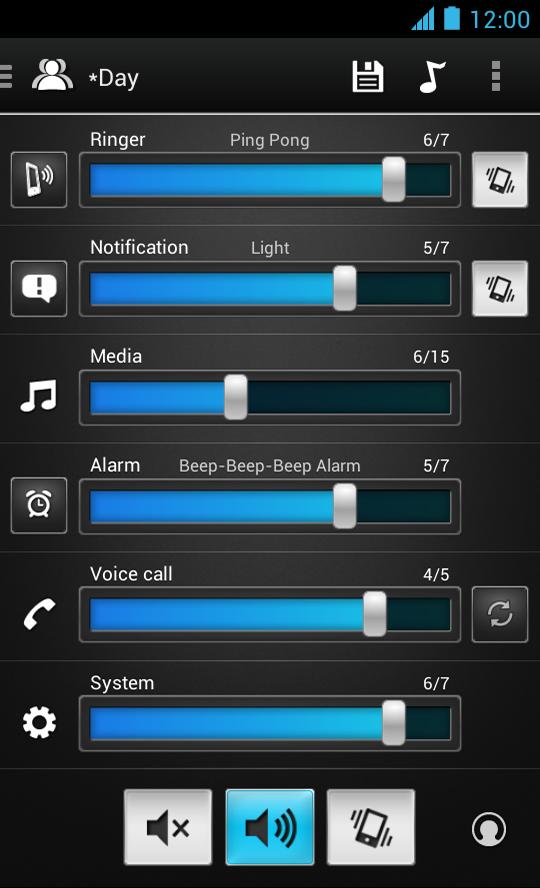
Volume Ace is a Volume Manager that allow you to fast and easily control your device volume levels. You can create profiles and switch or select them straight from the widgets or schedule profiles to apply automatically.
Features
• Volume control for: Ringer, Notifications, Media, Alarm, Voice Calls and System (Some devices may have certain volumes tied together).
• Profiles: Create your own profile. Each profile can save his own Ringtone, Notification and Alarm tone.
• Scheduler: Schedule profiles to apply automatically at the time and day you choose.
• Volume Locker: Prevent ringer and/or media volume to be changed outside the app.
• Timer: Set a profile temporarily for x hours and minutes. Useful for meetings, movies etc. so you don't forget to turn off the "silent" profile.
• Several Widgets of various sizes.
• Tone picker (Ringtone, Notification and Alarm).
• Cycle profiles by tapping widget (Supported only by widgets with "levels")
• Customizable colors.
• Bluetooth volume
* Tablets aren't fully supported.
** App functionality may vary based on Android version in use.
Preview
Tags
Music-&Information
Developer
BrainCrash Soft
Latest Version
3.8.2
Last Updated
2023-11-06
Category
Music-audio
Available on
Google Play
Show More
How to play Volume Ace with GameLoop on PC
1. Download GameLoop from the official website, then run the exe file to install GameLoop
2. Open GameLoop and search for “Volume Ace” , find Volume Ace in the search results and click “Install”
3. Enjoy playing Volume Ace on GameLoop
Minimum requirements
OS
Windows 8.1 64-bit or Windows 10 64-bit
GPU
GTX 1050
CPU
i3-8300
Memory
8GB RAM
Storage
1GB available space
Recommended requirements
OS
Windows 8.1 64-bit or Windows 10 64-bit
GPU
GTX 1050
CPU
i3-9320
Memory
16GB RAM
Storage
1GB available space