
Radio-Canada OHdio PC
Radio-Canada
Download Radio-Canada OHdio on PC With GameLoop Emulator
Radio-Canada OHdio on PC
Radio-Canada OHdio, coming from the developer Radio-Canada, is running on Android systerm in the past.
Now, You can play Radio-Canada OHdio on PC with GameLoop smoothly.
Download it in the GameLoop library or search results. No more eyeing the battery or frustrating calls at the wrong time any more.
Just enjoy Radio-Canada OHdio PC on the large screen for free!
Radio-Canada OHdio Introduction
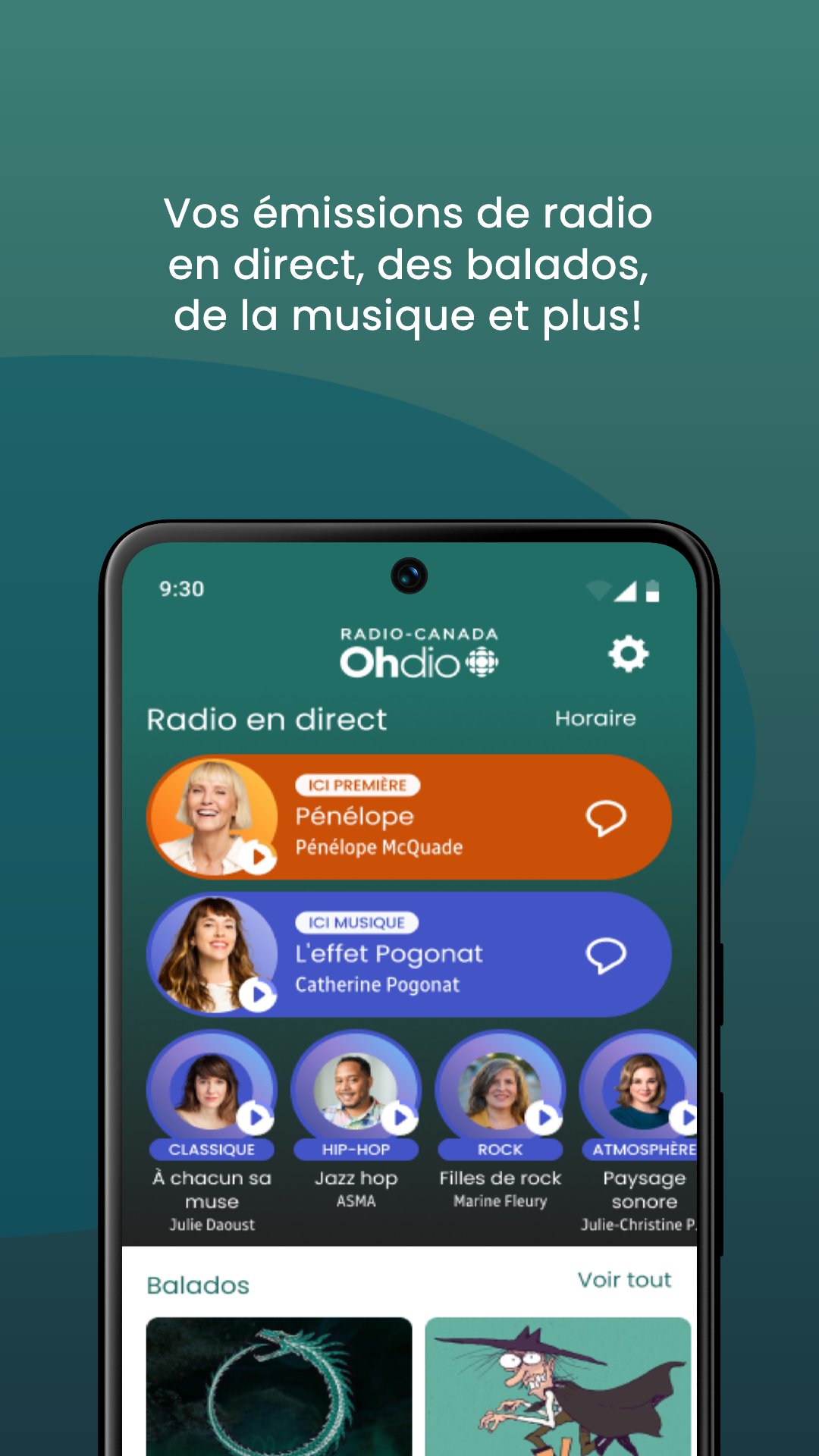
Radio-Canada's audio destination offers you a whole world of French-language content, 100% free: your ICI PREMIÈRE and ICI MUSIQUE shows, as well as live and catch-up music channels; an unparalleled selection of podcasts and audiobooks for the whole family; playlists and concerts that will delight music lovers of all genres; and more.
Download the Radio-Canada OHdio app now to listen to Radio-Canada programs, completely free, as well as a unique selection of French-language content—podcasts, audiobooks, concerts, videos, and more.
The Radio-Canada OHdio app also offers a host of features designed to enhance the mobile listening experience:
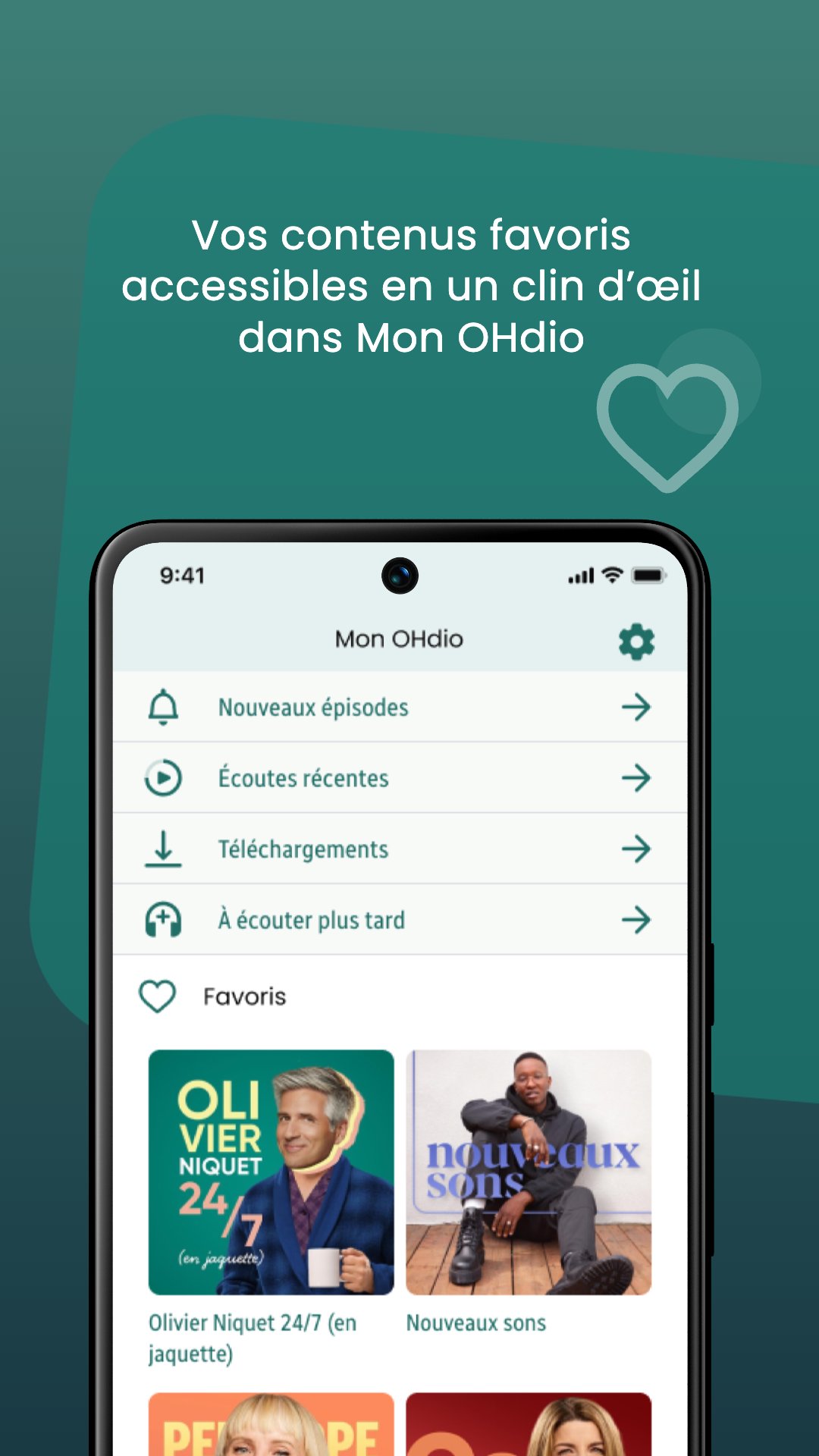
• Favorites: Heart your favorite content to easily find it, all in one place.
• Resume: Continue listening where you left off. • Downloads: Listen to podcasts, audiobooks, and other content offline, wherever and whenever you want.
• Listen Later: Add content to your list so you can find it without searching for the right moment.
• Playback Speed: Slow down or speed up playback speed so you can listen at your own pace.
• Sleep Timer: Set a listening time so playback stops after a certain amount of time (useful for falling asleep to an audiobook, for example).
• New Episodes: Find the latest releases of your favorite content in one place, as soon as they're released.
• Notifications: Receive an alert as soon as there's something new for you.
• Android Auto: Enjoy the content and features of the Radio-Canada OHdio app on your car's entertainment system.
• Chromecast: Stream content from the Radio-Canada OHdio app to your smart TVs, Chromecast devices, Google Home, and more. • Regionalization: Listen to ICI PREMIÈRE and ICI MUSIQUE programs based on where you live.
• Search: Easily search the entire Radio-Canada OHdio directory by keyword, content type, or theme.
• Contact us: Click the speech bubble icon in a live program card or in the header of a program information sheet to participate or contact the team.
• Recommendations from the Radio-Canada OHdio team: Browse our selections directly on the homepage to find your next listen in no time.
We're constantly developing new features to improve your experience. Enable automatic updates to enjoy them as soon as they're released, without lifting a finger.
Preview
Tags
Music-&Information
Developer
Radio-Canada
Latest Version
4.29.4
Last Updated
2026-02-11
Category
Music-audio
Available on
Google Play
Show More
How to play Radio-Canada OHdio with GameLoop on PC
1. Download GameLoop from the official website, then run the exe file to install GameLoop
2. Open GameLoop and search for “Radio-Canada OHdio” , find Radio-Canada OHdio in the search results and click “Install”
3. Enjoy playing Radio-Canada OHdio on GameLoop
Minimum requirements
OS
Windows 8.1 64-bit or Windows 10 64-bit
GPU
GTX 1050
CPU
i3-8300
Memory
8GB RAM
Storage
1GB available space
Recommended requirements
OS
Windows 8.1 64-bit or Windows 10 64-bit
GPU
GTX 1050
CPU
i3-9320
Memory
16GB RAM
Storage
1GB available space