
My Song Book PC
Blue Gecko Software
Download My Song Book on PC With GameLoop Emulator
My Song Book on PC
My Song Book, coming from the developer Blue Gecko Software, is running on Android systerm in the past.
Now, You can play My Song Book on PC with GameLoop smoothly.
Download it in the GameLoop library or search results. No more eyeing the battery or frustrating calls at the wrong time any more.
Just enjoy My Song Book PC on the large screen for free!
My Song Book Introduction
Do not burden yourself with paper binders!
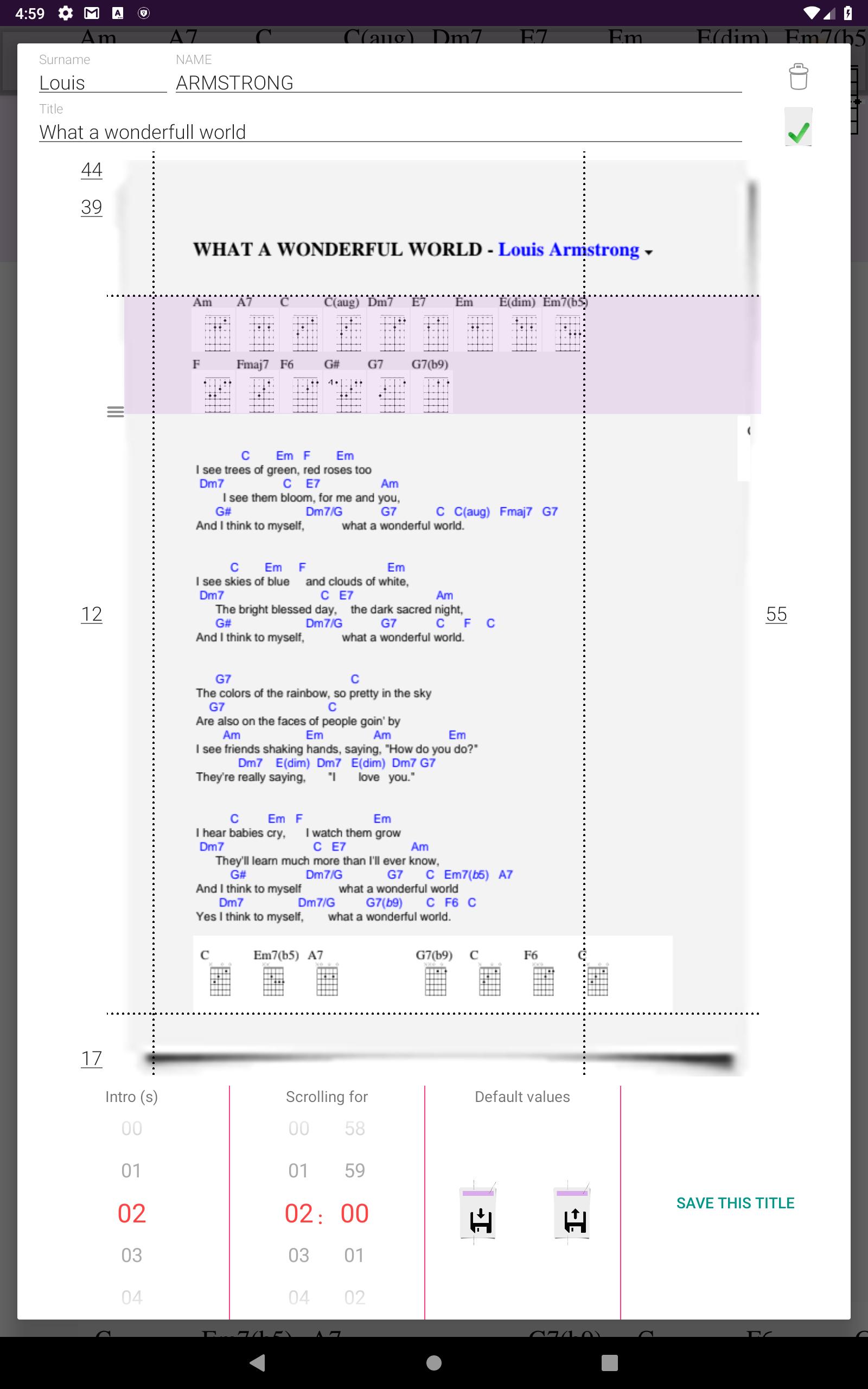
Build your digital Song Book from PDF scans of your songs.
For each song you can customize:
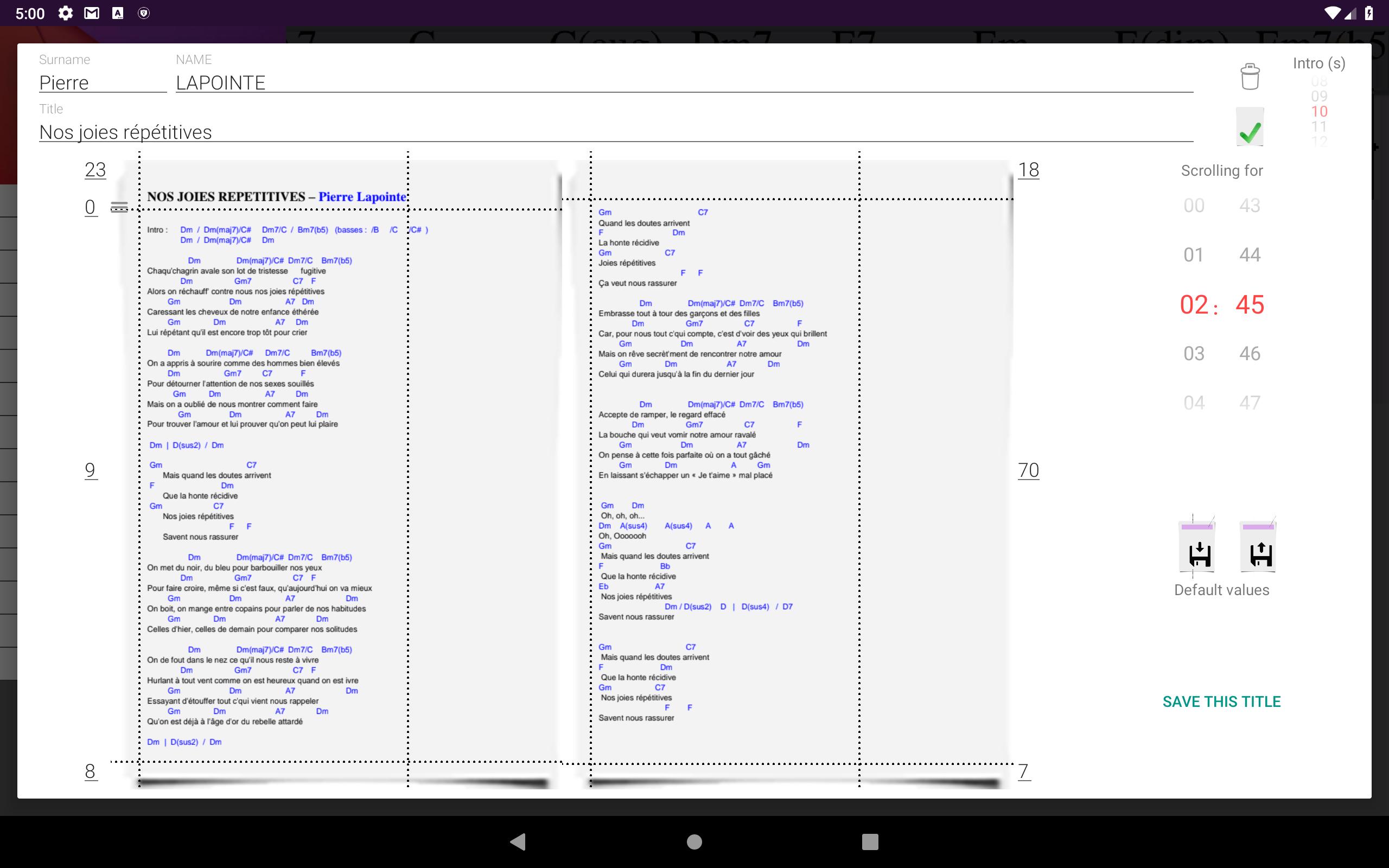
♪ the area to display (multipage supported)
→ the zoom is automatically calculated to display the area in full width
♪ the duration of the intro
♪ the duration of the automatic scrolling of the song
If you wish, your Song Book is synced to your Google drive:
♪ in case of device crash, nothing is lost
♪ You will automatically find the latest version of your Song Book on all your connected devices.
-----------------------------
Version 2:
The portion of the page(s) to display is defined by a set of rectangular areas
• When scrolling, the "header" area (purple) will remain displayed at the top of the screen
• The size of each zone is adjustable by 2 handles (top-left and bottom-right)
• The number of zones is unlimited
• Areas may overlap
This method allows efficient display of multi-column or badly formatted texts
Preview
Tags
Music-&Information
Developer
Blue Gecko Software
Latest Version
2.0.3
Last Updated
2019-03-14
Category
Music-audio
Available on
Google Play
Show More
How to play My Song Book with GameLoop on PC
1. Download GameLoop from the official website, then run the exe file to install GameLoop
2. Open GameLoop and search for “My Song Book” , find My Song Book in the search results and click “Install”
3. Enjoy playing My Song Book on GameLoop
Minimum requirements
OS
Windows 8.1 64-bit or Windows 10 64-bit
GPU
GTX 1050
CPU
i3-8300
Memory
8GB RAM
Storage
1GB available space
Recommended requirements
OS
Windows 8.1 64-bit or Windows 10 64-bit
GPU
GTX 1050
CPU
i3-9320
Memory
16GB RAM
Storage
1GB available space