
Music Lab Plus: EQ & Editor PC
Chamela Aluthgedara
Download Music Lab Plus: EQ & Editor on PC With GameLoop Emulator
Music Lab Plus: EQ & Editor on PC
Music Lab Plus: EQ & Editor, coming from the developer Chamela Aluthgedara, is running on Android systerm in the past.
Now, You can play Music Lab Plus: EQ & Editor on PC with GameLoop smoothly.
Download it in the GameLoop library or search results. No more eyeing the battery or frustrating calls at the wrong time any more.
Just enjoy Music Lab Plus: EQ & Editor PC on the large screen for free!
Music Lab Plus: EQ & Editor Introduction
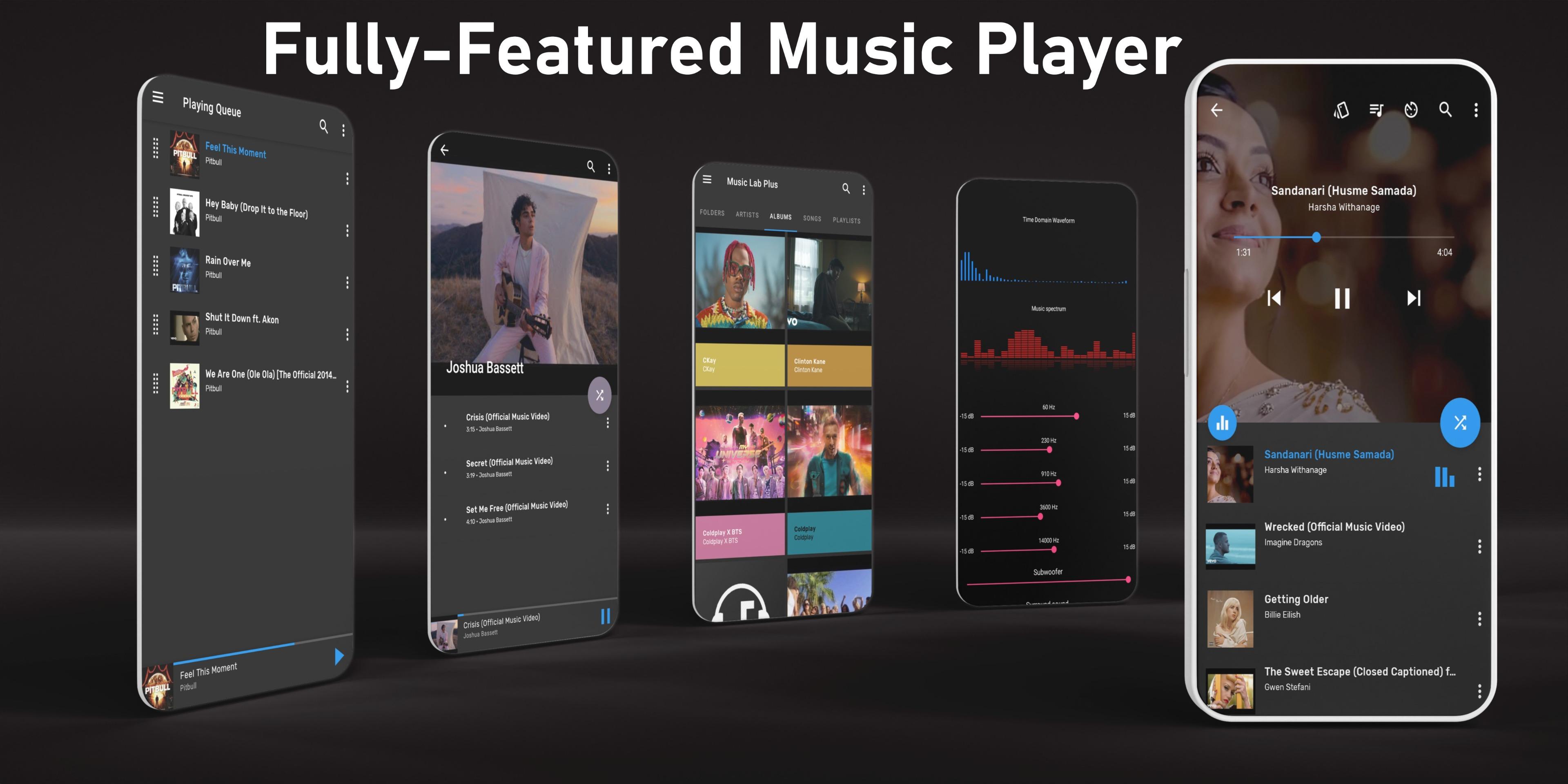
Music Lab Plus is the ultimate **music player** that combines a powerful **10‑band equalizer**, advanced **audio editor**, **audio trimmer**, and **tag editor** in one clean, intuitive app. Navigate your songs by folders, albums, or artists—find any track in seconds!
🎚️ 10‑Band Equalizer & Visualizers
* Customize sound with bass boost, reverb, and surround effects
* Choose from 5+ presets (Classic, Dance, Folk…) or create your own
* Real‑time waveform and spectrum visualizers for a pro listening experience
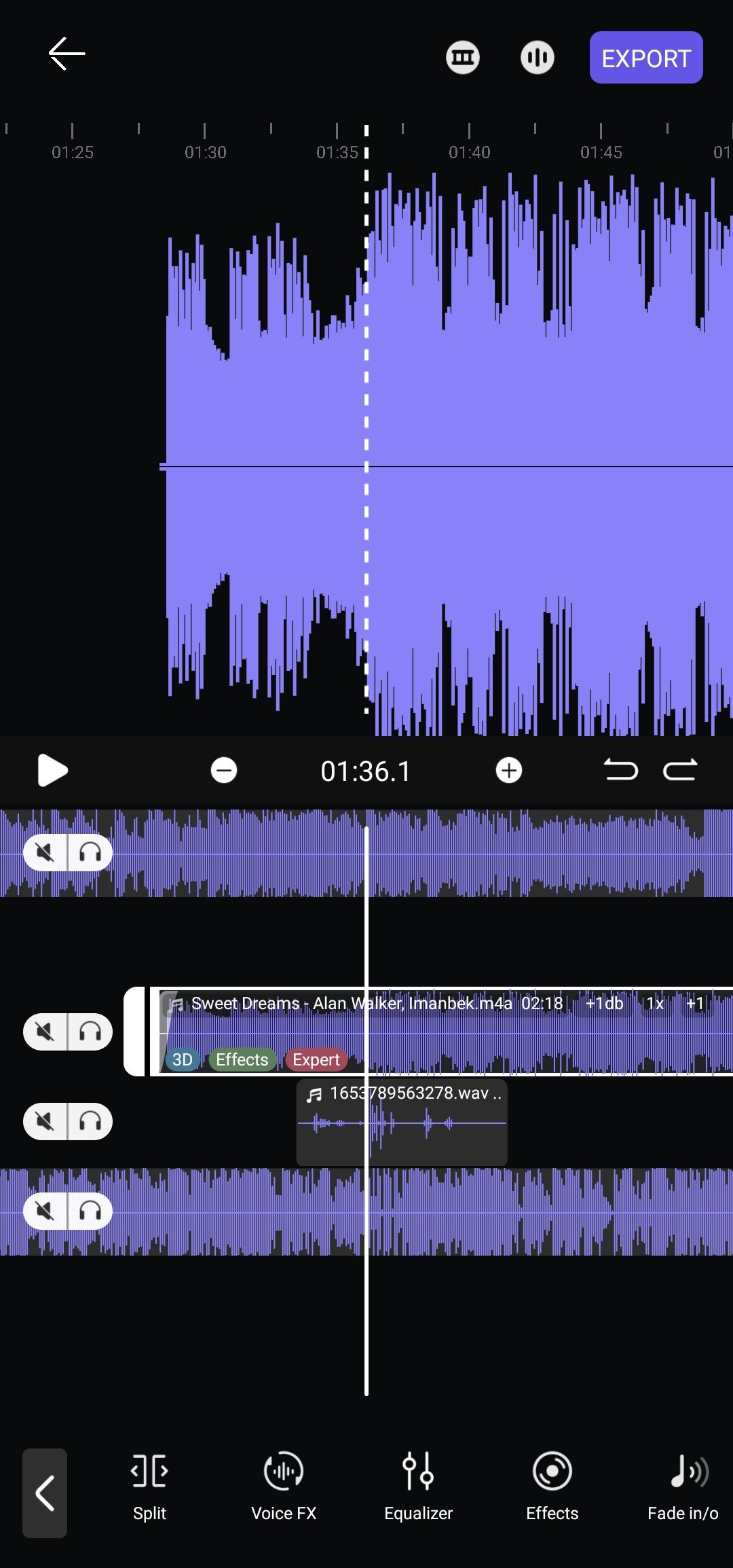
✂️ Advanced Audio Editor & Trimmer
* Record or import audio, preview waveforms, then cut, copy, delete segments
* Adjust volume, pitch, and tempo for any track
* Apply fade‑in/out, voice‑changer (Chipmunk → Monster), and specialty effects
🔊 Separate & Extract Tracks
* Isolate vocals, drums, bass, guitar, piano, strings, brass, and more
* Export individual stems for remixing, karaoke, or practice
🌌 Space Render (Spatial Audio)
* Position sound in 3D space, set circular movement, radius, and angle
* Experience immersive audio with fixed or dynamic rendering
🎨 Personalize Your UI
* 8 customizable “Now Playing” screens—pick your style
* Choose light, dark, or custom color themes
* Gesture controls for easy track switching
🎵 Smart Playlists & Metadata Editor
* Auto‑generated AI playlists: Last Added, Recently Played, Favorites
* Manual playlist creation and reorder queue
* Edit tags: title, artist, album, cover art—keep your library tidy
📂 Browse & Play
* Supports MP3, WAV, FLAC, AAC and all popular formats
* Browse by songs, albums, artists, playlists, or folders
* Quick SEARCH finds any local audio in seconds
⏰ Sleep Timer & Background Playback
* Schedule auto‑stop with Sleep Timer
* Control playback from notifications, lock screen, or headset
🎤 Lyrics Finder & Format Conversion
* Fetch synced lyrics online
* Convert audio between MP3, WAV, and FLAC
Why Music Lab Plus?
• All‑in‑one music toolkit—play, edit, convert, and customize
• Lightweight, low‑battery usage, stable performance
• Regular updates, responsive support, and no intrusive ads
Download Music Lab Plus now and transform how you play, edit, and experience audio on Android!
Preview
Tags
Music-&Information
Developer
Chamela Aluthgedara
Latest Version
7.1.0
Last Updated
2025-08-08
Category
Music-audio
Available on
Google Play
Show More
How to play Music Lab Plus: EQ & Editor with GameLoop on PC
1. Download GameLoop from the official website, then run the exe file to install GameLoop
2. Open GameLoop and search for “Music Lab Plus: EQ & Editor” , find Music Lab Plus: EQ & Editor in the search results and click “Install”
3. Enjoy playing Music Lab Plus: EQ & Editor on GameLoop
Minimum requirements
OS
Windows 8.1 64-bit or Windows 10 64-bit
GPU
GTX 1050
CPU
i3-8300
Memory
8GB RAM
Storage
1GB available space
Recommended requirements
OS
Windows 8.1 64-bit or Windows 10 64-bit
GPU
GTX 1050
CPU
i3-9320
Memory
16GB RAM
Storage
1GB available space