MixDownloader - Save Mp3 Mix PC
QMLab
Download MixDownloader - Save Mp3 Mix on PC With GameLoop Emulator
MixDownloader - Save Mp3 Mix on PC
MixDownloader - Save Mp3 Mix, coming from the developer QMLab, is running on Android systerm in the past.
Now, You can play MixDownloader - Save Mp3 Mix on PC with GameLoop smoothly.
Download it in the GameLoop library or search results. No more eyeing the battery or frustrating calls at the wrong time any more.
Just enjoy MixDownloader - Save Mp3 Mix PC on the large screen for free!
MixDownloader - Save Mp3 Mix Introduction
Mixcloud has one simple idea: to bring together the world of radio so that you can find what you want, and listen to it on demand when you want. Whether your interests lie in politics, education, documentaries, comedy, or even DJs and music playlists, there is something for you by checking out Mixcloud.com.
However, one of the major downfalls of having a streaming audio site is the disadvantage of needing to be online for the audio to stream. If you find yourself without WiFi connection or even a lack of service during your work commute, here is one solution that differentiates itself from other downloading services: enter the Mixcloud Downloader.
With a relatively easy step by step process, you can now own these MP3s. If you are in a bind and need to go offline, Airplane mode, or simply commute and cannot have a consistent wireless signal, follow these steps:
1. Open Mixcloud app and click "Share" then select "MixDownloader" from app list, or select "Copy link".
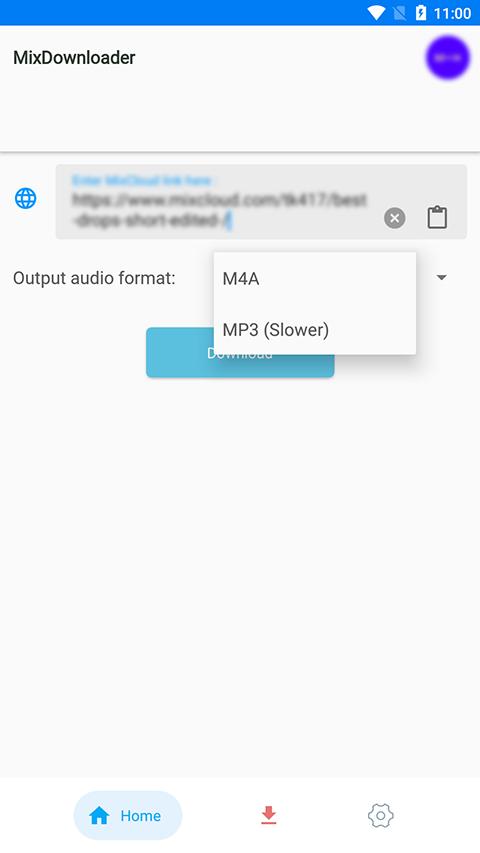
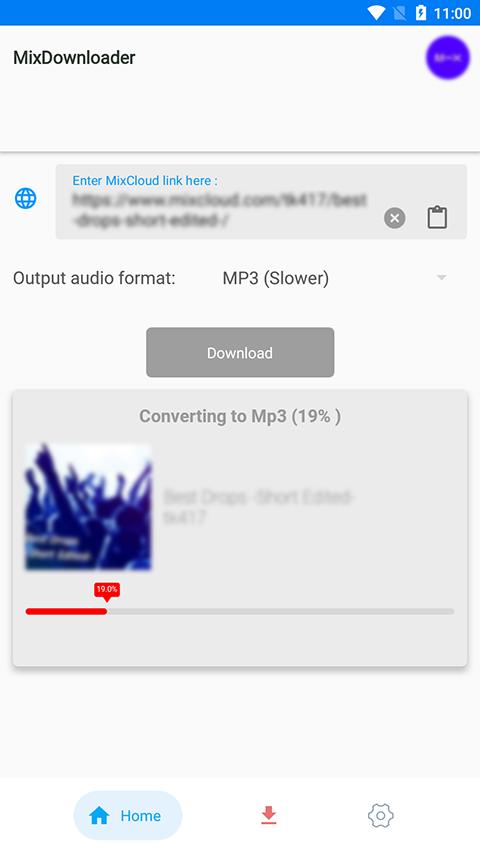
2. Select output format audio (M4A/Mp3) then click Download and wait a litte for finish downloading.
3. All files are saved on folder MixCloud-Downloader on your phone!
Note that: Some mix is exclusive , please support for artists by upgrade your Mixcloud account. Let be a fair-play user!
Preview
Tags
Music-&Information
Developer
QMLab
Latest Version
12
Last Updated
2025-10-25
Category
Music-audio
Available on
Google Play
Show More
How to play MixDownloader - Save Mp3 Mix with GameLoop on PC
1. Download GameLoop from the official website, then run the exe file to install GameLoop
2. Open GameLoop and search for “MixDownloader - Save Mp3 Mix” , find MixDownloader - Save Mp3 Mix in the search results and click “Install”
3. Enjoy playing MixDownloader - Save Mp3 Mix on GameLoop
Minimum requirements
OS
Windows 8.1 64-bit or Windows 10 64-bit
GPU
GTX 1050
CPU
i3-8300
Memory
8GB RAM
Storage
1GB available space
Recommended requirements
OS
Windows 8.1 64-bit or Windows 10 64-bit
GPU
GTX 1050
CPU
i3-9320
Memory
16GB RAM
Storage
1GB available space
