
AI Vocal Remover Offline PC
JKHD
Download AI Vocal Remover Offline on PC With GameLoop Emulator
AI Vocal Remover Offline on PC
AI Vocal Remover Offline, coming from the developer JKHD, is running on Android systerm in the past.
Now, You can play AI Vocal Remover Offline on PC with GameLoop smoothly.
Download it in the GameLoop library or search results. No more eyeing the battery or frustrating calls at the wrong time any more.
Just enjoy AI Vocal Remover Offline PC on the large screen for free!
AI Vocal Remover Offline Introduction
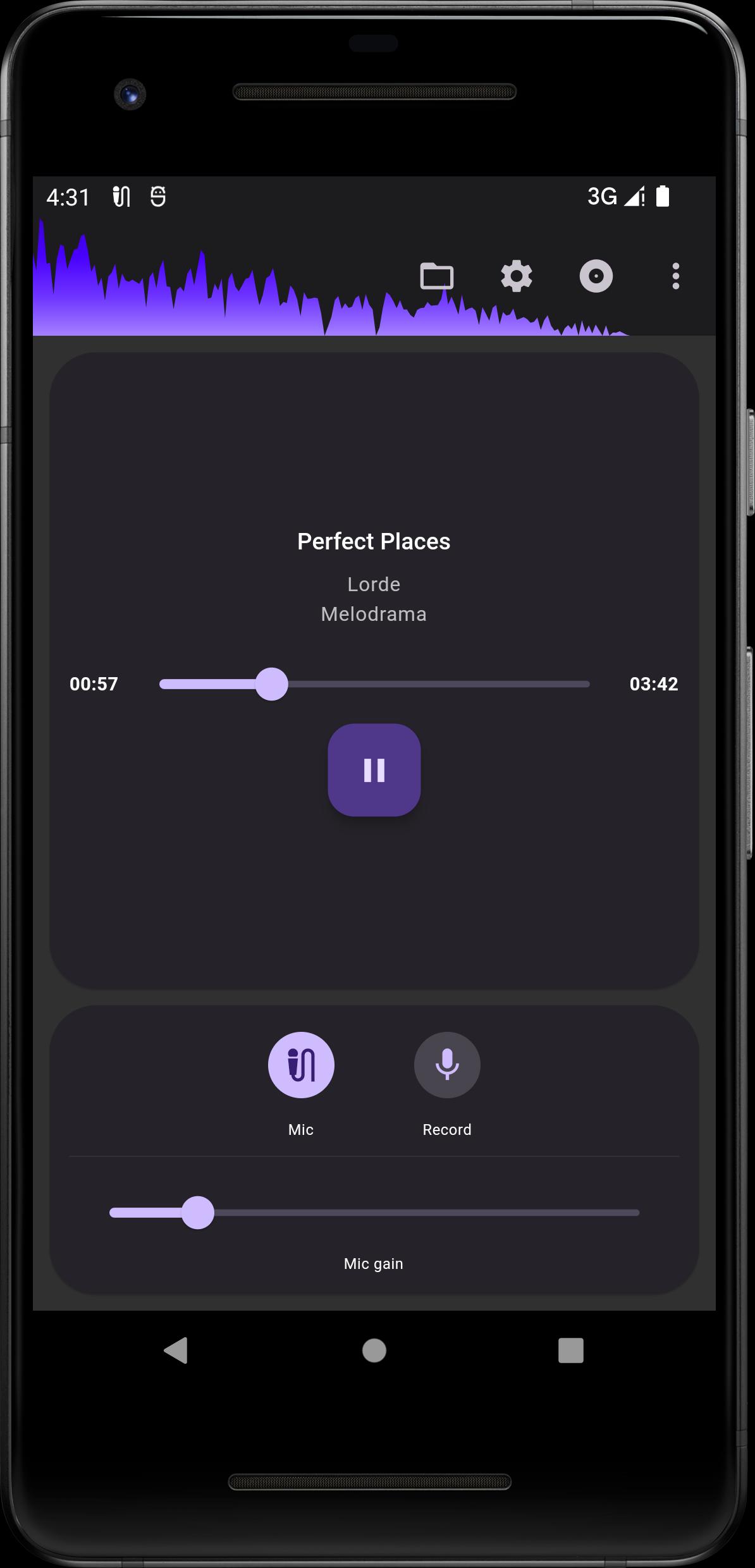
The app allows you to convert any song into an instrumental version (or vocal version) for karaoke, supporting real-time conversion and playback. It is great for practicing singing and making covers.
Features
• Convert original songs into instrumental or vocal versions using AI technology.
• No network dependency, just use your device for offline processing, no need to upload your songs.
• Record your vocals and mix them with the instrumental version to make your own covers.
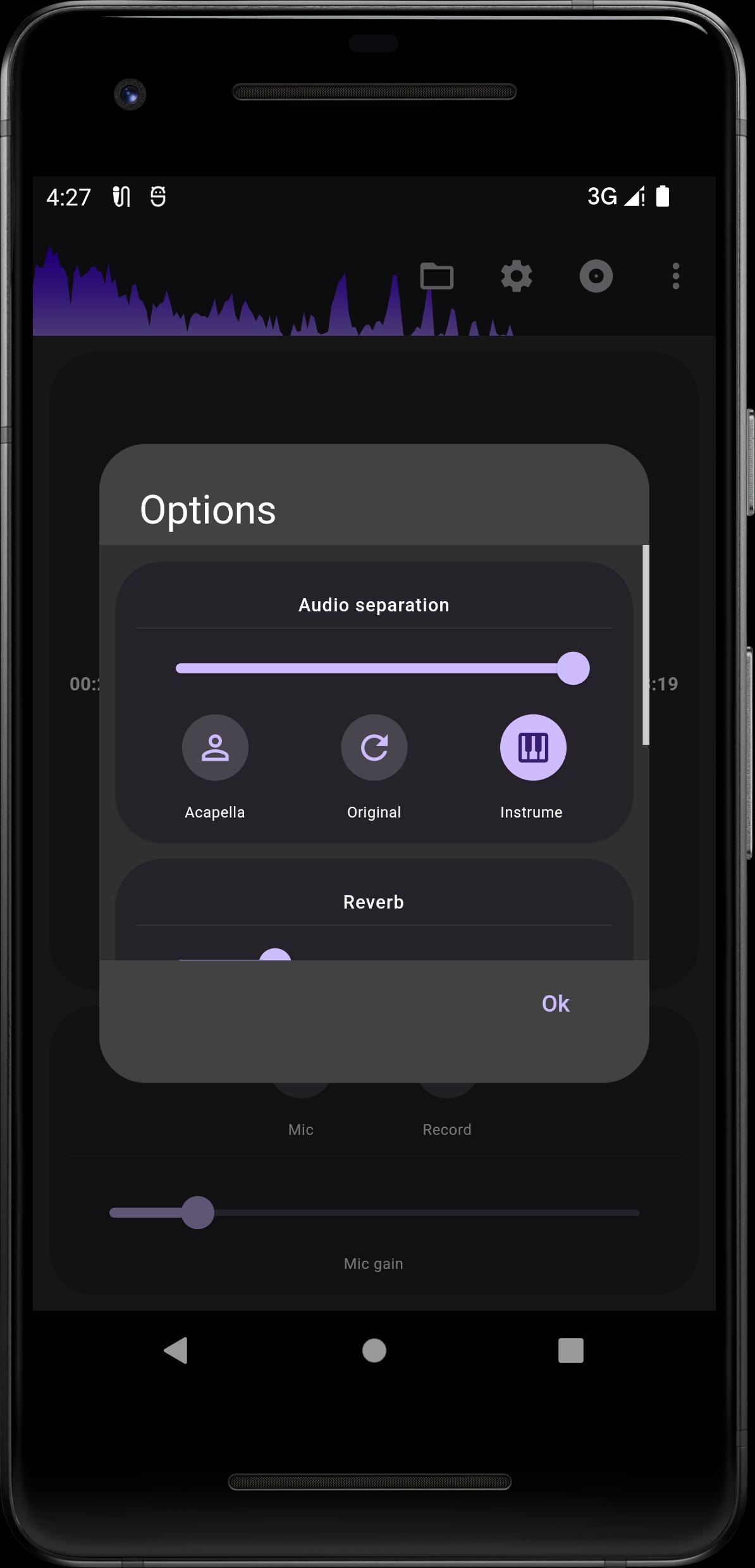
• Adjustable reverb effector.
• Adjustable audio separation strength.
• Support for common audio formats (MP3, M4A, AAC, OGG, FLAC, WAV).
• Support MP4 format video.
• The app is also a high quality music speed changer!
Notes
• Please do not install the app on the SD card, as this may cause the app not to be launched.
• Please use earbuds or headphones for the best recording experience.
Preview
Tags
Music-&Information
Developer
JKHD
Latest Version
4.6.1
Last Updated
2025-08-31
Category
Music-audio
Available on
Google Play
Show More
How to play AI Vocal Remover Offline with GameLoop on PC
1. Download GameLoop from the official website, then run the exe file to install GameLoop
2. Open GameLoop and search for “AI Vocal Remover Offline” , find AI Vocal Remover Offline in the search results and click “Install”
3. Enjoy playing AI Vocal Remover Offline on GameLoop
Minimum requirements
OS
Windows 8.1 64-bit or Windows 10 64-bit
GPU
GTX 1050
CPU
i3-8300
Memory
8GB RAM
Storage
1GB available space
Recommended requirements
OS
Windows 8.1 64-bit or Windows 10 64-bit
GPU
GTX 1050
CPU
i3-9320
Memory
16GB RAM
Storage
1GB available space