
JVC Music Control PC
JVCKENWOOD Corporation
Download JVC Music Control on PC With GameLoop Emulator
JVC Music Control on PC
JVC Music Control, coming from the developer JVCKENWOOD Corporation, is running on Android systerm in the past.
Now, You can play JVC Music Control on PC with GameLoop smoothly.
Download it in the GameLoop library or search results. No more eyeing the battery or frustrating calls at the wrong time any more.
Just enjoy JVC Music Control PC on the large screen for free!
JVC Music Control Introduction
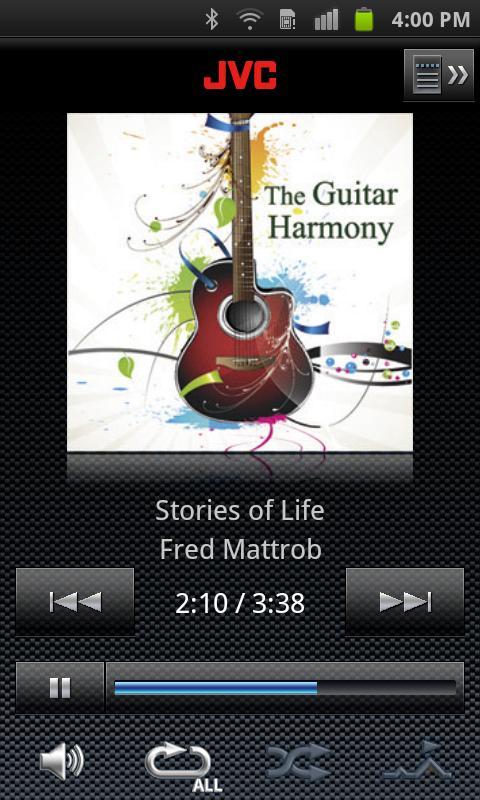
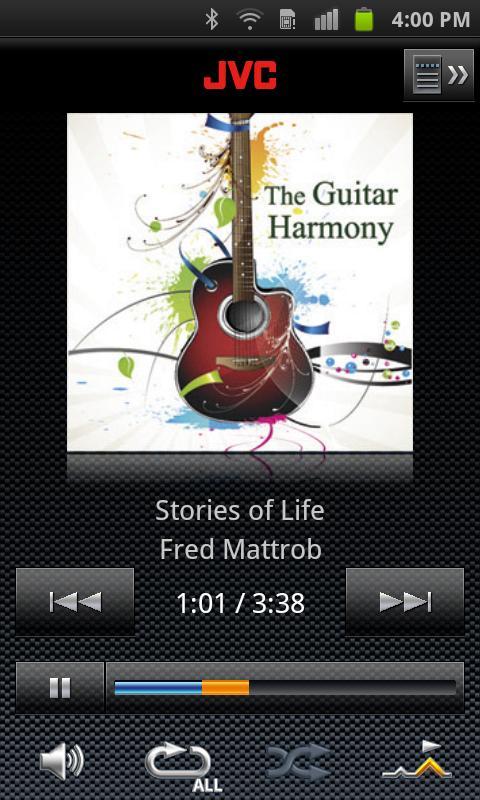
JVC Music Control is a music player application that allows you to select a song from a variety of list; for example, playing songs in the mood playlist to meet your mood of each day.
Connecting your Android device to your JVC car audio receiver via USB allows you to control playback of the songs in the Android device from your JVC car audio receiver.
‣Mood playlist function
JVC Music Control analyzes the melodies of songs in your Android device to create a playlist according to your mood.
If you are in a mood for listening to powerful songs today, you can select a playlist of songs classified as mood "Powerful".
For example, the mood "Powerful" may describe your state of mind when you want to listen to powerful songs.
Songs are analyzed and classified into the following categories of moods: High Energy(Active,Powerful,Core), Acoustic(Detailed,Simple,Smooth,Easy), Standard(Dynamic,Rockin,Vivid,), Stylistic(Cool,Urban,Trance).
‣Intro skip function
The beginning of each song is played about 30 seconds and then skip to a next song. After analyzing the song, the impressive part of a song will be played instead of the beginning of a song.
‣Control from your JVC car audio receiver
Connecting your Android device in which this application is installed to your JVC car audio receiver via USB allows you to control from your JVC car audio receiver: for example, searching for a song in the Android device by artist name or album name.
Create your favorite playlists to enjoy music whenever and wherever you want!
*To use the mood playlist function,
you need to analyze songs using the following procedure:
Press the MENU button on your Android device select "Preference",
and then check the "Background analysis" checkbox.
*To enable control from your JVC car receiver, you need to select "Output right now" or "Auto output" in the "Preference" to output the song information.
After connecting your Android device, you need to set the USB storage mode to ON.
-Supported Languages
JVC Music Control supports eight languages; English, German, French, Italian, Spanish, Dutch, Russian, and Chinese.
-Note
No warranty is given as to normal operation of all devices.
Preview
Tags
Music-&Information
Developer
JVCKENWOOD Corporation
Latest Version
1.0.4
Last Updated
2012-09-27
Category
Music-audio
Available on
Google Play
Show More
How to play JVC Music Control with GameLoop on PC
1. Download GameLoop from the official website, then run the exe file to install GameLoop
2. Open GameLoop and search for “JVC Music Control” , find JVC Music Control in the search results and click “Install”
3. Enjoy playing JVC Music Control on GameLoop
Minimum requirements
OS
Windows 8.1 64-bit or Windows 10 64-bit
GPU
GTX 1050
CPU
i3-8300
Memory
8GB RAM
Storage
1GB available space
Recommended requirements
OS
Windows 8.1 64-bit or Windows 10 64-bit
GPU
GTX 1050
CPU
i3-9320
Memory
16GB RAM
Storage
1GB available space