Headphone Louder Volume Booster PC
minhcamXton
Download Headphone Louder Volume Booster on PC With GameLoop Emulator
Headphone Louder Volume Booster on PC
Headphone Louder Volume Booster, coming from the developer minhcamXton, is running on Android systerm in the past.
Now, You can play Headphone Louder Volume Booster on PC with GameLoop smoothly.
Download it in the GameLoop library or search results. No more eyeing the battery or frustrating calls at the wrong time any more.
Just enjoy Headphone Louder Volume Booster PC on the large screen for free!
Headphone Louder Volume Booster Introduction
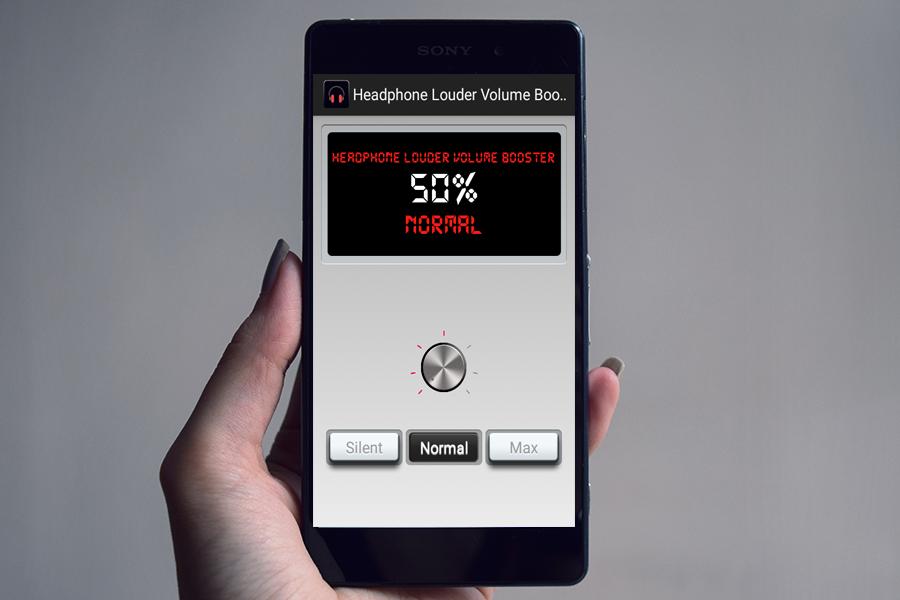
Headphone Louder Volume Booster increase your music volume of your mobile phone 30%-40% by using it. Its amplifie your sound and gives higher sound boost.
Headphone Louder Volume Booster is an excellent volume control app. Simple, small, free app to boost your speaker or headphone sound volume. Useful for movies, audio books and music. The best free app that will help you increase the volume of your Android phone by controlling it for all sound streams (music, voice, alarm, system).
Adjust the music volume, alarm volume, call voice volume and other system volumes. Thanks to this Phone Sound Booster, you can easily adjust all these in few seconds.
You can easily increase your phone sound to the maximum in a single key and just in a few seconds.
Headphone Louder Volume Booster features.
* Visualizer gives amazing look to your phone.
* Volume Booster.
* Super Loud Volume Booster boost your sound louder.
* Music amplifier sound booster.
* Headphone volume booster and Speaker of phone auto boost sound.
Headphone Louder Volume Booster control your phone sounds and volume levels. You can boost all of the following with just one tap of a button:
- Boost your music volume
- Boost your alarm volume
- Boost your call voice volume
- Boost your notification sounds
- Boost all your system sounds
Headphone Louder Volume Booster works better with Headphone and Bluetooth Headset.
Preview
Information
Developer
minhcamXton
Latest Version
3.0
Last Updated
2018-11-30
Category
Music-audio
Available on
Google Play
Show More
How to play Headphone Louder Volume Booster with GameLoop on PC
1. Download GameLoop from the official website, then run the exe file to install GameLoop
2. Open GameLoop and search for “Headphone Louder Volume Booster” , find Headphone Louder Volume Booster in the search results and click “Install”
3. Enjoy playing Headphone Louder Volume Booster on GameLoop
Minimum requirements
OS
Windows 8.1 64-bit or Windows 10 64-bit
GPU
GTX 1050
CPU
i3-8300
Memory
8GB RAM
Storage
1GB available space
Recommended requirements
OS
Windows 8.1 64-bit or Windows 10 64-bit
GPU
GTX 1050
CPU
i3-9320
Memory
16GB RAM
Storage
1GB available space