GEGAR FM Malaysia - Permata Pantai Timur PC
Almeda Media
Download GEGAR FM Malaysia - Permata Pantai Timur on PC With GameLoop Emulator
GEGAR FM Malaysia - Permata Pantai Timur on PC
GEGAR FM Malaysia - Permata Pantai Timur, coming from the developer Almeda Media, is running on Android systerm in the past.
Now, You can play GEGAR FM Malaysia - Permata Pantai Timur on PC with GameLoop smoothly.
Download it in the GameLoop library or search results. No more eyeing the battery or frustrating calls at the wrong time any more.
Just enjoy GEGAR FM Malaysia - Permata Pantai Timur PC on the large screen for free!
GEGAR FM Malaysia - Permata Pantai Timur Introduction
GEGAR is Malaysia’s No. 1 East Coast radio brand, with a current weekly reach of 2.4M on radio. The brand is the East Coast community’s key source of local news, entertainment and variety of local music.
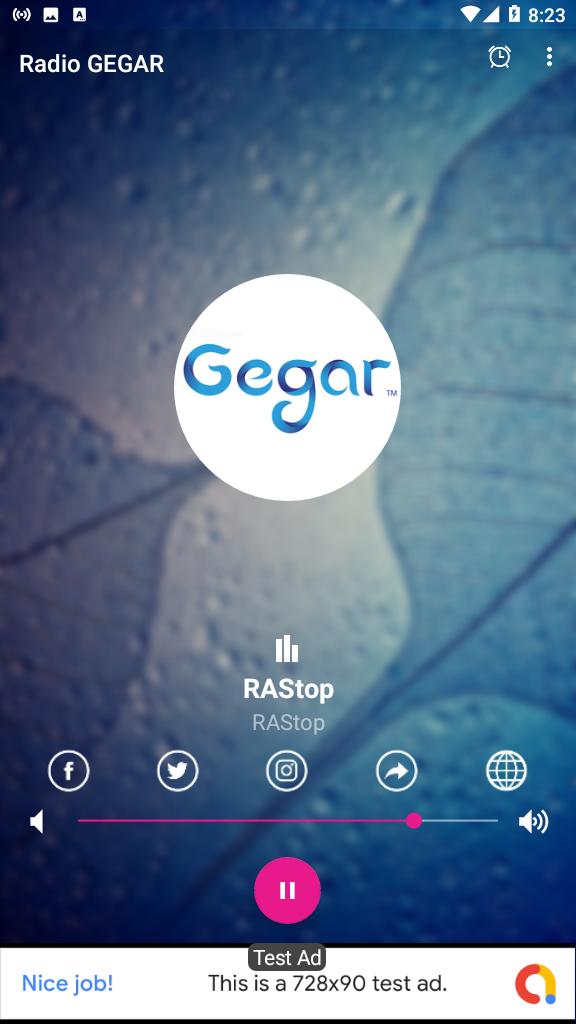
Radio GEGAR FM Malaysia provides the best radio stations from the Malaysia.
Radio GEGAR FM Malaysia app brings to you for free, the opportunity to enjoy listening to online radio broadcasts and music on your android, no matter where you are.
Features:
* Save your favorite radio stations
* Lists recent played radio stations
* Quick search for a specific radio
* Sleep Timer
* And of course, listen to the radios
If you love the Radio GEGAR FM Malaysia app, please consider rating us 5-stars on Google Play. Please send your thoughts to almedamedia.inc@gmail.com
Kandungan dan tanda dagangan aplikasi ini adalah hak milik pihak ketiga. Aplikasi Radio GEGAR FM Malaysia tidak berkaitan dengan jenama ini. Hantarkan e-mel kepada kami ke almedamedia.inc@gmail.com untuk sebarang pertanyaan.
Preview
Information
Developer
Almeda Media
Latest Version
4.3
Last Updated
2022-04-27
Category
Music-audio
Available on
Google Play
Show More
How to play GEGAR FM Malaysia - Permata Pantai Timur with GameLoop on PC
1. Download GameLoop from the official website, then run the exe file to install GameLoop
2. Open GameLoop and search for “GEGAR FM Malaysia - Permata Pantai Timur” , find GEGAR FM Malaysia - Permata Pantai Timur in the search results and click “Install”
3. Enjoy playing GEGAR FM Malaysia - Permata Pantai Timur on GameLoop
Minimum requirements
OS
Windows 8.1 64-bit or Windows 10 64-bit
GPU
GTX 1050
CPU
i3-8300
Memory
8GB RAM
Storage
1GB available space
Recommended requirements
OS
Windows 8.1 64-bit or Windows 10 64-bit
GPU
GTX 1050
CPU
i3-9320
Memory
16GB RAM
Storage
1GB available space