
DJ Drops PC
Neily Hype
Download DJ Drops on PC With GameLoop Emulator
DJ Drops on PC
DJ Drops, coming from the developer Neily Hype, is running on Android systerm in the past.
Now, You can play DJ Drops on PC with GameLoop smoothly.
Download it in the GameLoop library or search results. No more eyeing the battery or frustrating calls at the wrong time any more.
Just enjoy DJ Drops PC on the large screen for free!
DJ Drops Introduction
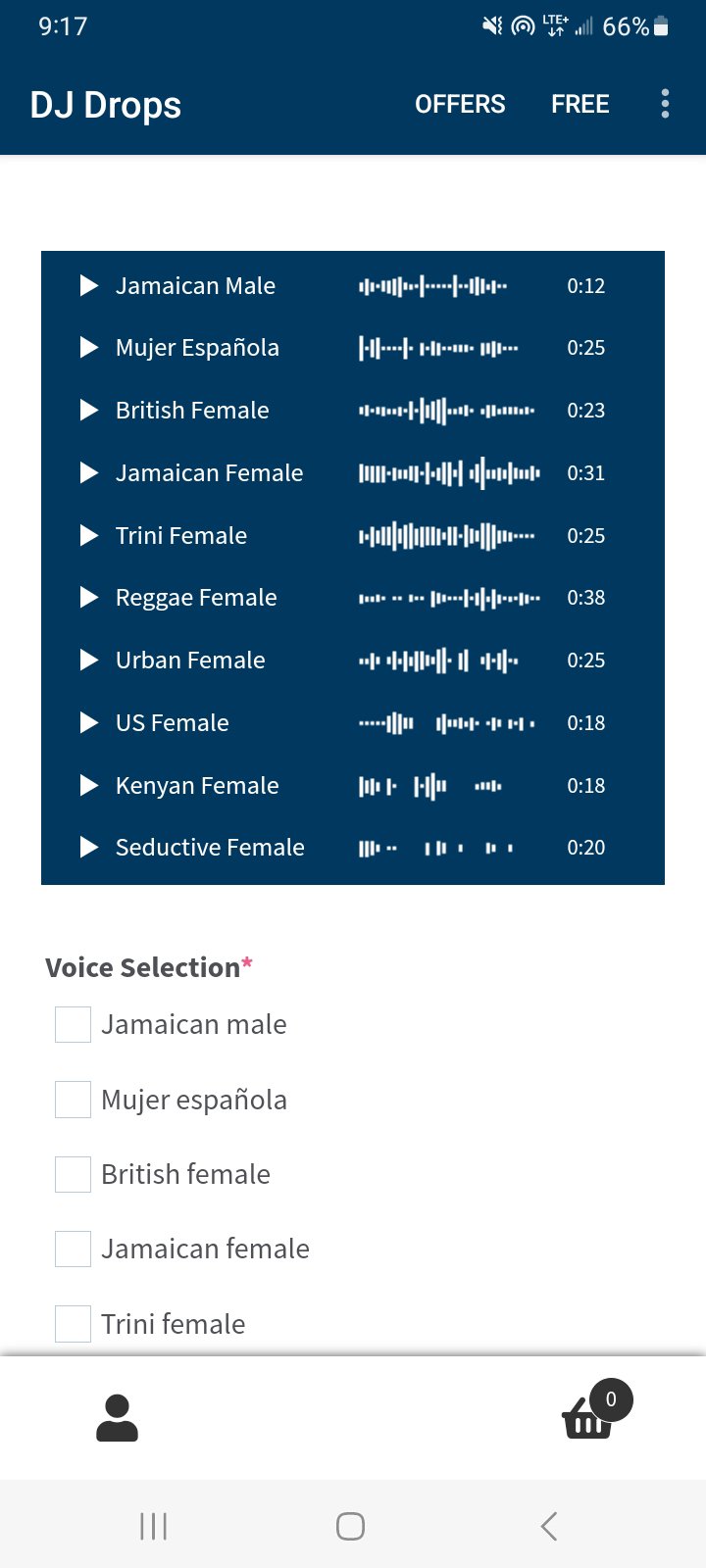
Available voices:
- Jamaican male
- Spanish female
- British female
- Jamaican female
- Trini female
- Reggae female
- Urban female
- US female
- Kenyan female
- Seductive female
ALL VOICES ARE REAL AND AUTHENTIC (real humans)
Music genres we specialize in:
x Reggae / Dancehall / Dub
x Hip Hop / Trap / Drill
x Rnb / Soul
x Afrobeats
x Reggaeton
x EDM / Pop
Enter your script, place your order, then receive your custom DJ drops within 1-5 days. Your order will be delivered to the email address that you provide at checkout.
FAQ:
Q: In what audio format do you deliver the DJ drops?
A: MP3
Q: Do you do free revisions?
A: We’ll happily revise or re-record the drops if there are mispronunciations, or if words are skipped from your script. Apart from that, no.
Q: What if I don't like the DJ drops that you deliver?
A: I can only see that happening if you bought the service blindly and didn't listen to the audio samples (that wouldn't be our fault). If you like what you hear in the samples, I guarantee you will be pleased with your delivery.
Q: Where will the DJ drops be delivered?
A: To the email address that you provide at checkout.
Preview
Tags
Music-&Information
Developer
Neily Hype
Latest Version
4.2.1
Last Updated
2024-11-28
Category
Music-audio
Available on
Google Play
Show More
How to play DJ Drops with GameLoop on PC
1. Download GameLoop from the official website, then run the exe file to install GameLoop
2. Open GameLoop and search for “DJ Drops” , find DJ Drops in the search results and click “Install”
3. Enjoy playing DJ Drops on GameLoop
Minimum requirements
OS
Windows 8.1 64-bit or Windows 10 64-bit
GPU
GTX 1050
CPU
i3-8300
Memory
8GB RAM
Storage
1GB available space
Recommended requirements
OS
Windows 8.1 64-bit or Windows 10 64-bit
GPU
GTX 1050
CPU
i3-9320
Memory
16GB RAM
Storage
1GB available space