Oscilloscope PC
kmlen
Download Oscilloscope on PC With GameLoop Emulator
Oscilloscope on PC
Oscilloscope, coming from the developer kmlen, is running on Android systerm in the past.
Now, You can play Oscilloscope on PC with GameLoop smoothly.
Download it in the GameLoop library or search results. No more eyeing the battery or frustrating calls at the wrong time any more.
Just enjoy Oscilloscope PC on the large screen for free!
Oscilloscope Introduction
* Timebase 0.1 ms - 0.5 sec
* Single shot
* Storage
* Index
Using
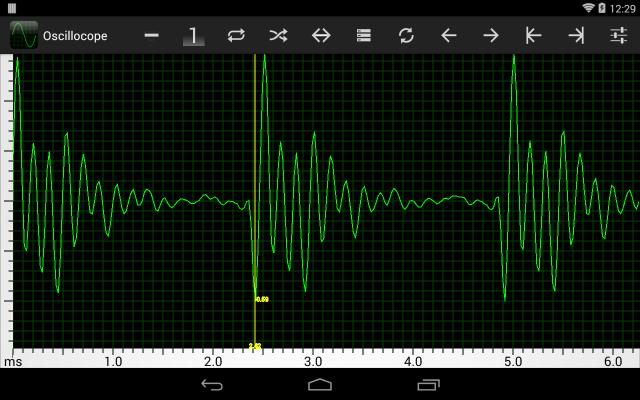
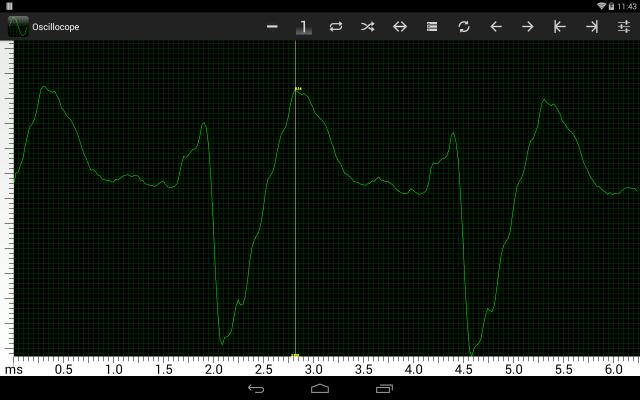
The icons on the toolbar are, from left to right:
Bright line Defeats the sync and single shot
Single shot Touch the trigger icon to get a trace
Trigger Touch for a trace
Sync polarity Reverses the sync polarity
Timebase Drops a submenu of timebase timings
Storage Does not clear the display between traces
Clear Clears the display
Left Moves the trace to the left
Right Moves the trace to the right
Start Moves the trace to the start
End Moves the trace to the end
Settings Just an About item
Touching the display will produce a vertical index line, which will show the value at that point. The value is arbitrary, as there is automatic gain control on the input so the trace does not get clipped. The position of the index can be finely adjusted by rolling the finger tip. The index can be removed by swiping it off to the left, or touching the Start icon.
In single shot mode the timebase may be changed to zoom in and pan left and right using the right and left icons.
Preview
Information
Developer
kmlen
Latest Version
1.6
Last Updated
2014-11-16
Category
Music-audio
Available on
Google Play
Show More
How to play Oscilloscope with GameLoop on PC
1. Download GameLoop from the official website, then run the exe file to install GameLoop
2. Open GameLoop and search for “Oscilloscope” , find Oscilloscope in the search results and click “Install”
3. Enjoy playing Oscilloscope on GameLoop
Minimum requirements
OS
Windows 8.1 64-bit or Windows 10 64-bit
GPU
GTX 1050
CPU
i3-8300
Memory
8GB RAM
Storage
1GB available space
Recommended requirements
OS
Windows 8.1 64-bit or Windows 10 64-bit
GPU
GTX 1050
CPU
i3-9320
Memory
16GB RAM
Storage
1GB available space