
HQ Music Player - MP3 Player PC
Prime Dev Studio
Download HQ Music Player - MP3 Player on PC With GameLoop Emulator
HQ Music Player - MP3 Player on PC
HQ Music Player - MP3 Player, coming from the developer Prime Dev Studio, is running on Android systerm in the past.
Now, You can play HQ Music Player - MP3 Player on PC with GameLoop smoothly.
Download it in the GameLoop library or search results. No more eyeing the battery or frustrating calls at the wrong time any more.
Just enjoy HQ Music Player - MP3 Player PC on the large screen for free!
HQ Music Player - MP3 Player Introduction
🎶 Ready to Elevate Your Music Experience? 🎶
🌟 Discover HQ Music Player - Audio Player & MP3 Player! 🌟
Tired of the same old music player on your Android? It's time to switch to HQ Music Player, where every beat comes to life! This isn't just any music player; it's a portal to a soul-stirring audio player journey. 🚀
Experience the Difference with HQ Music Player!
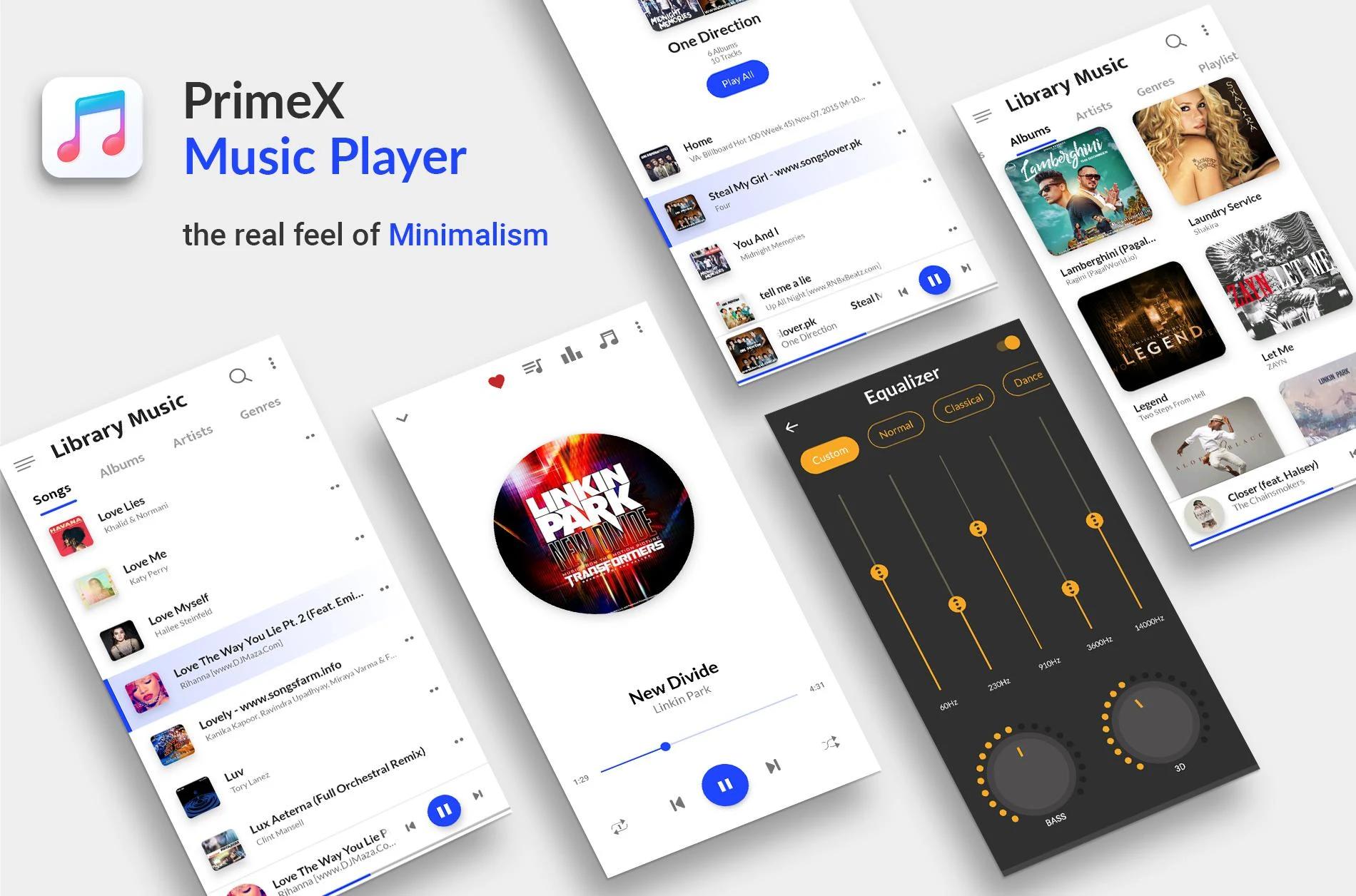
🔊 Immerse yourself in HD music quality that feels like a live concert in your pocket! Our lightweight, yet robust, music MP3 player boosts your tunes with a 10-band equalizer and a bass booster specifically designed for Android. 🎧
Key Features that Set Us Apart:
🌟Intuitive Interface: Glide through your music collection with ease.
🌟Lyrics Support: Sing along with embedded lyric files.
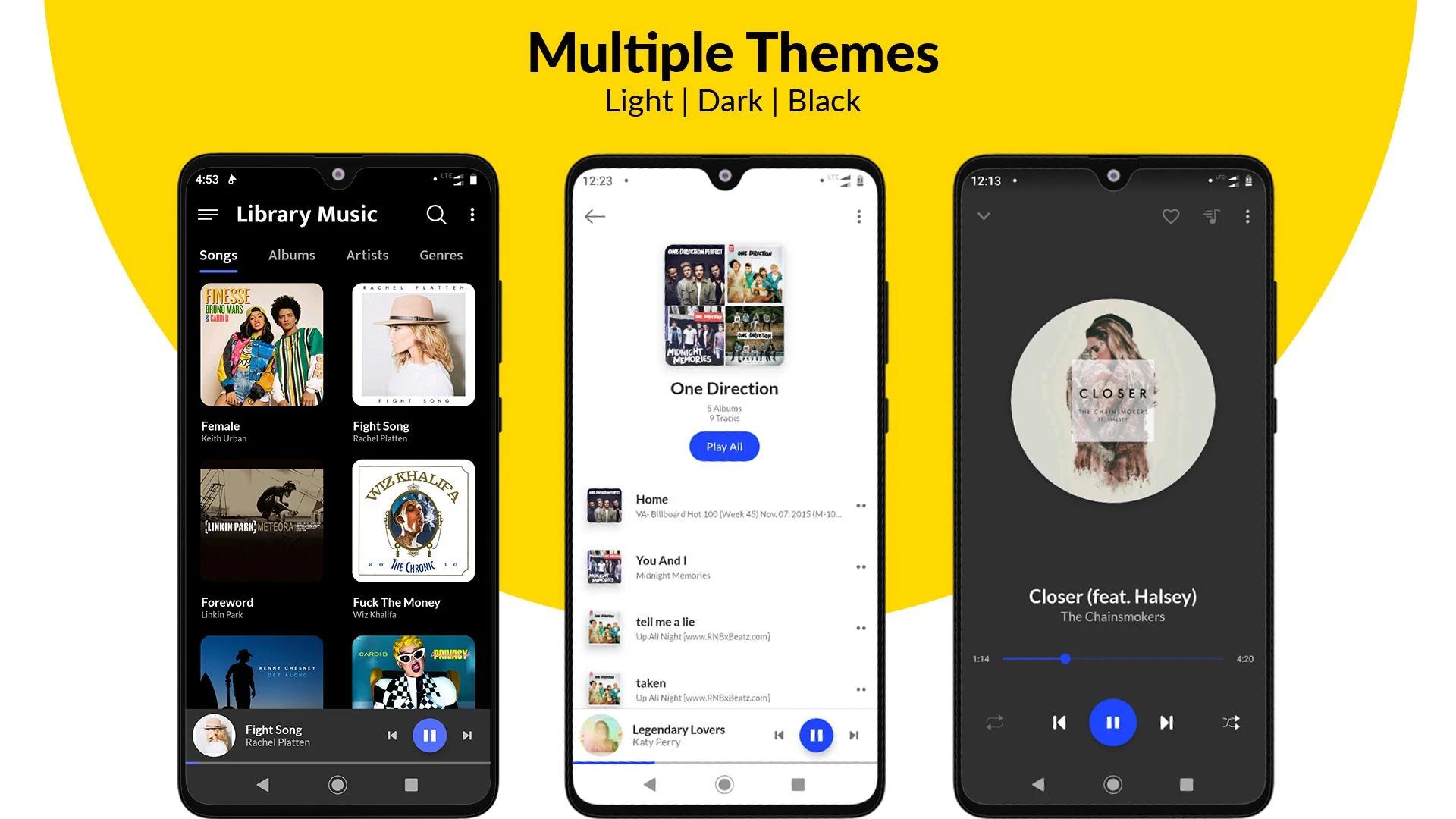
🌟Customizable Themes: Switch up the look to match your mood.
🌟Graphic Equalizer & Bass Booster: Transform your listening experience.
🌟Personalized Playlists: Craft the perfect soundtrack for every moment.
🌟Favorite Bookmarks: One-click to your beloved tunes.
🌟Music Filtering: Sort by songs, albums, genres, or artists.
🌟Gapless Playback: Enjoy seamless music with a crossfade effect.
🌟Sleep Timer: Drift off to your favorite melodies with audio player.
🌟Lock Screen Notifications: Control music right from your lock screen.
🌟Wide Format Support: Play all popular audio formats.
🌟Folder Scan: Effortless music management.
🌟Home Screen Widgets & Shortcuts: Access your music in a snap.
🌟Offline Music Player: Enjoy hits anytime, anywhere - no WIFI needed.
🌟Ringtone Maker: Personalize your call tunes.
🌟🎵 Your Ultimate Music Companion Awaits! 🎵
Whether you're a music aficionado or just love to groove, HQ Music Player is your go-to. It's not just an offline music MP3 player; it's an experience. And the best part? It's FREE! (With optional in-app upgrades for those who want more.)
👉 Install HQ Music Player - Bass Booster & Equalizer NOW and transform your Android into a music paradise! 👈
Disclaimer: This app is an offline local mp3 player. It does not support online music download or streaming.
🎉 Join the HQ Music Player family and let the music play! 🎉
Preview
Tags
Music-&Information
Developer
Prime Dev Studio
Latest Version
2.8.5
Last Updated
2024-04-24
Category
Music-audio
Available on
Google Play
Show More
How to play HQ Music Player - MP3 Player with GameLoop on PC
1. Download GameLoop from the official website, then run the exe file to install GameLoop
2. Open GameLoop and search for “HQ Music Player - MP3 Player” , find HQ Music Player - MP3 Player in the search results and click “Install”
3. Enjoy playing HQ Music Player - MP3 Player on GameLoop
Minimum requirements
OS
Windows 8.1 64-bit or Windows 10 64-bit
GPU
GTX 1050
CPU
i3-8300
Memory
8GB RAM
Storage
1GB available space
Recommended requirements
OS
Windows 8.1 64-bit or Windows 10 64-bit
GPU
GTX 1050
CPU
i3-9320
Memory
16GB RAM
Storage
1GB available space