ASMR Brush ASMR Sounds Asmr for sleep PC
soundsofthesoul
Download ASMR Brush ASMR Sounds Asmr for sleep on PC With GameLoop Emulator
ASMR Brush ASMR Sounds Asmr for sleep on PC
ASMR Brush ASMR Sounds Asmr for sleep, coming from the developer soundsofthesoul, is running on Android systerm in the past.
Now, You can play ASMR Brush ASMR Sounds Asmr for sleep on PC with GameLoop smoothly.
Download it in the GameLoop library or search results. No more eyeing the battery or frustrating calls at the wrong time any more.
Just enjoy ASMR Brush ASMR Sounds Asmr for sleep PC on the large screen for free!
ASMR Brush ASMR Sounds Asmr for sleep Introduction
Listen to ASMR Brush to study and work more during the day or get to sleep faster and have better sleep quality.
All you need is ASMR Brushing, our free application to focus and sleep.
What is ASMR?
ASMR is the sensation experienced by some people in response to specific sights and sounds, described as a warm, tingling and pleasant sensation starting at the crown of the head and spreading down the body. The ‘tingles’ – sometimes described as ‘brain tingles’ or ‘brain orgasms’ – are typically accompanied by feelings of calm and relaxation.
😊Benefits of ASMR
- Increased focus on your tasks
- Achieve peacefulness of body and mind.
- Effective assistance to sleep, cure for insomnia
- 🛌Better sleep
- Relief for stress and anxiety
- Excellent for meditation and relaxation
- Increased awareness and concentration
- Tinnitus calmer
- Pacification of babies👶 and toddlers
- Asmr Meditation, Asmr satisfying, Asmr for study, Asmr for sleep
Features of the app
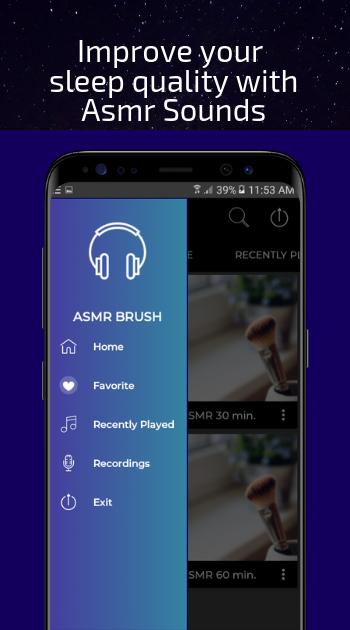
- Listen with your screen blocked
- 🕑 Sleep timer: At the end of the timer, all sounds will end
- ⏰Alarm clock sounds peaceful
- Audio downloads
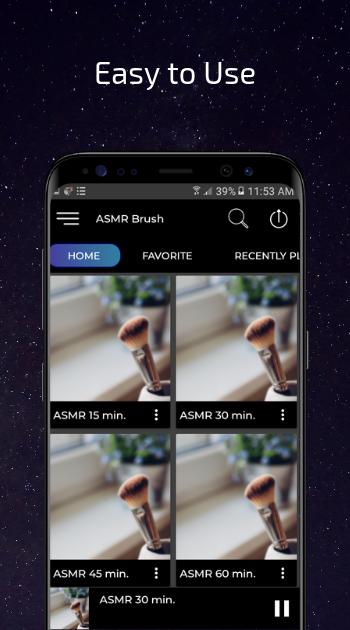
- Audio only mode
- Volume control
- Asmr app Offline: Click on the REC button, and download your favorite audios, you will find them in your Recordings.
Listen without needing a connection
Asmr Sounds, Asmr Noises, Asmr Gentle Whispering, ASMR Brushing,
Preview
Information
Developer
soundsofthesoul
Latest Version
1.16
Last Updated
2020-07-30
Category
Music-audio
Available on
Google Play
Show More
How to play ASMR Brush ASMR Sounds Asmr for sleep with GameLoop on PC
1. Download GameLoop from the official website, then run the exe file to install GameLoop
2. Open GameLoop and search for “ASMR Brush ASMR Sounds Asmr for sleep” , find ASMR Brush ASMR Sounds Asmr for sleep in the search results and click “Install”
3. Enjoy playing ASMR Brush ASMR Sounds Asmr for sleep on GameLoop
Minimum requirements
OS
Windows 8.1 64-bit or Windows 10 64-bit
GPU
GTX 1050
CPU
i3-8300
Memory
8GB RAM
Storage
1GB available space
Recommended requirements
OS
Windows 8.1 64-bit or Windows 10 64-bit
GPU
GTX 1050
CPU
i3-9320
Memory
16GB RAM
Storage
1GB available space