
1by1 Directory Player PC
mpesch3
Download 1by1 Directory Player on PC With GameLoop Emulator
1by1 Directory Player on PC
1by1 Directory Player, coming from the developer mpesch3, is running on Android systerm in the past.
Now, You can play 1by1 Directory Player on PC with GameLoop smoothly.
Download it in the GameLoop library or search results. No more eyeing the battery or frustrating calls at the wrong time any more.
Just enjoy 1by1 Directory Player PC on the large screen for free!
1by1 Directory Player Introduction
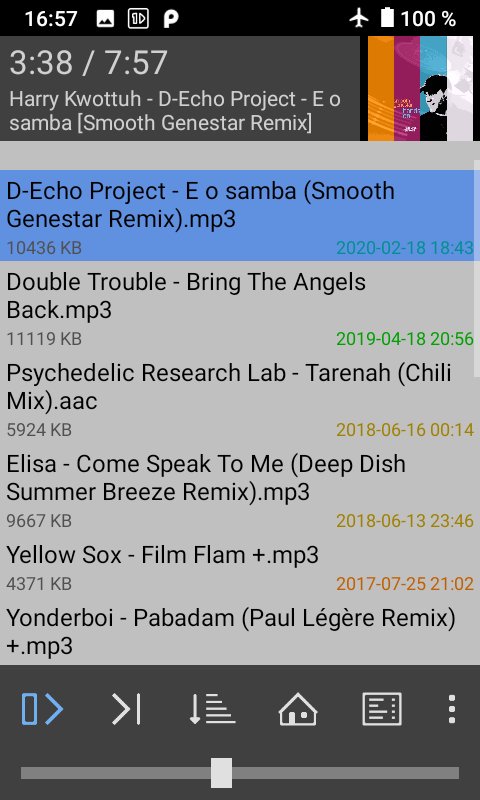
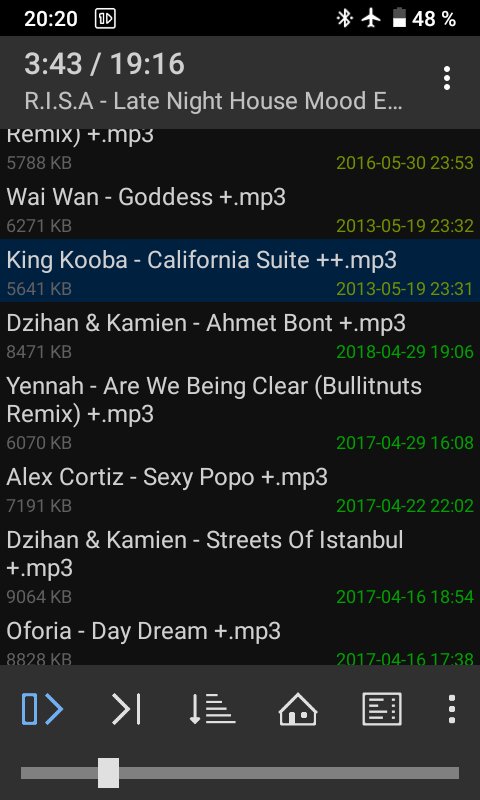
Smart view, folder play, sound enhancing, crossfading. 1by1 plays audio files directly from folders. No need for playlists or media databases. With its clear and simple user interface it does not waste your time and battery with unneeded visualisations.
Resume play remembers track and position - also for different folders. Bookmarking of tracks, positions, lists. File finder (long press on a folder). Directory finder. Sort, shuffle and repeat modes.
Audio enhancers for consistent volume and powerful sound. Gapless and Crossfade for smooth transitions. Mono mix. Fast play. Note: The DSP needs "Internal decoding" enabled in the settings on Android 4.1 or newer.
Exportable internal playlist, M3U/M3U8 playlist support, Webstream play (by URLs in M3U playlists). Track coloring by month or name. Cover art (disableable). Shortcuts by button long press. Sleep timer. Very small app size, ad-free.
Supported types (depending on the system): MP3, OGG, AAC, MP4, WAV, FLAC, OPUS. Note: OPUS only with OGG-extension in Android 5 and 6.
No files shown? Please check the permissions. Problems, crashs, bugs? Please write an e-mail. This helps more than an untracable 1-star rating, thanks!
Permissions: Wake lock (keep playing on screen off), Write on SD card (track delete, playlist export), Internet (webstreaming), Bluetooth (connect options).
Preview
Tags
Music-&Information
Developer
mpesch3
Latest Version
1.31
Last Updated
2021-10-24
Category
Music-audio
Available on
Google Play
Show More
How to play 1by1 Directory Player with GameLoop on PC
1. Download GameLoop from the official website, then run the exe file to install GameLoop
2. Open GameLoop and search for “1by1 Directory Player” , find 1by1 Directory Player in the search results and click “Install”
3. Enjoy playing 1by1 Directory Player on GameLoop
Minimum requirements
OS
Windows 8.1 64-bit or Windows 10 64-bit
GPU
GTX 1050
CPU
i3-8300
Memory
8GB RAM
Storage
1GB available space
Recommended requirements
OS
Windows 8.1 64-bit or Windows 10 64-bit
GPU
GTX 1050
CPU
i3-9320
Memory
16GB RAM
Storage
1GB available space