
SCIS Credencial Digital PC
SCIS
Download SCIS Credencial Digital on PC With GameLoop Emulator
SCIS Credencial Digital on PC
SCIS Credencial Digital, coming from the developer SCIS, is running on Android systerm in the past.
Now, You can play SCIS Credencial Digital on PC with GameLoop smoothly.
Download it in the GameLoop library or search results. No more eyeing the battery or frustrating calls at the wrong time any more.
Just enjoy SCIS Credencial Digital PC on the large screen for free!
SCIS Credencial Digital Introduction
NEW MOBILE APP
We are working on a new MOBILE APP for you!
Very soon you will be able to enjoy this new benefit!
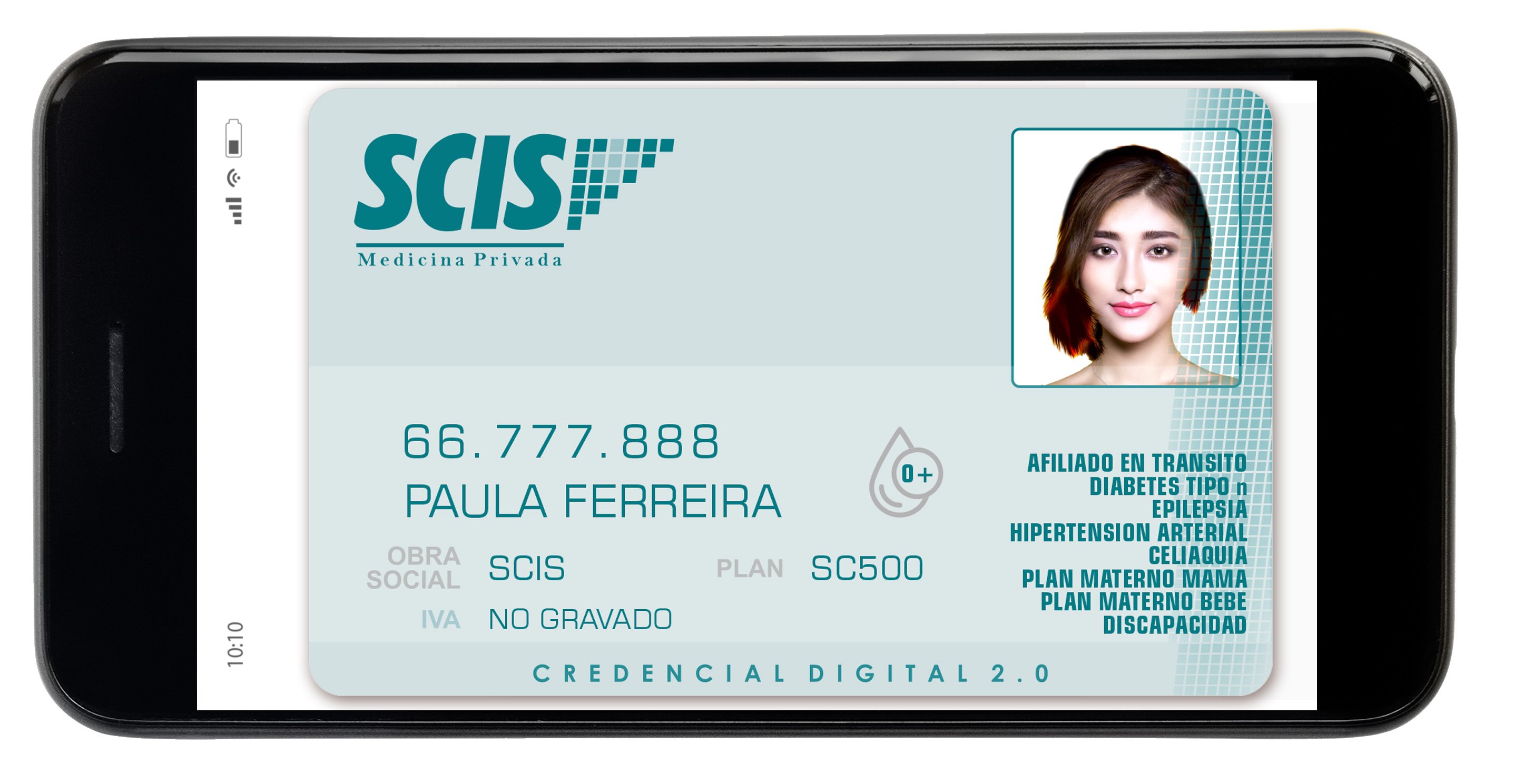
With the Digital Credential 2.0 App you will be able to access your personal Digital Credential, as well as that of the members of your family group.
From the App you can capture your portrait photograph (selfie) which will be used in your digital credentials for better identification.
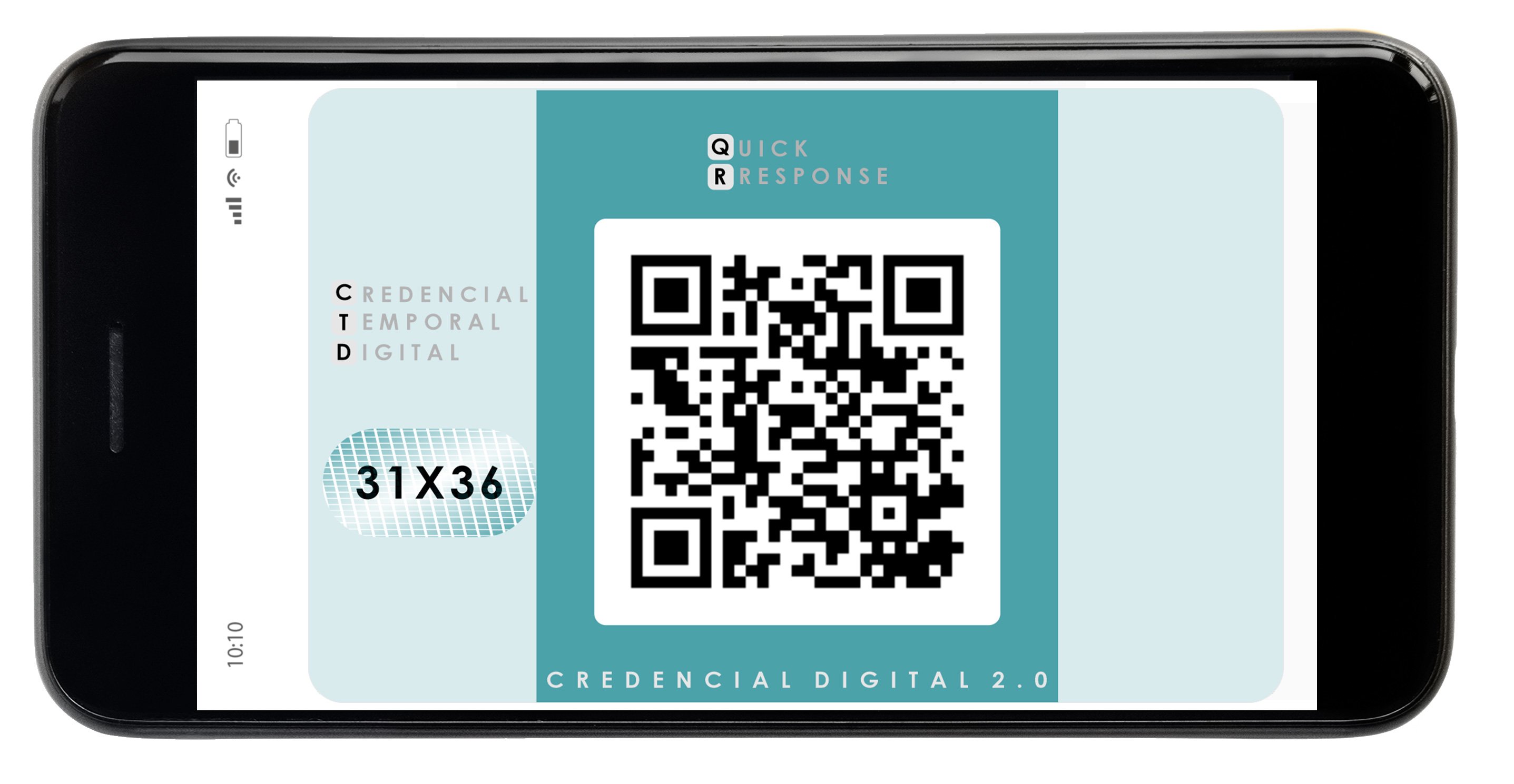
On the other hand, providers will be able to authorize services online by entering the validation code or by reading the QR code that appears on the back of their digital credential.
BENEFITS
Digital credentials have focused on being a quick and effective replacement for physical credentials.
Current technological development and the digitization of affiliates and providers enable us to design a path that takes digital credentials further, allowing us to:
PRACTICE
It is practical and accessible 24 hours a day, presenting it from the same mobile phone
ENVIRONMENTAL IMPACT
Reduce environmental impact by avoiding plastics printing
AVOID FRAUD
Reduce eventual fraud due to misuse of traditional credentials
SPEED UP VALIDATION
Improve the experience of our Affiliates and Providers in the process of care and validation of Medical Benefits.
FINAL
It is final. Does not require renewal
Preview
Tags
MedicalInformation
Developer
SCIS
Latest Version
2.1.10
Last Updated
2024-01-10
Category
Medical
Available on
Google Play
Show More
How to play SCIS Credencial Digital with GameLoop on PC
1. Download GameLoop from the official website, then run the exe file to install GameLoop
2. Open GameLoop and search for “SCIS Credencial Digital” , find SCIS Credencial Digital in the search results and click “Install”
3. Enjoy playing SCIS Credencial Digital on GameLoop
Minimum requirements
OS
Windows 8.1 64-bit or Windows 10 64-bit
GPU
GTX 1050
CPU
i3-8300
Memory
8GB RAM
Storage
1GB available space
Recommended requirements
OS
Windows 8.1 64-bit or Windows 10 64-bit
GPU
GTX 1050
CPU
i3-9320
Memory
16GB RAM
Storage
1GB available space