
Salud Total EPS-S PC
SALUD TOTAL EPS
Download Salud Total EPS-S on PC With GameLoop Emulator
Salud Total EPS-S on PC
Salud Total EPS-S, coming from the developer SALUD TOTAL EPS, is running on Android systerm in the past.
Now, You can play Salud Total EPS-S on PC with GameLoop smoothly.
Download it in the GameLoop library or search results. No more eyeing the battery or frustrating calls at the wrong time any more.
Just enjoy Salud Total EPS-S PC on the large screen for free!
Salud Total EPS-S Introduction
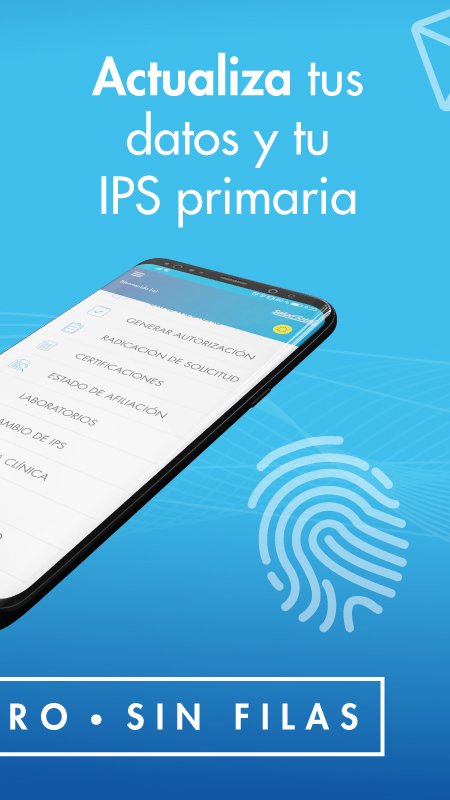
Salud Total Móvil is a virtual Customer Service Point, where Salud Total EPS-S clients can easily and quickly access their services from anywhere, being completely transactional.
Here you can request medical, dental, and Direct Health appointments, consult and download laboratory results, know your membership status, generate membership certifications and notifications.
Now Salud Total EPS-S is in your pocket for:
- Consult in Directories the information on the medical network, emergency care sites (high and low complexity), location of pharmacies and units; basic care, Dental, Specialized Medical, Promotion and Prevention and User Service Points.
- Request, cancel and consult my medical and dental appointments. You can also access 8 specialties through Direct Health (service available in some branches).
- Consult my medical services directions.
- Generate my certifications and notifications.
- Consult and download laboratory results (Available only for diagnostic tests taken in own units).
- Know the affiliation status.
Preview

Tags
MedicalInformation
Developer
SALUD TOTAL EPS
Latest Version
4.4.0
Last Updated
2026-08-18
Category
Medical
Available on
Google Play
Show More
How to play Salud Total EPS-S with GameLoop on PC
1. Download GameLoop from the official website, then run the exe file to install GameLoop
2. Open GameLoop and search for “Salud Total EPS-S” , find Salud Total EPS-S in the search results and click “Install”
3. Enjoy playing Salud Total EPS-S on GameLoop
Minimum requirements
OS
Windows 8.1 64-bit or Windows 10 64-bit
GPU
GTX 1050
CPU
i3-8300
Memory
8GB RAM
Storage
1GB available space
Recommended requirements
OS
Windows 8.1 64-bit or Windows 10 64-bit
GPU
GTX 1050
CPU
i3-9320
Memory
16GB RAM
Storage
1GB available space