Pocket PEx PC
MedEdApps
Download Pocket PEx on PC With GameLoop Emulator
Pocket PEx on PC
Pocket PEx, coming from the developer MedEdApps, is running on Android systerm in the past.
Now, You can play Pocket PEx on PC with GameLoop smoothly.
Download it in the GameLoop library or search results. No more eyeing the battery or frustrating calls at the wrong time any more.
Just enjoy Pocket PEx PC on the large screen for free!
Pocket PEx Introduction
Physical Exam Checklists
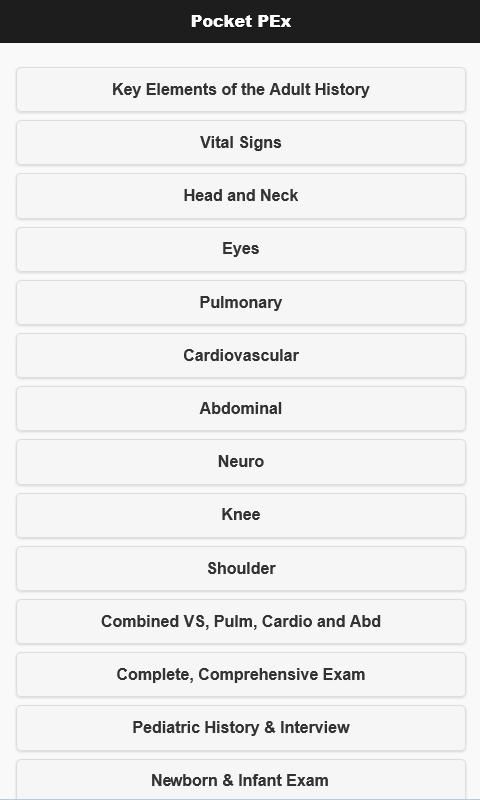
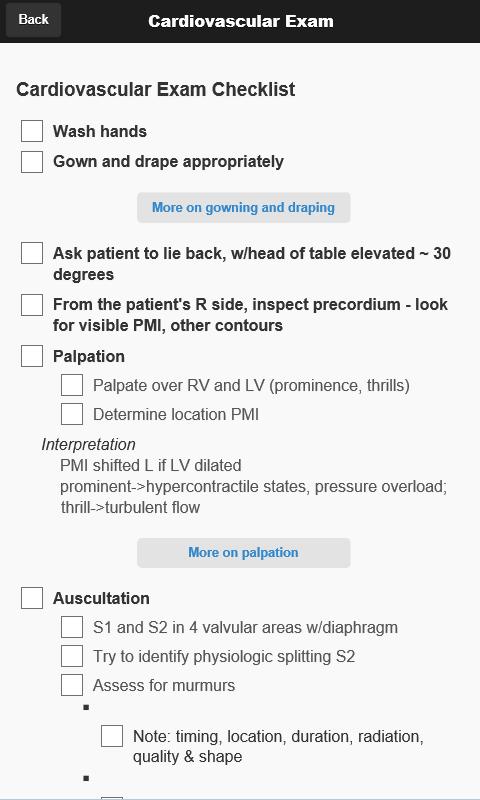
Learning the elements of a physical exam can be daunting. Pocket PEx provides a quick reference for early learners, enabling them to rapidly review the components of a regional exam, as well as the order in which the elements can be performed. There is a lot of room for flexibility and variations are common (i.e. there is not a single "best" way to do this). The key aspects are highlighted, recognizing that there are always things that might be added or removed based on the clinical circumstances.
While the exam areas are presented as "modules" (e.g. vital signs, head and neck, eye, etc), clinicians typically link together components that make the most sense for a particular situation. The final check lists (comprehensive
exams) present most of the elements tied together in an organized fashion, one that allows the examiner to be efficient as they move from one skill to the next.
THIS APP IS DESIGNED FOR EDUCATIONAL PURPOSES ONLY. NONE OF THE CONTENT ON THIS APP SHOULD BE CONSIDERED MEDICAL OR PSYCHOLOGICAL TREATMENT. PLEASE READ FULL DISCLAIMER IN THE APP. IF YOU HAVE ANY CLINICAL OR MEDICAL QUESTIONS, PLEASE CONSULT YOUR PHYSICIAN. BY USING THIS APP, YOU AGREE THAT IN NO EVENT WILL YOU HOLD THE AUTHORS OR THE UNIVERSITY OF CALIFORNIA LIABLE TO ANY PARTY FOR DIRECT, INDIRECT, SPECIAL, INCIDENTAL, OR CONSEQUENTIAL DAMAGES, INCLUDING LOST PROFITS, ARISING OUT OF THE USE OF THIS APP.
Preview
Tags
MedicalInformation
Developer
MedEdApps
Latest Version
3.1.2
Last Updated
2017-09-17
Category
Medical
Available on
Google Play
Show More
How to play Pocket PEx with GameLoop on PC
1. Download GameLoop from the official website, then run the exe file to install GameLoop
2. Open GameLoop and search for “Pocket PEx” , find Pocket PEx in the search results and click “Install”
3. Enjoy playing Pocket PEx on GameLoop
Minimum requirements
OS
Windows 8.1 64-bit or Windows 10 64-bit
GPU
GTX 1050
CPU
i3-8300
Memory
8GB RAM
Storage
1GB available space
Recommended requirements
OS
Windows 8.1 64-bit or Windows 10 64-bit
GPU
GTX 1050
CPU
i3-9320
Memory
16GB RAM
Storage
1GB available space