
Heart Sounds: Learn Murmurs PC
Dr. Ahmed Elalem
Download Heart Sounds: Learn Murmurs on PC With GameLoop Emulator
Heart Sounds: Learn Murmurs on PC
Heart Sounds: Learn Murmurs, coming from the developer Dr. Ahmed Elalem, is running on Android systerm in the past.
Now, You can play Heart Sounds: Learn Murmurs on PC with GameLoop smoothly.
Download it in the GameLoop library or search results. No more eyeing the battery or frustrating calls at the wrong time any more.
Just enjoy Heart Sounds: Learn Murmurs PC on the large screen for free!
Heart Sounds: Learn Murmurs Introduction
LONG DESCRIPTION (Google Play limit: 4,000 characters)
=========================================
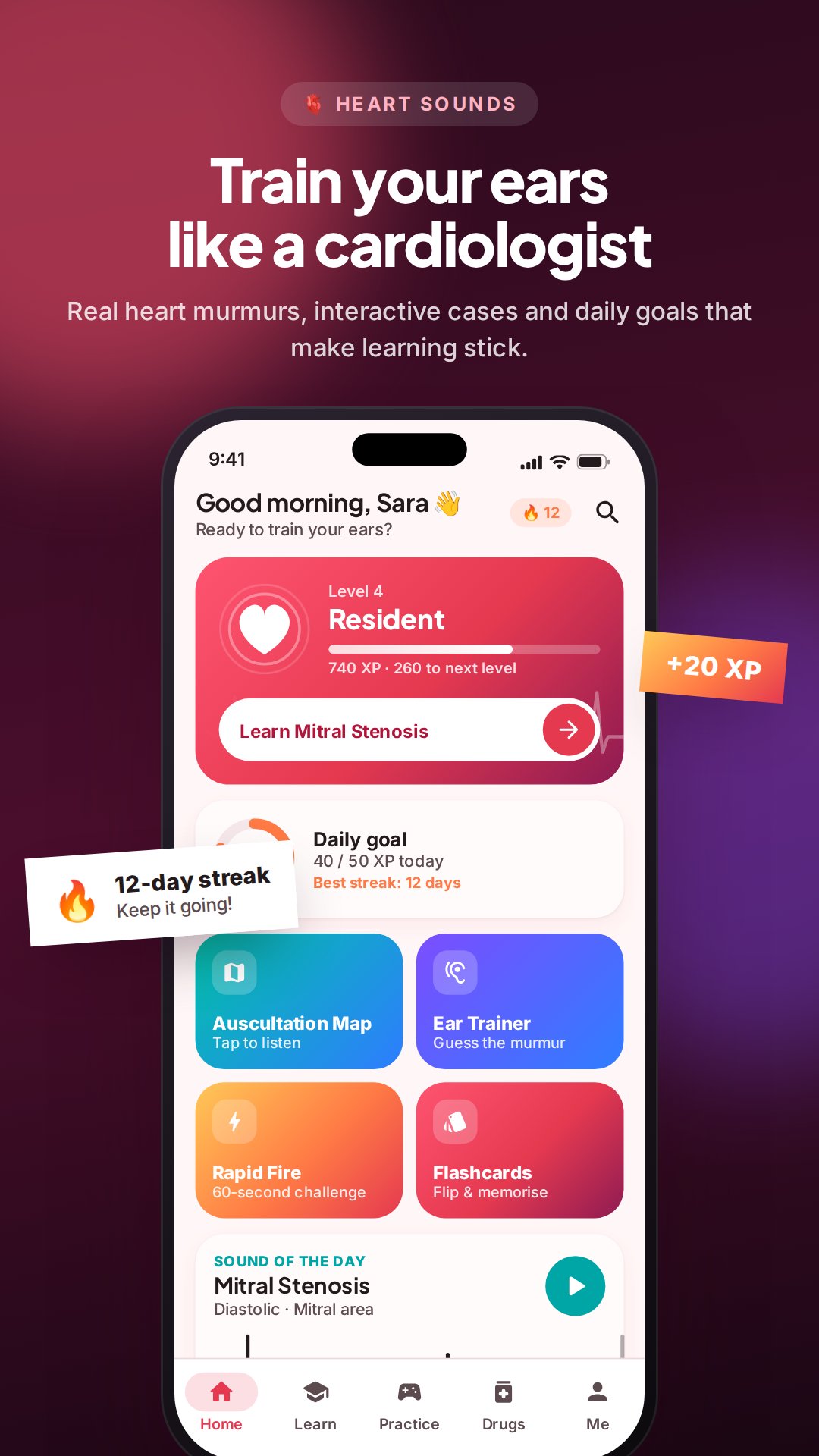
🫀 Train your ears like a cardiologist.
Heart Sounds turns cardiac auscultation into something you actually enjoy practising. Listen to real heart-murmur recordings, watch the waveform move as you listen, find the right spot on an interactive chest, and test yourself with clinical cases and quick-fire quizzes. It's built for medical and nursing students, USMLE and OSCE candidates, paramedics, doctors and curious learners alike.
🎧 HEAR EVERY MURMUR
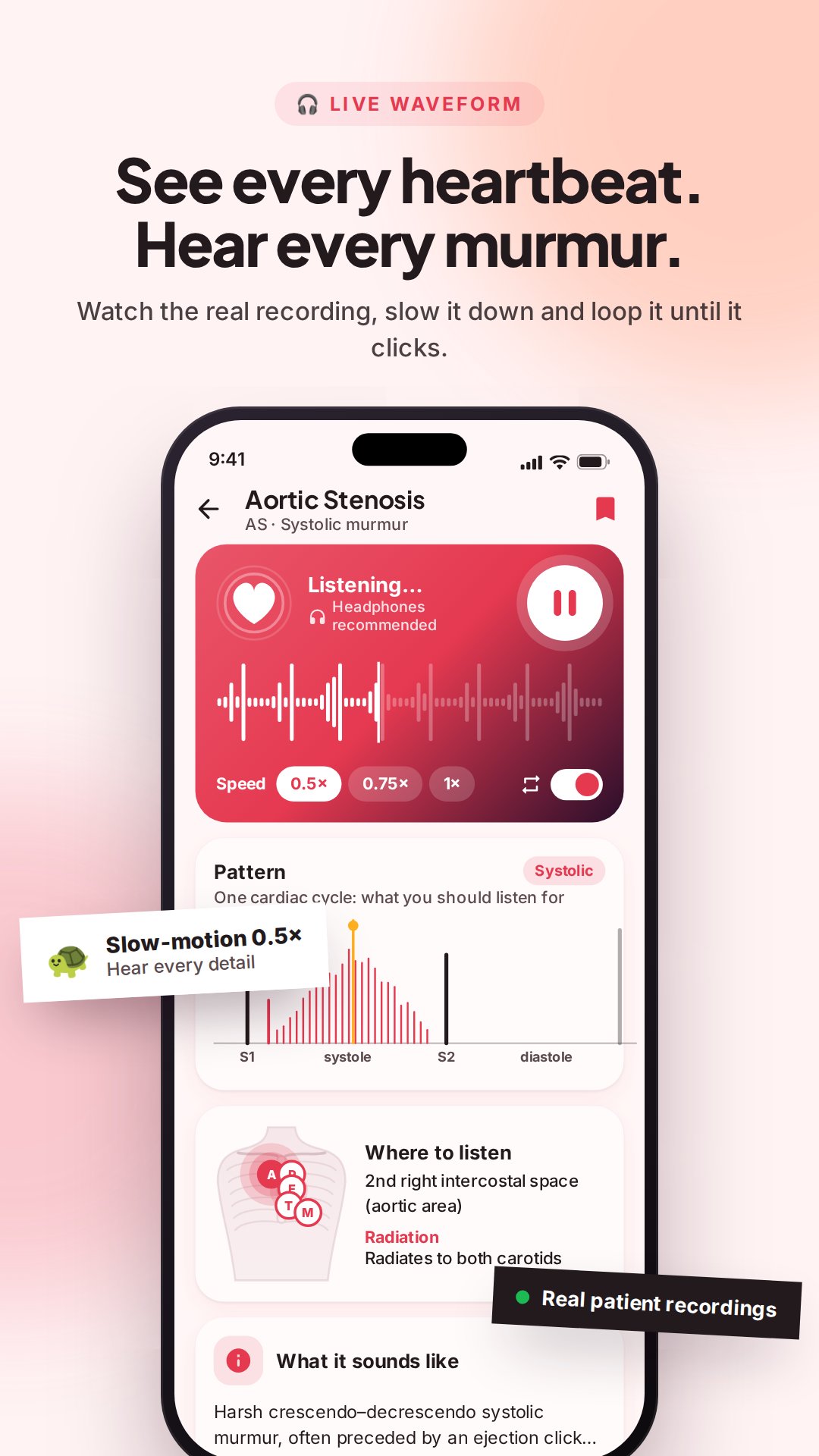
• Real recordings of aortic stenosis, aortic regurgitation, mitral regurgitation, mitral stenosis, mitral valve prolapse, PDA and VSD
• A live waveform of each recording: tap or drag to jump to any moment
• Slow motion at 0.5× and 0.75×, plus loop mode, so you catch every click, snap and rumble
• An animated heart-sound pattern diagram (S1, S2, clicks and opening snap) for every murmur
• Timing, radiation, symptoms, causes, bedside maneuvers and a high-yield clinical pearl
🩺 KNOW EXACTLY WHERE TO LISTEN
• An interactive chest map with all five auscultation points (aortic, pulmonic, Erb's, tricuspid, mitral)
• Tap a point to see what's loudest there and play it right away
🎮 EAR TRAINER GAME
• A mystery murmur plays and you name it
• Build streaks, use hints and beat your personal best
🏥 LISTEN & DIAGNOSE: 8 CLINICAL CASES
• Realistic patient stories with vitals
• Identify the murmur, then recall symptoms and causes
• Clear explanations of why the answer is right
🧠 7 QUIZ PACKS + RAPID FIRE
• Murmurs, auscultation sites, heart anatomy, heart-sound splitting, murmur grading, dynamic auscultation and cardiac pharmacology
• An instant explanation after every answer
• 60-second Rapid Fire mode to test your speed
💊 24 CARDIAC DRUG CLASSES
• Mechanism, indications, side effects, contraindications and memory tricks
• Flip-card flashcards for fast revision
• Search and filter by category: heart failure, antihypertensives, antiarrhythmics, lipid-lowering, diuretics and more
📋 OSCE CHECKLISTS
• Step-by-step cardiovascular history taking and physical examination
• Tick off each step and practise with the built-in OSCE timer
🏆 STAY MOTIVATED
• XP, 9 levels, a daily goal and streaks
• 14 badges to collect, with confetti celebrations
• Bookmarks and search across all content
✨ MADE FOR EVERYONE
• A clean, modern design with dark mode
• Adjustable text size and haptic feedback
• Works offline once installed
⭐ HEART SOUNDS PRO
The core lessons are free. Unlock any premium item by watching a short video, or get Pro with a single one-time purchase (no subscription) to unlock every murmur, case, quiz and drug and remove all ads.
🎧 Tip: use headphones for the best listening experience.
Heart Sounds is an educational tool. It is not a medical device and does not replace professional medical advice, diagnosis or treatment.
Preview
Tags
MedicalInformation
Developer
Dr. Ahmed Elalem
Latest Version
5.4
Last Updated
2026-10-21
Category
Medical
Available on
Google Play
Show More
How to play Heart Sounds: Learn Murmurs with GameLoop on PC
1. Download GameLoop from the official website, then run the exe file to install GameLoop
2. Open GameLoop and search for “Heart Sounds: Learn Murmurs” , find Heart Sounds: Learn Murmurs in the search results and click “Install”
3. Enjoy playing Heart Sounds: Learn Murmurs on GameLoop
Minimum requirements
OS
Windows 8.1 64-bit or Windows 10 64-bit
GPU
GTX 1050
CPU
i3-8300
Memory
8GB RAM
Storage
1GB available space
Recommended requirements
OS
Windows 8.1 64-bit or Windows 10 64-bit
GPU
GTX 1050
CPU
i3-9320
Memory
16GB RAM
Storage
1GB available space