
AgaMatrix Diabetes Manager PC
AgaMatrix Inc
Download AgaMatrix Diabetes Manager on PC With GameLoop Emulator
AgaMatrix Diabetes Manager on PC
AgaMatrix Diabetes Manager, coming from the developer AgaMatrix Inc, is running on Android systerm in the past.
Now, You can play AgaMatrix Diabetes Manager on PC with GameLoop smoothly.
Download it in the GameLoop library or search results. No more eyeing the battery or frustrating calls at the wrong time any more.
Just enjoy AgaMatrix Diabetes Manager PC on the large screen for free!
AgaMatrix Diabetes Manager Introduction
Dashboard
Organize modules on the dashboard to show the information you want, in the order you choose.
Sharing
Invite your caregivers to view your glucose readings in real time, or email all of your data in a traditional logbook format.
Reminders
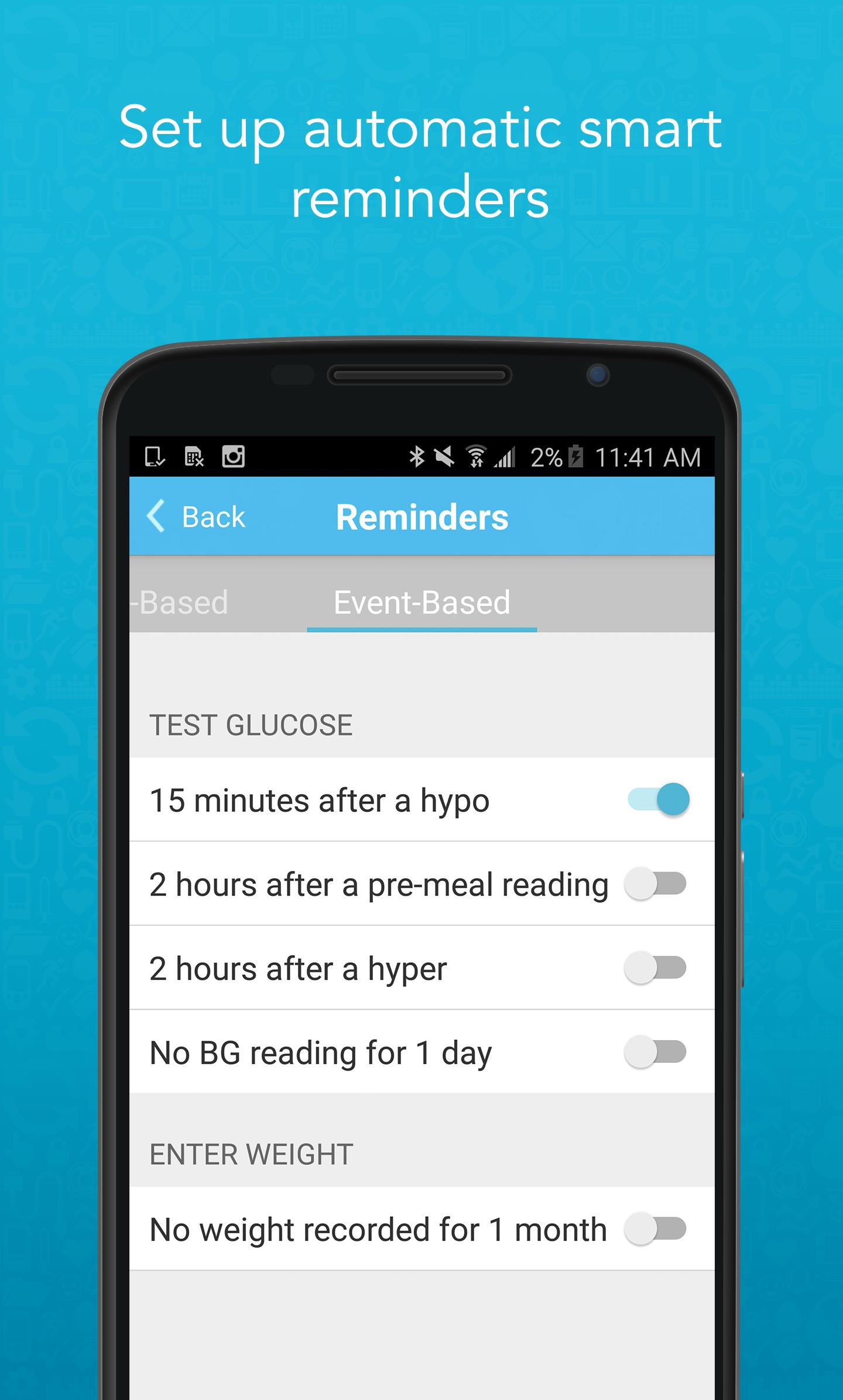
Reminders can be automatically triggered by another event; for example, 15 minutes after a hypo result, you will receive an automatic reminder to test again.
Compatible Meters
Automatically sync with the following meters:
• AgaMatrix Jazz™ Wireless 2 Blood Glucose Meter
• CVS Health™ Advanced Bluetooth® Glucose Meter
• Amazon Choice Blood Glucose Monitor
• Meijer® Essential Wireless Blood Glucose Meter
Cloud Support
Sign up for an account and back up your data on our HIPAA compliant server.
Multiple Data Types
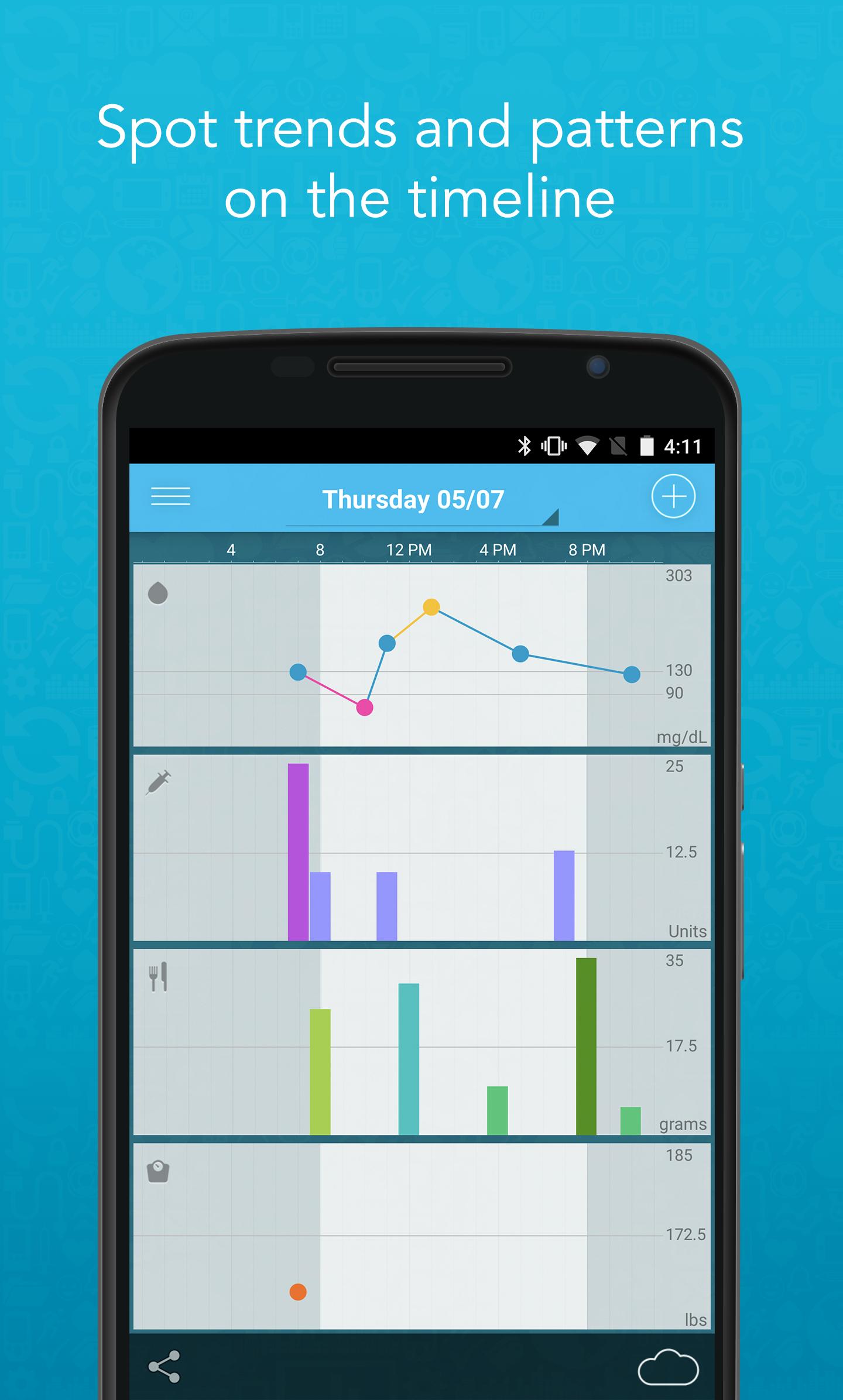
Record glucose, insulin, carbs and weight with a touch of a button.
Timeline
Track all your data in one place to easily spot trends. Choose the view that works best for you: 1 day, 1 week or 1 month.
Logbook
Rotate the app for the glucose logbook you know and love, organized by meal block.
Customer Service
AgaMatrix has a 10-year track record developing products and customer service experts easily accessible. Contact us by phone: 866-906-4197 or email customerservice@agamatrix.com.
Love our app? Rate us in the Play Store! Running into a bug or have feedback? Email us at customerservice@agamatrix.com.
Preview
Tags
MedicalInformation
Developer
AgaMatrix Inc
Latest Version
1.17.2
Last Updated
2024-11-28
Category
Medical
Available on
Google Play
Show More
How to play AgaMatrix Diabetes Manager with GameLoop on PC
1. Download GameLoop from the official website, then run the exe file to install GameLoop
2. Open GameLoop and search for “AgaMatrix Diabetes Manager” , find AgaMatrix Diabetes Manager in the search results and click “Install”
3. Enjoy playing AgaMatrix Diabetes Manager on GameLoop
Minimum requirements
OS
Windows 8.1 64-bit or Windows 10 64-bit
GPU
GTX 1050
CPU
i3-8300
Memory
8GB RAM
Storage
1GB available space
Recommended requirements
OS
Windows 8.1 64-bit or Windows 10 64-bit
GPU
GTX 1050
CPU
i3-9320
Memory
16GB RAM
Storage
1GB available space