
Mapply: Map Maker PC
fum4dev
Download Mapply: Map Maker on PC With GameLoop Emulator
Mapply: Map Maker on PC
Mapply: Map Maker, coming from the developer fum4dev, is running on Android systerm in the past.
Now, You can play Mapply: Map Maker on PC with GameLoop smoothly.
Download it in the GameLoop library or search results. No more eyeing the battery or frustrating calls at the wrong time any more.
Just enjoy Mapply: Map Maker PC on the large screen for free!
Mapply: Map Maker Introduction
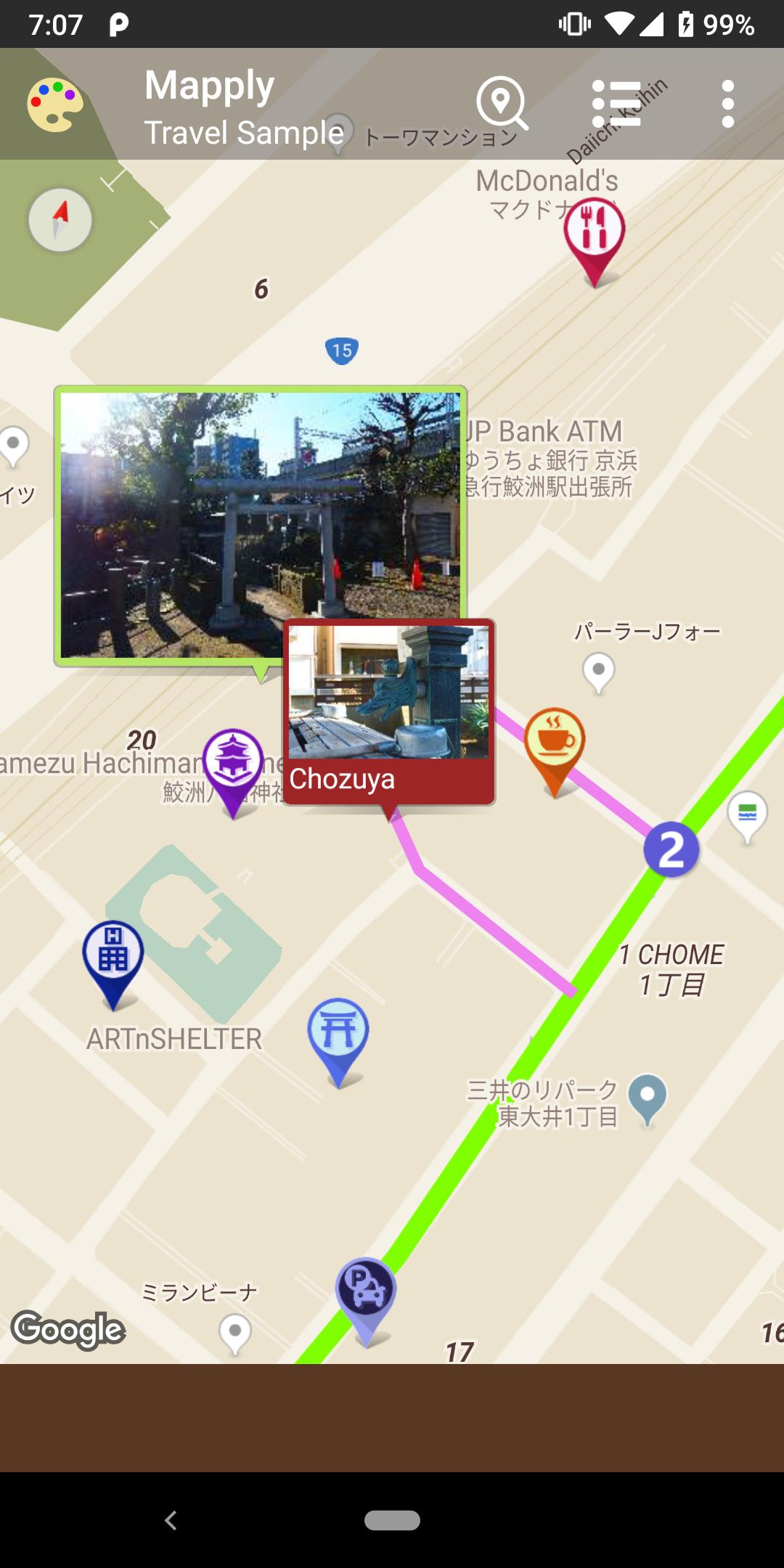
Mapply can draw courses, place photos, texts and markers in places you like on the map and save them.
● Course
You can set multiple courses which individually change marks of line color, thickness, start and end position.
● Memo
You can set balloons (markers) with embedded photo and text.
● Marker
You can set markers by selecting icon prepared in advance.
● Palette
You can change the color on the map such as land, road and text etc.
For example, use as follows
· Before traveling or walking, write courses and places you want to go.
When you actually go around courses, you can check the current location by turning on [My location] in the menu.
· After going on travel, add pictures and memos.
You can put photos in the place where you took it, or leave memos.
Easily send and receive saved data to nearby devices installed Mapply.
Send and receive offline using WiFi or Bluetooth etc. (Android's feature: Nearby Connections API)
As it is offline, mobile networks will not be used. It can send and receive data with SIM card unmounted device.
You can output saved data in the following format.
● Snapshot
You can output the displayed map to the image.
Unlike device screenshot, only map is output, excluding status bar etc.
● KML · KMZ
You can output courses and markers as location data that can be used with Google Earth and Google Maps.
※ Since KML does not include images, photos are not reflected.
※ In Google Maps, some KML functions are not supported, such as the marker size can not be specified.
● Mapply data file
Outputted Mapply data file can be read by this app.
For details of each screen, refer to help in the app menu.
Preview

Tags
Maps-&Information
Developer
fum4dev
Latest Version
1.27
Last Updated
2023-10-30
Category
Maps-navigation
Available on
Google Play
Show More
How to play Mapply: Map Maker with GameLoop on PC
1. Download GameLoop from the official website, then run the exe file to install GameLoop
2. Open GameLoop and search for “Mapply: Map Maker” , find Mapply: Map Maker in the search results and click “Install”
3. Enjoy playing Mapply: Map Maker on GameLoop
Minimum requirements
OS
Windows 8.1 64-bit or Windows 10 64-bit
GPU
GTX 1050
CPU
i3-8300
Memory
8GB RAM
Storage
1GB available space
Recommended requirements
OS
Windows 8.1 64-bit or Windows 10 64-bit
GPU
GTX 1050
CPU
i3-9320
Memory
16GB RAM
Storage
1GB available space