GPS Speedometer with HUD PC
BeshevGames
Download GPS Speedometer with HUD on PC With GameLoop Emulator
GPS Speedometer with HUD on PC
GPS Speedometer with HUD, coming from the developer BeshevGames, is running on Android systerm in the past.
Now, You can play GPS Speedometer with HUD on PC with GameLoop smoothly.
Download it in the GameLoop library or search results. No more eyeing the battery or frustrating calls at the wrong time any more.
Just enjoy GPS Speedometer with HUD PC on the large screen for free!
GPS Speedometer with HUD Introduction
PLEASE, if there are problems with the app - tell me what is wrong so I can fix it. Don't vote with one star and no comment, thank you!
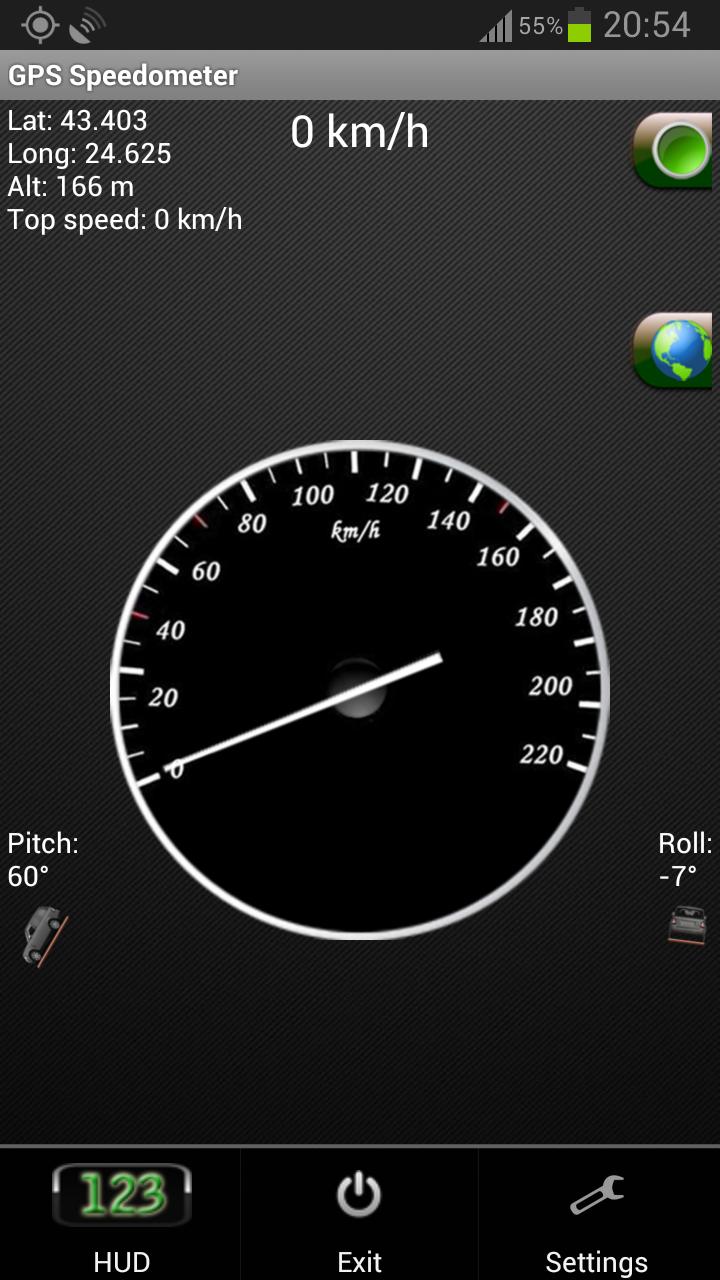
GPS Speedometer - this GPS SPEED application is a free software for Android devices with built-in GPS antenna. It acts as a normal speed gauge, which you may find in any car, showing the velocity of the vehicle you are in in kph and mph - useful when cycling, running, flying, sailing.
GPS Coordinates is a powerful and reliable mobile application designed to provide you with accurate and precise information about your current location. Whether you're hiking, traveling, or simply exploring your city, GPS Coordinates is the perfect app for you.
With GPS Coordinates, you can quickly and easily obtain your latitude and longitude coordinates, as well as your altitude and speed. The app uses your device's GPS sensor to provide you with accurate location information in real-time, so you always know where you are.
One of the key features of GPS Coordinates is its user-friendly interface. The app's simple design makes it easy to navigate and use, and you can access your location information with just a few taps.
In addition to its core features, GPS Coordinates also offers a variety of customization options. You can customize the app's settings to suit your preferences, including adjusting the display units for your location data and enabling or disabling location services.
We try our best to make all readings as accurate as possible, but the accuracy also depends your device's GPS sensor and should only be treated as approximations.
*This is an ad-supported application. The ads are located on the bottom of the screen.
There is also a flashlight available in GSpeed. You turn it on and off by simply clicking the green button, located in the top right corner of the app.
In miles per hour (MPH)
You can set the app to kmh or mph.
Some features of the speed app include:
GPS Coordinates
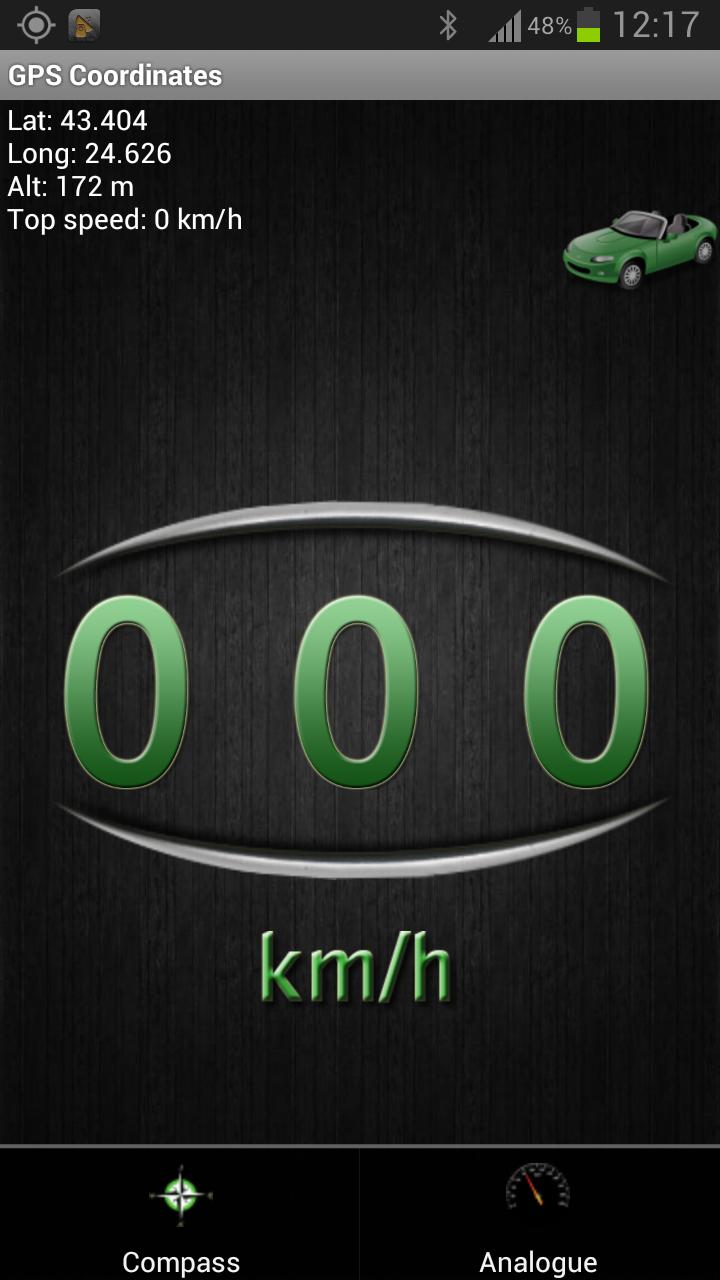
-Shows you your current GPS position - Longitude, Latitude and Altitude, as well as your top speed.
GPS Speed
-Your current speed and your maximum velocity, according to the sattelites.
Google Maps for newer versions of Android (4.0.3 and above)
-Added Google Maps view. With a single click you can view your current position on the map, which may help you navigate to your current destination.
Vehicle position
-The pitch and roll of the vehicle you are in (the device must be in upright position according to the vehicle)
Units
-Both the analog and digital speedometer views can be either in miles or kilometers per hour.
HUD - heads up display
-You can switch to HUD mode, which will show you your velocity digitally with large green numbers.
Mirror HUD mode
-A mirror view of the digits, allowing you to put your phone on the dash of the vehicle, so that the readings of your speed in kilometers per hour can be reflected from the windshield at night.
*Permanently set to KM/H or MPH
*Change your background
*Change needle color
*Choose to keep screen lit(or not) when app is active.
*Added a software menu button if no hardware one detected
*Move to SD card
*Fixed Altitude readings
*Added Google Map view
*Some bug fixes
*Set screen size
*Tested on Samsung Galaxy S III, Samsung Galaxy Tab 2 7.0' and a Chinese phone with Android 2.3.4
Video of the HUD mode of the application:
http://www.youtube.com/watch?v=KUkrA3AbHnQ
**** EU Cookie law ****
We use device identifiers to personalise content and ads, to provide social media features and to analyse our traffic. We also share such identifiers and other information from your device with our social media, advertising and analytics partners.
Preview
Tags
Maps-&Information
Developer
BeshevGames
Latest Version
3.6.0.2
Last Updated
2014-06-18
Category
Maps-navigation
Available on
Google Play
Show More
How to play GPS Speedometer with HUD with GameLoop on PC
1. Download GameLoop from the official website, then run the exe file to install GameLoop
2. Open GameLoop and search for “GPS Speedometer with HUD” , find GPS Speedometer with HUD in the search results and click “Install”
3. Enjoy playing GPS Speedometer with HUD on GameLoop
Minimum requirements
OS
Windows 8.1 64-bit or Windows 10 64-bit
GPU
GTX 1050
CPU
i3-8300
Memory
8GB RAM
Storage
1GB available space
Recommended requirements
OS
Windows 8.1 64-bit or Windows 10 64-bit
GPU
GTX 1050
CPU
i3-9320
Memory
16GB RAM
Storage
1GB available space