
BusFinder - Ônibus SP PC
Marco Biscaro
Download BusFinder - Ônibus SP on PC With GameLoop Emulator
BusFinder - Ônibus SP on PC
BusFinder - Ônibus SP, coming from the developer Marco Biscaro, is running on Android systerm in the past.
Now, You can play BusFinder - Ônibus SP on PC with GameLoop smoothly.
Download it in the GameLoop library or search results. No more eyeing the battery or frustrating calls at the wrong time any more.
Just enjoy BusFinder - Ônibus SP PC on the large screen for free!
BusFinder - Ônibus SP Introduction
Tired of long waits for your bus?
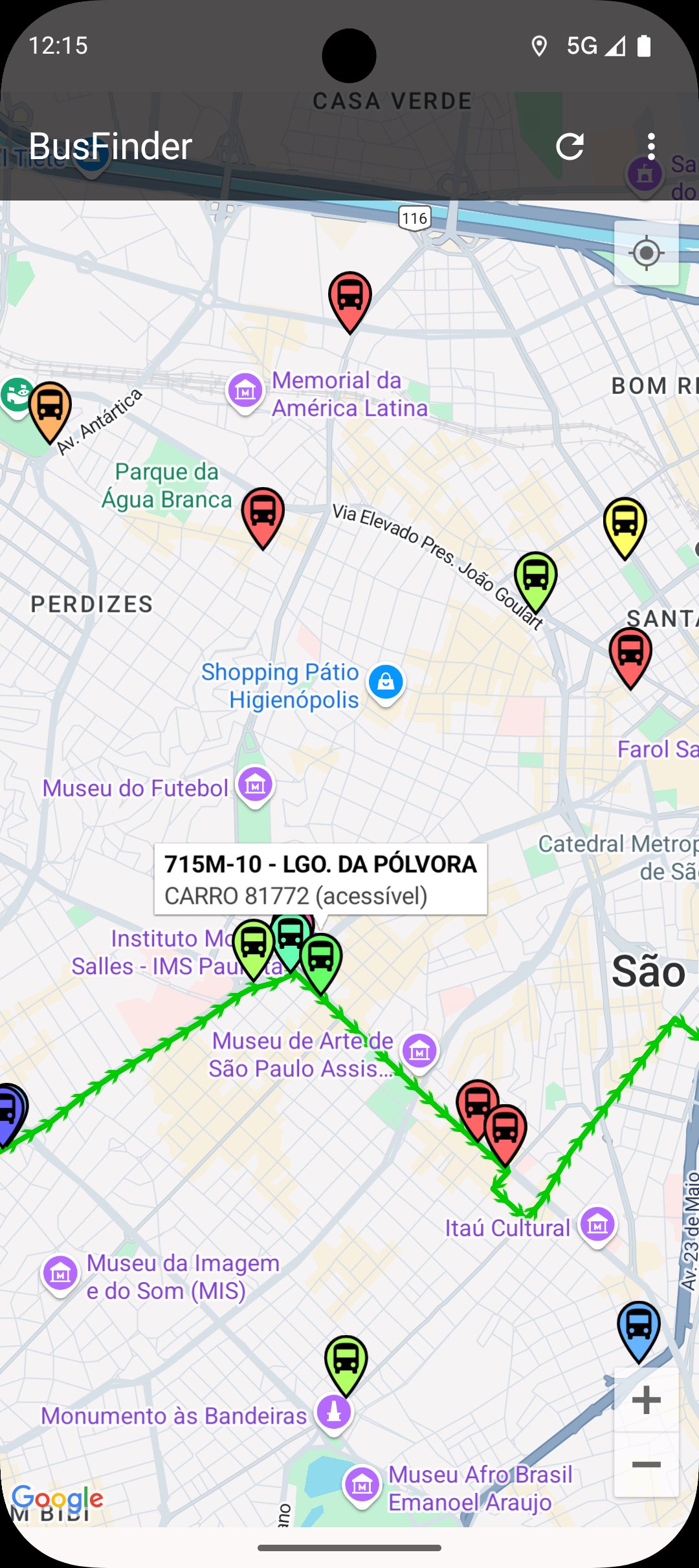
Locate the position of buses in the city of São Paulo in real time (only lines operated by SPTrans).
Don't miss the bus again! With BusFinder SP you can track the location of buses on any line in the city of São Paulo.
Resources:
- Position of buses in real time
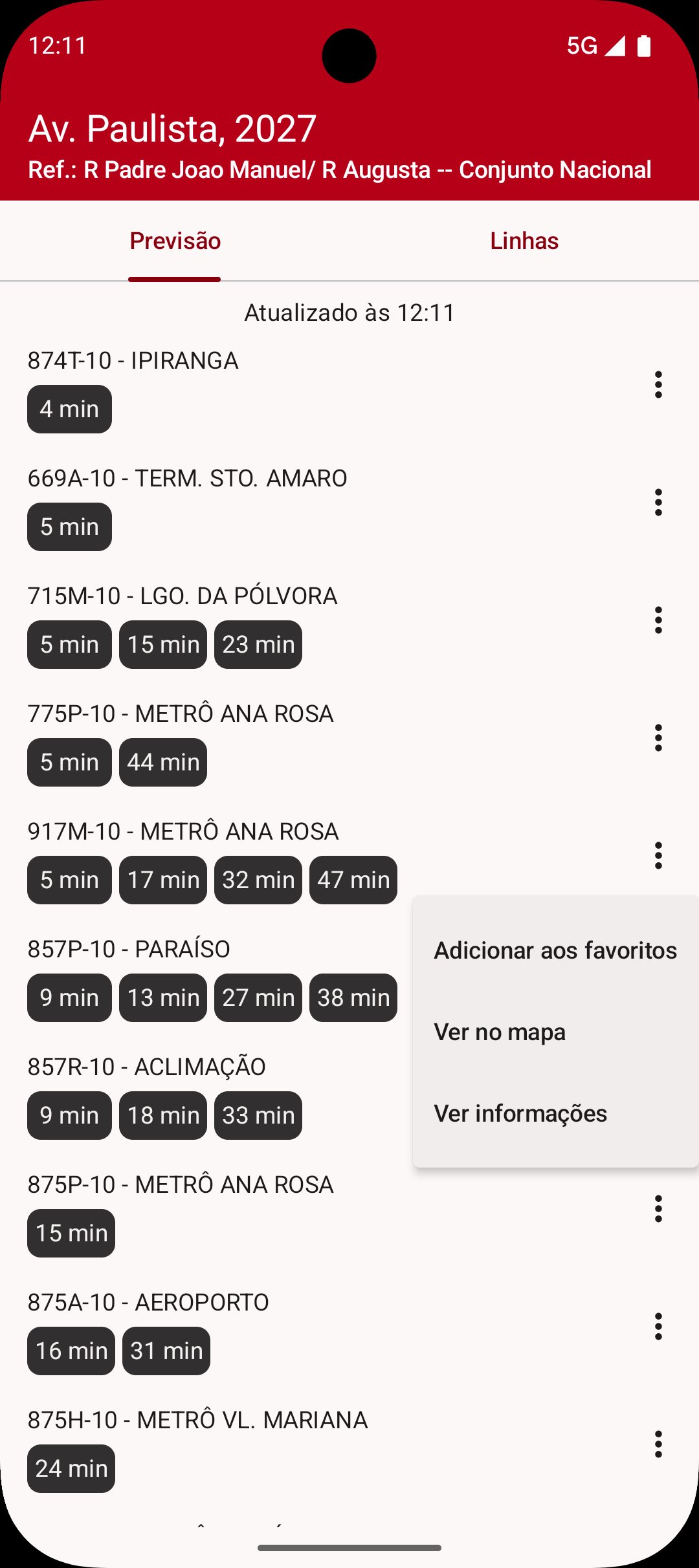
- Nearby stops, with estimated arrival times for each bus
- Line information, with expected departure times and itinerary
- List of favorite lines
- Automatic Update
- Unlimited number of lines (both in favorites and in map display)
- Bus route on the map
- Map cache for less data consumption
- Displays your location via GPS or network
The application uses information provided by SPTrans's Olho Vivo service. We are not affiliated with or represent SPTrans or the City of São Paulo.
The official source for information on lines, points and scheduled times is SPTrans, and can be consulted at https://www.sptrans.com.br/
The official source for the real-time location of buses is Olho Vivo, operated by SPTrans, and can be consulted at https://olhovivo.sptrans.com.br/
If there are problems with the location of the buses (buses disappearing, or not appearing on the map), it is important to notify SPTrans via telephone 156 or the website https://sp156.prefeitura.sp.gov.br/portal/servicos/ information?service=1010
Why does the application need these permissions?
- Communication with the internet: to download bus location information
- Approximate and exact location: to display your location on the map, if the option for this is active
- SD card storage: to cache maps, consuming less data
Preview
Tags
Maps-&Information
Developer
Marco Biscaro
Latest Version
3.0.3
Last Updated
2026-01-10
Category
Maps-navigation
Available on
Google Play
Show More
How to play BusFinder - Ônibus SP with GameLoop on PC
1. Download GameLoop from the official website, then run the exe file to install GameLoop
2. Open GameLoop and search for “BusFinder - Ônibus SP” , find BusFinder - Ônibus SP in the search results and click “Install”
3. Enjoy playing BusFinder - Ônibus SP on GameLoop
Minimum requirements
OS
Windows 8.1 64-bit or Windows 10 64-bit
GPU
GTX 1050
CPU
i3-8300
Memory
8GB RAM
Storage
1GB available space
Recommended requirements
OS
Windows 8.1 64-bit or Windows 10 64-bit
GPU
GTX 1050
CPU
i3-9320
Memory
16GB RAM
Storage
1GB available space