
Mercúrio App PC
Ahreas
Download Mercúrio App on PC With GameLoop Emulator
Mercúrio App on PC
Mercúrio App, coming from the developer Ahreas, is running on Android systerm in the past.
Now, You can play Mercúrio App on PC with GameLoop smoothly.
Download it in the GameLoop library or search results. No more eyeing the battery or frustrating calls at the wrong time any more.
Just enjoy Mercúrio App PC on the large screen for free!
Mercúrio App Introduction
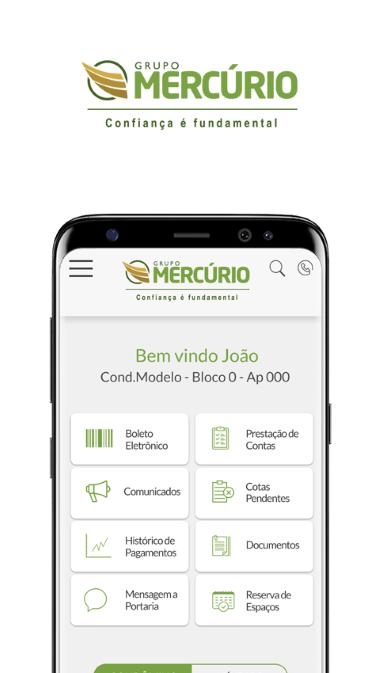
Whether it's to get the 2nd ticket, see your payment history or view the latest minutes of the meeting, the Mercury Group app will be at your side to make your day-to-day business easier.
With it you can:
- View your open ticket of the unit, copy the digitable line and make payment in the application of your bank.
- Check the history of previous payments of your condominium quota.
- View the announcements issued by the administrator
- View documents such as meeting minutes, internal rules and conventions
- Open calls to the administrator and / or the receiver
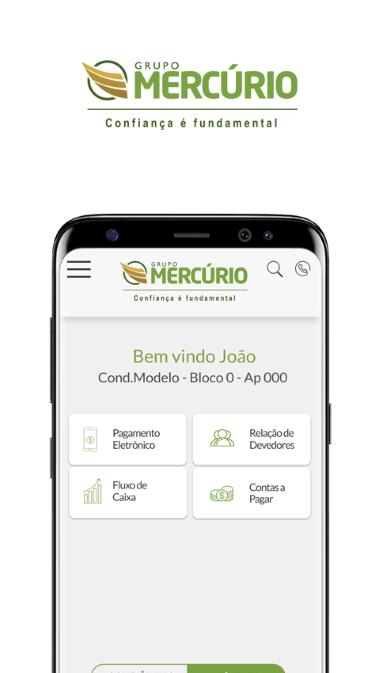
- Exclusive area for the liquidator
The application is always unique to use. To access it use the same login and password used in the Mercúrio Group portal.
About the Mercury Group.
After more than 70 years, the Mercúrio Group expands its horizons even further, with a 1,700 square meter area, divided between an auditorium for more than 120 guests, a technical monitoring area, and other environments that will support 15,000 units among residential, lots and enterprises, attended by a team of 300 employees.
Preview
Tags
LifestyleInformation
Developer
Ahreas
Latest Version
1.0.16
Last Updated
2022-05-02
Category
Lifestyle
Available on
Google Play
Show More
How to play Mercúrio App with GameLoop on PC
1. Download GameLoop from the official website, then run the exe file to install GameLoop
2. Open GameLoop and search for “Mercúrio App” , find Mercúrio App in the search results and click “Install”
3. Enjoy playing Mercúrio App on GameLoop
Minimum requirements
OS
Windows 8.1 64-bit or Windows 10 64-bit
GPU
GTX 1050
CPU
i3-8300
Memory
8GB RAM
Storage
1GB available space
Recommended requirements
OS
Windows 8.1 64-bit or Windows 10 64-bit
GPU
GTX 1050
CPU
i3-9320
Memory
16GB RAM
Storage
1GB available space