
Lovely Handwritten Cards PC
WriteOn
Download Lovely Handwritten Cards on PC With GameLoop Emulator
Lovely Handwritten Cards on PC
Lovely Handwritten Cards, coming from the developer WriteOn, is running on Android systerm in the past.
Now, You can play Lovely Handwritten Cards on PC with GameLoop smoothly.
Download it in the GameLoop library or search results. No more eyeing the battery or frustrating calls at the wrong time any more.
Just enjoy Lovely Handwritten Cards PC on the large screen for free!
Lovely Handwritten Cards Introduction
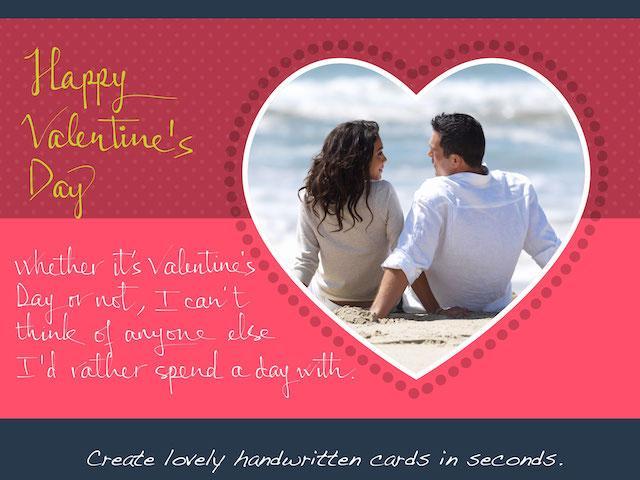
Make lovely greeting cards in seconds, with your own photos and HANDWRITING, for FREE.
***** Introductory prices offered for in-app purchases. *****
A personalized handwritten card will mean much more to your loved ones than a pre-printed one. You can do it in a matter of seconds with Lovely! app. Here is how:
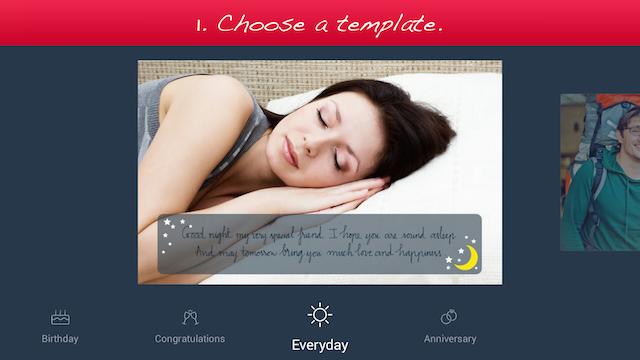
1. Choose a template (free or paid) from one of the 6 available categories: Holiday, Birthday, Congratulations, Love, Everyday, and Anniversary.
2. Add your own photo, scale and rotate it as you wish.
3. Add your own handwriting. Simply write with your finger, right on the touch screen. Lovely!'s special ink effects will make your handwriting look great.
4. Send the complete card to your loved ones via email or social networks.
Extras:
- You can choose from different colors and thicknesses for your handwriting. You can even choose one of the four different pen nibs for FREE: Fountain Pen, Ballpoint Pen, Wet Brush, and Calligraphy Pen.
- You can save your card as a photo to print it out or send it to your loved ones later.
Please try out Lovely! today and let us know your feedback at lovelysupport@writeon.cool.
Preview
Information
Developer
WriteOn
Latest Version
1.1
Last Updated
2015-03-03
Category
Lifestyle
Available on
Google Play
Show More
How to play Lovely Handwritten Cards with GameLoop on PC
1. Download GameLoop from the official website, then run the exe file to install GameLoop
2. Open GameLoop and search for “Lovely Handwritten Cards” , find Lovely Handwritten Cards in the search results and click “Install”
3. Enjoy playing Lovely Handwritten Cards on GameLoop
Minimum requirements
OS
Windows 8.1 64-bit or Windows 10 64-bit
GPU
GTX 1050
CPU
i3-8300
Memory
8GB RAM
Storage
1GB available space
Recommended requirements
OS
Windows 8.1 64-bit or Windows 10 64-bit
GPU
GTX 1050
CPU
i3-9320
Memory
16GB RAM
Storage
1GB available space