
Findee - Find Family & Friends PC
Aliaksei Sakavets
Download Findee - Find Family & Friends on PC With GameLoop Emulator
Findee - Find Family & Friends on PC
Findee - Find Family & Friends, coming from the developer Aliaksei Sakavets, is running on Android systerm in the past.
Now, You can play Findee - Find Family & Friends on PC with GameLoop smoothly.
Download it in the GameLoop library or search results. No more eyeing the battery or frustrating calls at the wrong time any more.
Just enjoy Findee - Find Family & Friends PC on the large screen for free!
Findee - Find Family & Friends Introduction
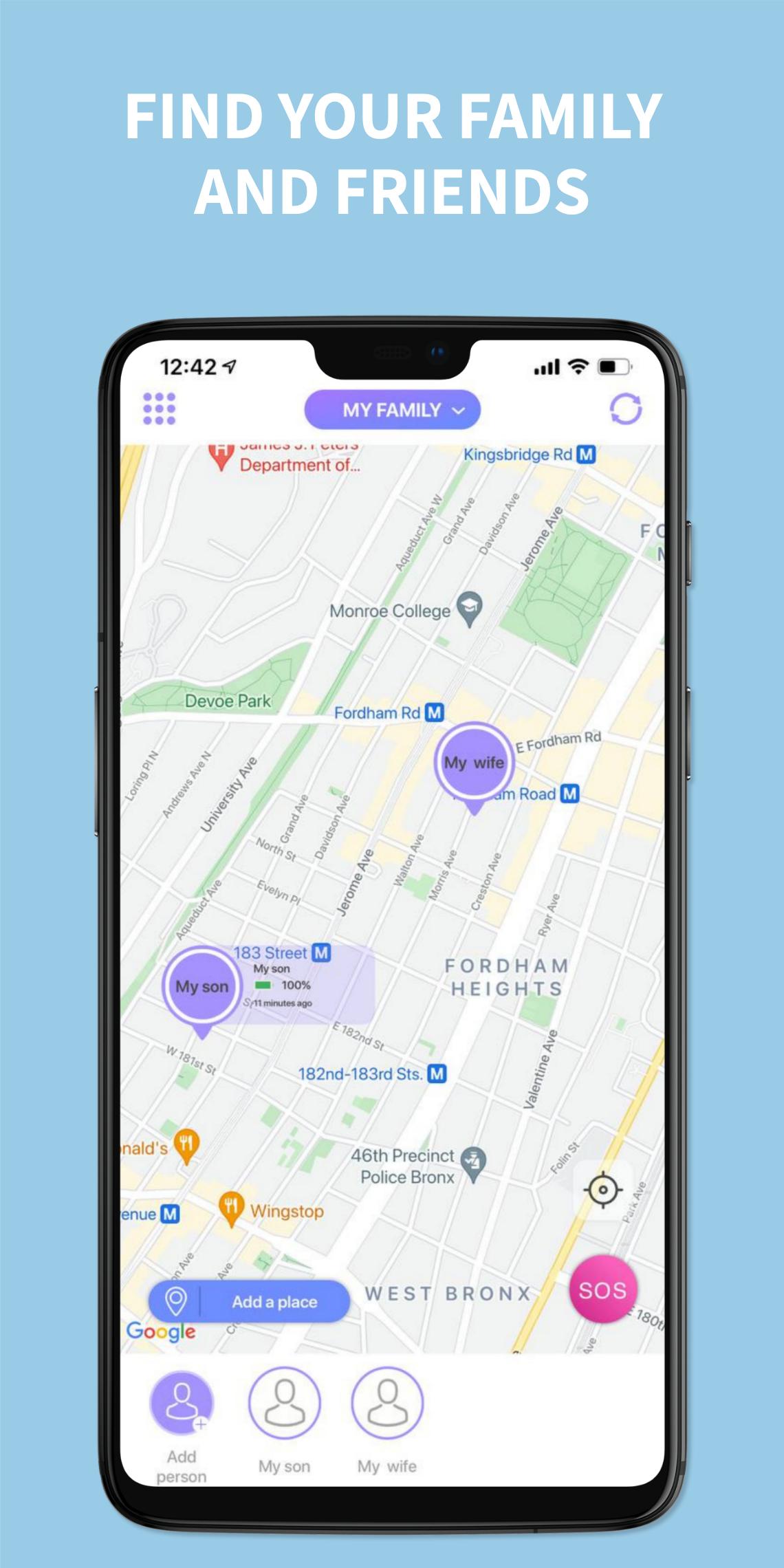
Our family and Kids tracker helps your whole family and your friends to stay connected.
View the current location of your family members and friends in real time.
Features:
- become a member or create any number of groups
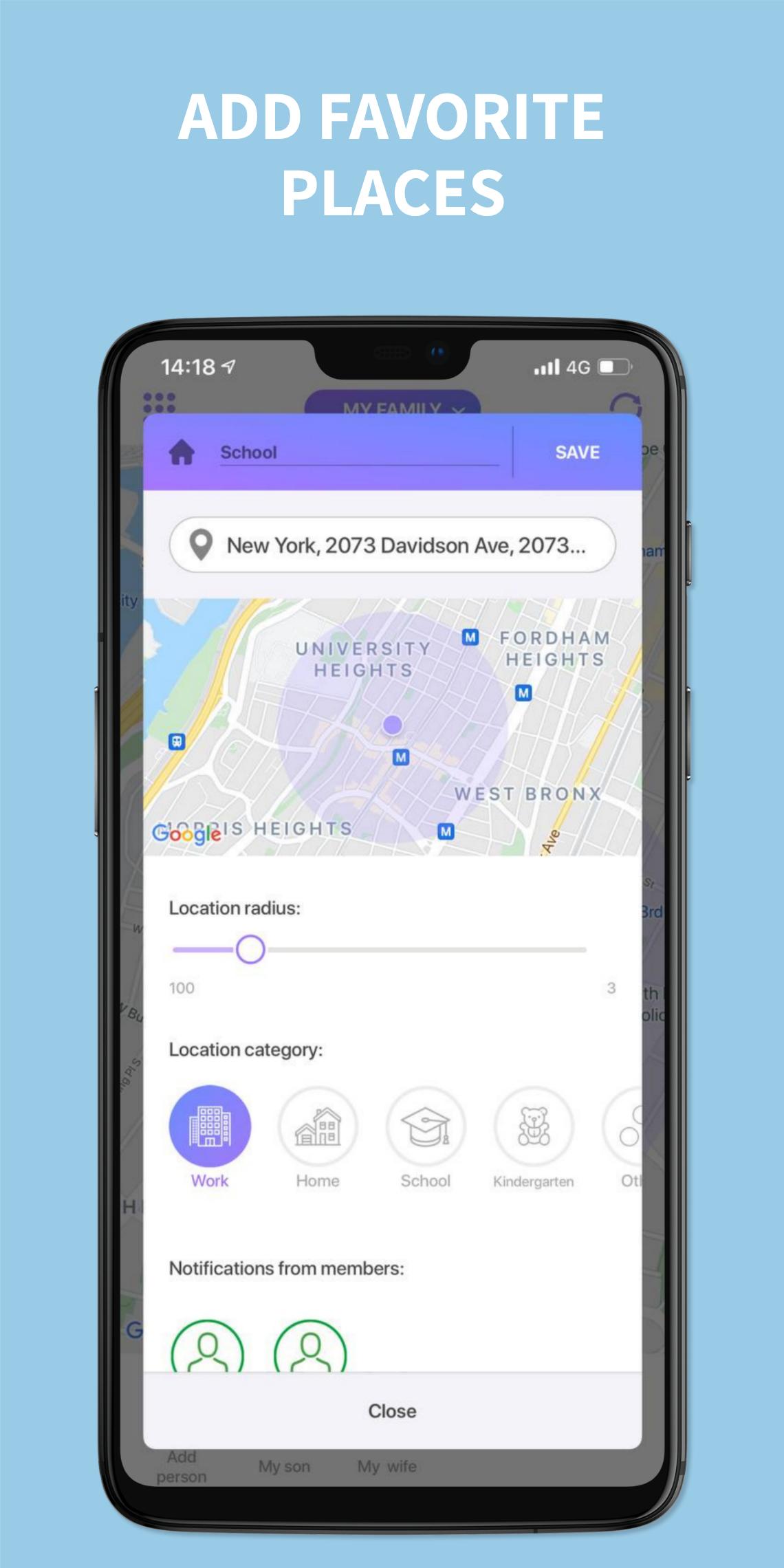
- add frequently visited places (home, school, kindergarten, work, etc.) and get instant notifications about the arrival or departure of group members
- set any notification radius for each location and get notified in advance of arrival
- customize and view route history for the last seven days, even if your family and friends didn't have internet
- get notifications when group members are low on battery
- set up notifications about high speed and aggressive behavior on the road
- receive notifications when users are close or approaching you
- set avatars to make all the data on the map easier to understand
- SOS button for your kids
- private chat with group members
- initiate a phone call directly from the app
- invisible mode if you want to be incognito and not share your position
For the application to work correctly, location services must be enabled on your device.
App contains paid subscriptions. The subscriptions are auto-renewable. Payment will be charged to iTunes Account at confirmation of purchase. Subscription automatically renews unless auto-renew is turned off at least 24-hours before the end of the current period. Account will be charged for renewal within 24-hours prior to the end of the current period, and identify the cost of the renewal. Subscriptions may be managed by the user and auto-renewal may be turned off by going to the user's Account Settings after purchase
Link on Terms of use:
https://appfindee.com/terms.html
Preview
Tags
LifestyleInformation
Developer
Aliaksei Sakavets
Latest Version
1.4
Last Updated
2021-09-23
Category
Lifestyle
Available on
Google Play
Show More
How to play Findee - Find Family & Friends with GameLoop on PC
1. Download GameLoop from the official website, then run the exe file to install GameLoop
2. Open GameLoop and search for “Findee - Find Family & Friends” , find Findee - Find Family & Friends in the search results and click “Install”
3. Enjoy playing Findee - Find Family & Friends on GameLoop
Minimum requirements
OS
Windows 8.1 64-bit or Windows 10 64-bit
GPU
GTX 1050
CPU
i3-8300
Memory
8GB RAM
Storage
1GB available space
Recommended requirements
OS
Windows 8.1 64-bit or Windows 10 64-bit
GPU
GTX 1050
CPU
i3-9320
Memory
16GB RAM
Storage
1GB available space