
Daily Counter PC
JAEHYUN KIM
Download Daily Counter on PC With GameLoop Emulator
Daily Counter on PC
Daily Counter, coming from the developer JAEHYUN KIM, is running on Android systerm in the past.
Now, You can play Daily Counter on PC with GameLoop smoothly.
Download it in the GameLoop library or search results. No more eyeing the battery or frustrating calls at the wrong time any more.
Just enjoy Daily Counter PC on the large screen for free!
Daily Counter Introduction
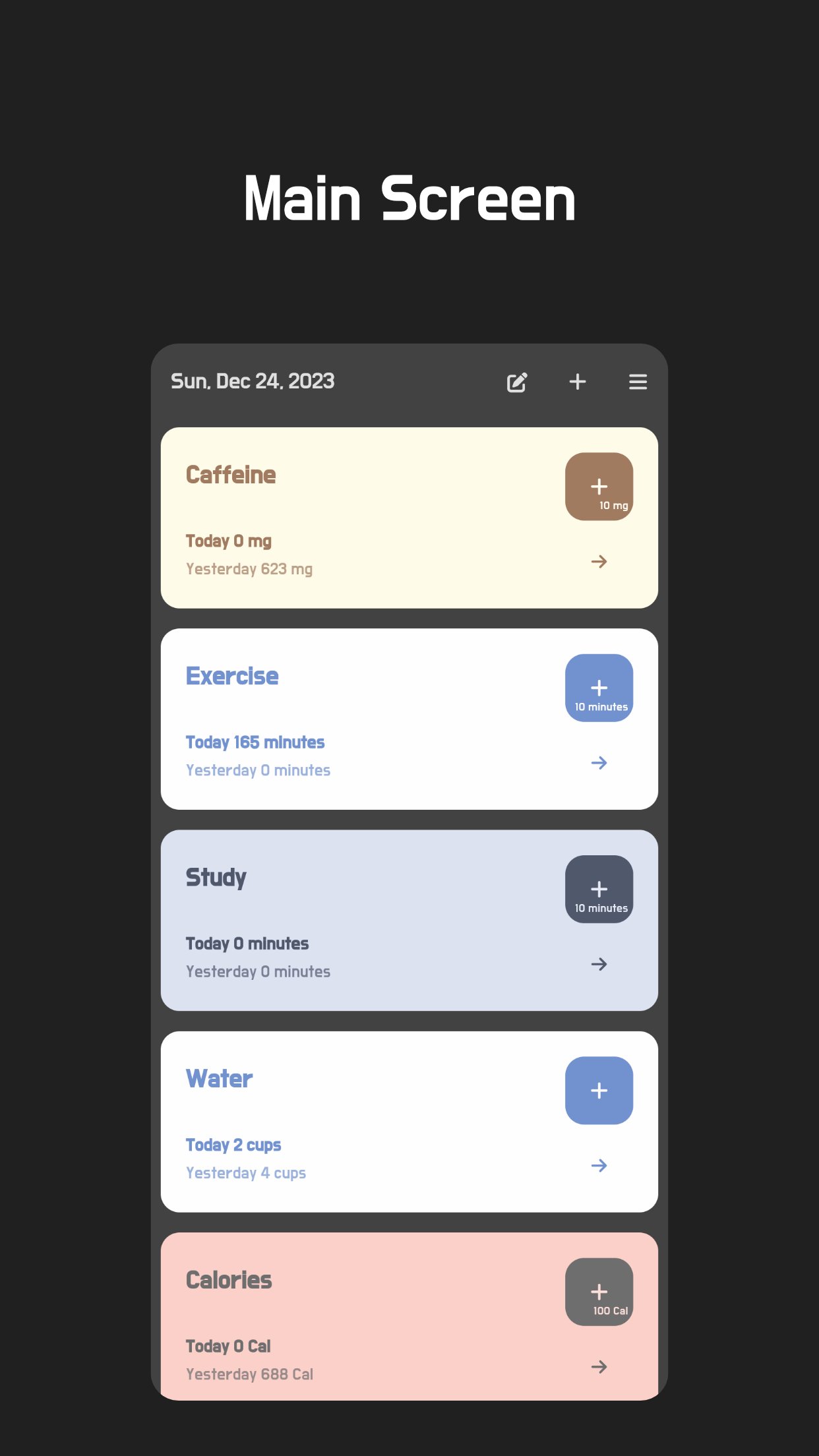
Take control of your daily habits and goals with Daily Counter, your simple and customizable tracker.
Effortlessly track any number-based habit or goal with just a few taps.
* Key features
Quick and easy logging:
Save dates and numbers with the press of a button.
Multiple topics:
Create separate logs for different areas of your life.
Color themes:
Personalize your experience with different visual styles.
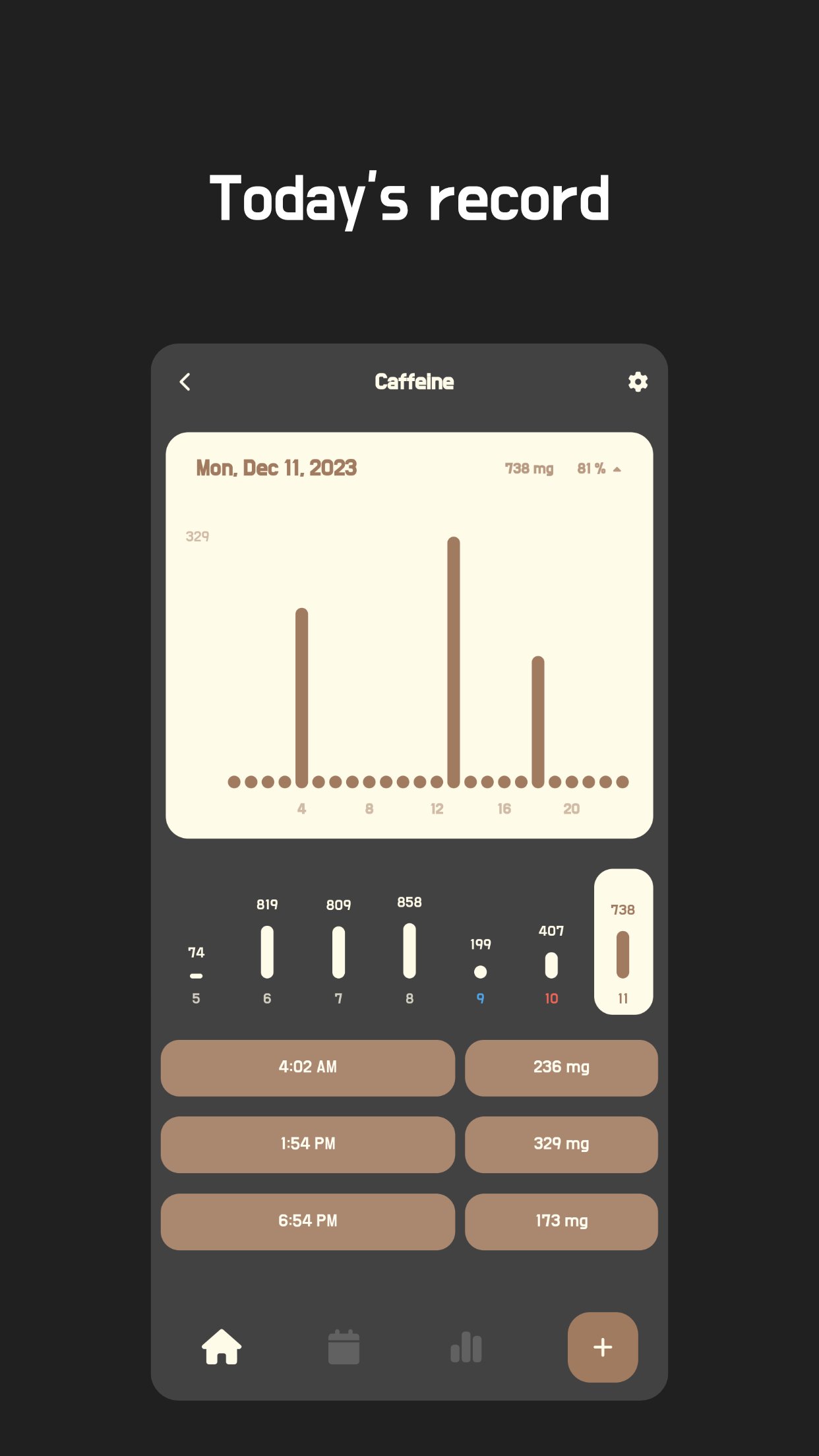
Detailed statistics:
View your progress over time with clear charts and graphs.
Variety of uses:
Perfect for tracking health, fitness, productivity, finances, and more.
Unlock your full potential with Daily Counter!
* Here are some examples of how you can use Daily Counter:
Diet:
Track calories, exercise time, and water intake.
Healthcare:
Monitor caffeine intake, medication history, and blood pressure.
Self-management:
Record progress on quitting smoking or drinking.
Productivity:
Track study time, training time, or work hours.
Finances:
Manage household expenses or track savings goals.
And much more!
I strive to continuously improve the Daily Counter experience for all users.
If you have any feedback or suggestions, please do not hesitate to contact me directly via email or leave a review. I appreciate your input.
Developer Contact:
kim.studiowacky@gmail.com
kim.beeefriends@gmail.com
Preview
Tags
LifestyleInformation
Developer
JAEHYUN KIM
Latest Version
11.2.2
Last Updated
2025-11-24
Category
Lifestyle
Available on
Google Play
Show More
How to play Daily Counter with GameLoop on PC
1. Download GameLoop from the official website, then run the exe file to install GameLoop
2. Open GameLoop and search for “Daily Counter” , find Daily Counter in the search results and click “Install”
3. Enjoy playing Daily Counter on GameLoop
Minimum requirements
OS
Windows 8.1 64-bit or Windows 10 64-bit
GPU
GTX 1050
CPU
i3-8300
Memory
8GB RAM
Storage
1GB available space
Recommended requirements
OS
Windows 8.1 64-bit or Windows 10 64-bit
GPU
GTX 1050
CPU
i3-9320
Memory
16GB RAM
Storage
1GB available space